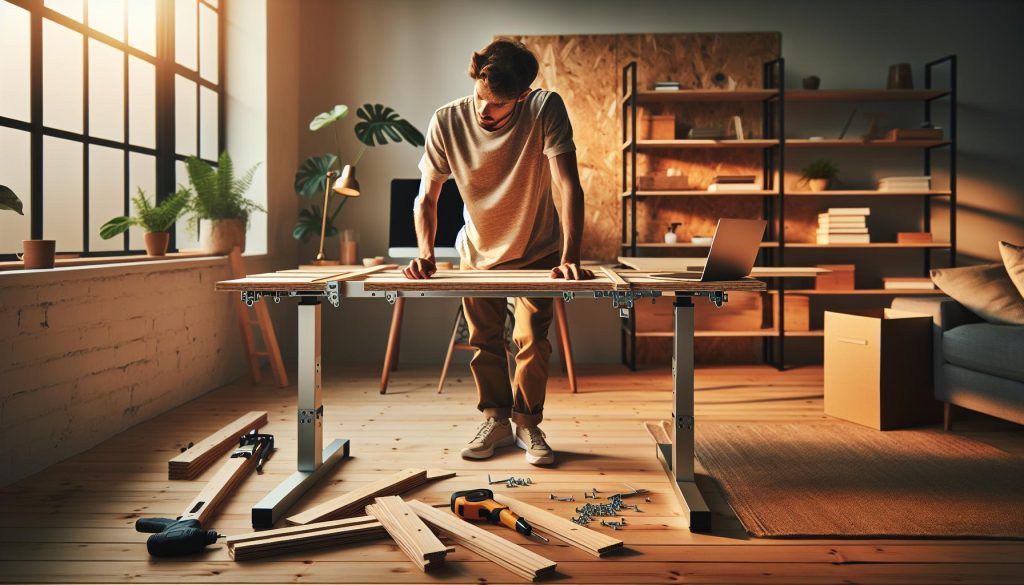
Did you know that standing desks can significantly boost your productivity and reduce health risks associated with prolonged sitting? However, investing in a high-end adjustable desk can be costly. The solution? Building your own smart adjustable standing desk for under $75. This DIY project not only promotes a healthier work environment but also gives you the satisfaction of creating something uniquely tailored to your needs. By the end of this guide, you’ll learn how to craft a workspace that supports your cognitive health, enhances your focus, and aligns with your budget. Ready to transform your workspace and embrace a more active lifestyle? Let’s dive into the details!
Choosing the Right Materials for Your Standing Desk Build
Building a standing desk is not just about functionality; it’s also about creating an environment that promotes your overall well-being and productivity. Choosing the right materials for your DIY adjustable standing desk can transform your workspace into a healthy zone that fosters better posture and enhances cognitive function. Consider starting with a solid frame and top that can withstand daily use while accommodating various heights to encourage mobility throughout your workday.
When selecting materials, plywood or particle board is often a go-to for the desktop due to its balance between durability and lightness. For additional support, you might consider using 2×4 lumber or metal piping for the frame. These options can provide a sturdy base that supports the weight of your equipment without wobbling. If you are looking for an eco-friendly solution, bamboo offers a sustainable alternative that is not only strong but also adds an aesthetic appeal to your workspace.
One critical factor to keep in mind is the finish of the materials. Opting for a smooth, non-reflective surface can reduce glare and enhance your visual comfort, which is essential for prolonging focus and reducing eye strain. Additionally, incorporating adjustable leg systems will allow you to modify the height of your desk easily, catering to both sitting and standing positions. This flexibility can improve circulation and alleviate the discomfort associated with prolonged static postures.
Lastly, remember to weigh the aesthetic appeal of your materials against their practical benefits. The right combination of materials not only solidifies the structural integrity of your desk but can also invigorate your workspace, making your home or office more inviting and personalized. Elevate your environment with a desk that reflects your style while fostering productivity and health-an investment that goes beyond mere utility.
Essential Tools for Your DIY Standing Desk Project
To successfully create your own adjustable standing desk under $75, having the right tools is essential. The tools not only facilitate the building process but also ensure that the finished product meets your ergonomic and aesthetic desires. A properly equipped workspace allows for greater focus and efficiency, contributing to a healthier work environment.
Start with the basics: a good quality cordless drill and a set of drill bits, including wood and metal options if you plan to use metal piping for the frame. This tool is indispensable for assembling your desk, allowing you to quickly and efficiently secure screws and fittings. Pair this with a saw, preferably a circular saw or jigsaw, to cut your desk materials to the desired dimensions. If you’re not comfortable using power saws, a hand saw can work just as well, though it may take longer.
It’s also wise to have a tape measure on hand to ensure accurate measurements of your desktop and frame components. Along with this, a square will help ensure your cuts are straight, helping you to maintain the structural integrity and visual appeal of the desk. Don’t forget a level-this is crucial for ensuring that your desk surface is even, preventing any wobbling that could disrupt your workflow or damage your equipment.
Lastly, consider investing in a safety kit that includes goggles, gloves, and a dust mask. Working with wood and metal can create hazardous dust and debris, and protecting yourself should always be a priority. With these tools in your arsenal, you’re well-equipped to build a stylish, functional standing desk that enhances your workspace and promotes ergonomic health.
Step-by-Step Guide to Building an Adjustable Desk
Creating an adjustable standing desk can significantly enhance your workspace, promoting better posture and boosting productivity. The process is straightforward and cost-effective, allowing you to customize the desk according to your specific needs while keeping within a budget of $75. By gathering the right materials and following a structured approach, you can craft a desk that is not only functional but also stylish.
Start by measuring the available space in your work area to determine the optimal height and width for your desk. This ensures that the desk will fit seamlessly into your environment without feeling cumbersome. Next, gather your materials: a sturdy tabletop-made from materials such as plywood or MDF-along with adjustable legs, which can be either purchased or constructed from PVC pipes. Make sure the height can easily be adjusted to accommodate both sitting and standing positions.
Once you have your materials ready, lay out the components on the ground to visualize the final arrangement. Use a cordless drill to secure the legs to the tabletop, and be sure to check your angles with a square to guarantee everything is flush. After assembling, place the desk in your desired spot and use a level to verify stability. If the desk wobbles, you may need to adjust the legs or the surface to achieve an even equilibrium.
To finalize your project, think about adding ergonomic accessories such as a keyboard tray or a monitor stand to further enhance comfort during use. These additions can help maintain an appropriate eye level, reducing strain on your neck and back. Investing time into these details will ensure that your new standing desk not only looks great but also supports a healthier work routine, aligning with the growing awareness of the significance of ergonomic workspaces in promoting workplace wellness.
Ergonomic Considerations for Your Workspace Setup
Creating an ergonomic workspace is essential for anyone looking to enhance comfort and productivity, particularly when using a DIY adjustable standing desk. The positioning of your desk can significantly impact your physical health and cognitive performance. Studies reveal that poor posture can lead not only to discomfort but also to long-term issues such as musculoskeletal pain, which affects your ability to work efficiently. Thus, ensuring that your workspace is ergonomically sound is a step toward a healthier work routine.
To start, your desk height should ideally allow your elbows to rest at about a 90-degree angle while typing, with your wrists in a neutral position-neither bent upwards nor downwards. A good rule of thumb is to adjust the desk height so that your screen is at or slightly below eye level. This prevents excessive strain on the neck and shoulders, allowing for a more relaxed posture throughout your workday. Utilizing a monitor riser can be an effective solution if your desktop isn’t high enough to accommodate this ideal setup. Additionally, if you’re using a laptop, consider integrating an external keyboard and mouse to further support a comfortable position.
Another important aspect of an ergonomic setup is the choice of accessories. A supportive chair, even when using a standing desk, is crucial for alternate sitting periods. Invest in a chair with adjustable height, lumbar support, and breathable fabric to ensure comfort during breaks. For a standing setup, anti-fatigue mats can provide cushioning that alleviates stress on your legs and feet, promoting overall well-being during extended periods of standing.
Lastly, don’t shy away from incorporating movement into your work routine. Regularly changing your position-whether sitting or standing-can help mitigate fatigue. Set a timer to remind yourself to take short breaks every 30 to 60 minutes, allowing time to stretch and change your posture. This practice not only aids physical health but also enhances cognitive function by improving blood flow and concentration. By establishing a workspace that prioritizes ergonomic considerations, you’re laying the groundwork for improved well-being and productivity in your daily tasks.
Smart Features to Enhance Your Standing Desk
Integrating smart features into your DIY adjustable standing desk can transform a simple workspace into a functional and versatile environment that promotes both productivity and wellness. As the work-from-home culture continues to flourish, the demand for innovative desk solutions has risen dramatically. By embedding technology into your standing desk project, you not only enhance its usability but also create a more engaging workspace that adapts to your needs.
One compelling feature to consider is incorporating USB charging ports directly into your desk. This addition eliminates the clutter of cables on your workspace and provides convenient access to power your devices. For a sleek look, choose a power strip with integrated USB ports and secure it under the desk surface. This way, you can charge your gadgets while keeping a clean aesthetic. Furthermore, consider outfitting your desk with gesture control or smartphone connectivity. Some DIY enthusiasts embed microcontrollers and IoT devices to allow for intuitive height adjustments through mobile apps. This can lead to more frequent standing and sitting transitions, optimizing your work routine.
Smart Lighting Solutions
Illuminating your workspace appropriately is vital for maintaining focus and reducing eye strain. Incorporating smart LED lighting that adjusts based on the time of day or your personal preferences can significantly enhance your environment. Look for smart bulbs that can be controlled via an app or voice-activated systems, allowing you to adjust brightness and color temperatures to suit your tasks. For those especially long hours, a desk lamp with customizable settings can support eye comfort, providing a soothing glow that promotes alertness without causing fatigue.
Optimal Cable Management
A well-organized workspace contributes to a significant boost in productivity. Use cable management solutions such as cable trays or clips to keep cords structured and out of sight. Innovative designs can even incorporate retractable cables so that when you switch from standing to sitting, the cables adjust automatically. This not only simplifies your workflow but also minimizes the risk of tripping or disarray caused by errant wires.
Ultimately, the integration of smart features into your DIY standing desk not only enhances its functionality but also supports your overall health and productivity. These additions make it easier to maintain an organized, flexible, and comfortable workspace that encourages movement and adaptability. Embrace technology to create a dynamic environment that aligns with your working style, promoting wellness and efficiency in every task you undertake.
Budget-Friendly Options for Desk Accessories
Finding ways to enhance your workspace without breaking the bank can significantly elevate your productivity and comfort. Affordable desk accessories not only complement your DIY adjustable standing desk but also support workplace wellness and cognitive health. By focusing on budget-friendly options, you can create an environment that fosters creativity and reduces stress-all while staying within a $75 budget.
Essential Accessories for an Ergonomic Setup
Start with a monitor riser, which can help elevate your screen to eye level, reducing neck strain. You can easily build one using sturdy boxes or purchase an affordable model for less than $20. Additionally, consider a keyboard and mouse pad with wrist support, as this will help maintain proper alignment while typing and using the mouse. Both of these items can be found for around $10 to $15 each.
A footrest is another effective yet low-cost addition; many ergonomic footrests are available for under $15. They can help alleviate pressure on your back and enhance circulation during long working hours. You can also repurpose items around your home, such as a firm cushion or a small box, to serve this purpose.
Smart Organizational Tools
To keep your desk clutter-free without incurring significant costs, utilize desktop organizers. Options made from materials like cardboard or plastic can be inexpensively assembled or bought for under $10. Consider incorporating a whiteboard or corkboard for tracking tasks and ideas, which can be a great way to stay mentally engaged while working. These inexpensive tools can boost productivity and ensure that your workspace remains inspiring and organized.
DIY Solutions for Personal Flair
To further personalize your workspace and enhance its functionality, consider creating DIY accessories. For example, you can easily make a cable management solution using binder clips or Velcro straps, effectively keeping cords tidy and organized. Repurposing jars or small containers can provide additional storage for office supplies like pens, paper clips, and sticky notes, enhancing both accessibility and aesthetics.
By combining these budget-friendly options, you can craft a personalized, ergonomic workspace that encourages movement, reduces stress, and promotes overall well-being and productivity. Investing in these enhancements, no matter how small, contributes significantly to cognitive performance and vitality, helping you perform at your best while working from home.
Maintaining a Healthy Posture While Using Your Desk
Maintaining proper posture while using your adjustable standing desk is crucial for maximizing your comfort and productivity. Studies show that poor posture can lead to a range of health issues, including back pain, neck stiffness, and reduced cognitive function. To promote a healthy work environment, it’s essential to establish ergonomically sound practices that help you stay comfortable while standing for prolonged periods.
Start by adjusting your desk so that your elbows are at a 90-degree angle when typing. Your wrists should remain straight, and your hands should float comfortably above the keyboard, avoiding excessive strain. If you find it difficult to maintain this position, consider investing in a keyboard tray that can lower your keyboard to an ergonomic level. A monitor riser is also beneficial; the top of your screen should be at or slightly below eye level to reduce neck strain. Make it a habit to check your setup regularly and adjust your monitor and keyboard height as needed.
Another important factor in maintaining good posture is your stance. Keep your feet flat on the ground, shoulder-width apart, and distribute your weight evenly between both legs. Incorporating a footrest can help shift your weight and encourage movement, which is beneficial during long working hours. Alternate between standing and sitting throughout the day to reduce fatigue. Aim for a balance that feels comfortable-an approach known as the “two-to-one ratio,” where you stand for two hours for every hour spent sitting.
Lastly, implement microbreaks into your routine. Standing in one position for too long can be just as detrimental as sitting for extended periods. Set reminders to stretch, walk around, or even do short exercises that engage different muscle groups, promoting circulation and reducing the stiffness associated with being sedentary. This holistic approach to your workspace not only enhances physical wellness but also contributes to better cognitive performance, allowing you to thrive in a healthier, more productive work environment.
How to Transition to a Standing Work Routine
Making the move to a standing work routine can feel daunting, but research suggests that integrating standing into your work life can boost energy levels and enhance productivity. Studies show that standing while working can elevate your mood and reduce feelings of fatigue. To cultivate a comfortable and sustainable shift to this lifestyle, it’s essential to approach the transition gradually and with intention.
Start by familiarizing yourself with your new adjustable standing desk, beginning with short standing intervals. Aim for 15 to 20 minutes of standing every hour, progressively increasing your time as your body adapts. You might consider setting a timer or using a standing desk app to remind you when it’s time to switch positions. As you grow accustomed to standing, pay attention to how your body feels; listen closely to any discomfort and adjust your routine accordingly.
To enhance your experience, incorporate supportive footwear into your standing setup. Shoes with cushioning or arch support can significantly ease transition pains. If possible, consider using an anti-fatigue mat, which could provide additional comfort and reduce strain on your legs and lower back. Engaging in light movement-like shifting your weight from foot to foot, or doing simple calf raises-can also help keep blood circulation flowing, enhancing overall comfort.
Finally, remember to maintain an ergonomic setup. Ensure your screen is at eye level and that your wrists remain straight while typing. This setup not only supports posture but also guards against strain injuries. Establishing a proactive approach to your standing routine will help you reap the benefits of a healthier work style while promoting cognitive sharpness and physical well-being.
Tips for Customizing Your Desk for Maximum Comfort
Creating a comfortable and personalized workspace can significantly enhance your productivity while using a standing desk. One of the most effective ways to improve your experience is by customizing your setup to fit your unique needs and preferences. From adjusting the height of your desk to incorporating supportive accessories, these tips can help you achieve an environment that promotes both comfort and efficiency.
Adjust the Desk Height
Finding the right height for your adjustable desk is crucial to maintaining a comfortable posture. Your elbows should form a 90-degree angle when your hands are on the keyboard, with your wrists straight. Stand tall and adjust your desk so that your monitors are at or just below eye level. This will not only reduce strain on your shoulders and neck but also help in keeping your spine aligned.
Incorporate Ergonomic Accessories
To further maximize comfort, consider investing in ergonomic accessories. Here are some options to enhance your standing desk experience:
- Anti-Fatigue Mats: These mats provide cushioning and support, allowing you to stand for longer periods without discomfort.
- Footrests: A footrest can help relieve pressure on your legs, allowing you to shift your weight and maintain circulation.
- Monitor Stands: Use stands to elevate your monitors to an optimal height, ensuring that they are at eye level.
These accessories play a pivotal role in maintaining a comfortable posture and reducing fatigue during long working hours.
Personalize Your Space
Adding personal touches can make your workspace more inviting and stimulate your creativity. Consider incorporating elements such as plants, artwork, or motivational quotes. These additions can boost your mood and encourage a positive work environment. Furthermore, organize your workspace with minimal clutter; this can not only reduce stress but also help you stay focused on your tasks.
In addition to these strategies, regularly changing your stance by shifting your weight or taking short movement breaks can enhance circulation and reduce monotony. By customizing your standing desk setup with these comfort-enhancing tips, you’ll create a dynamic and supportive workspace that encourages productivity while prioritizing your well-being.
User Reviews: Real Experiences with DIY Desks
Many DIY enthusiasts have found that creating an adjustable standing desk can significantly enhance their work experience and overall well-being. One standout review comes from a user who built their desk for only $75. They emphasized that not only was the cost-effective approach beneficial for their budget, but the process itself encouraged them to engage with their workspace more actively. By choosing materials thoughtfully-such as repurposing items and using affordable fittings-they crafted a desk that not only serves its functional purpose but also adds a personal touch to their office.
Feedback from various users highlights the versatility and customization potential of DIY desks. One individual reported that after building their adjustable desk, they found it easier to switch between sitting and standing, which reduced feelings of fatigue and boosted energy levels throughout the day. They recommend measuring your height and adjusting the desk accordingly to ensure optimal ergonomic alignment, as anyone can find a comfortable standing position that aligns with their unique body dimensions. Tips shared in the community stress the importance of incorporating features like cable management systems and sturdy shelving for added functionality.
It’s also common to see users sharing creative solutions for common challenges faced during their projects. A reviewer detailed how they reinforced the stability of their DIY desk by adding cross supports, which eliminated wobbling while typing. Their experience illustrates that addressing potential weaknesses in design early on can significantly enhance the longevity and durability of the desk. Others have noted the value of using lightweight yet sturdy materials, finding that this not only simplifies adjustments but also allows easy relocation if needed.
In addition to practical advice, many users share how their DIY projects have sparked increased productivity and motivation. The act of building something functional with their own hands fosters a sense of pride and accomplishment, with many noting a lift in mood and focus after completing their desk project. Reviews frequently suggest maximizing desk function with added accessories like desk organizers or plant holders, making the desk not just a workspace but a motivational environment enhancing personal aesthetics. Engaging in such a project not only caters to your ergonomic needs but also nurtures creativity and supports an overall healthier workspace dynamic.
Troubleshooting Common DIY Desk Issues
Creating your own adjustable standing desk can be an exciting venture, but it’s not without its challenges. If you encounter issues during your build, understanding how to troubleshoot these common problems can save time and enhance your productivity. One of the most prevalent frustrations DIYers experience is desk wobbling. This instability can often be resolved by reinforcing your design. Adding cross supports or using a thicker tabletop can dramatically increase rigidity. Be sure to secure your joints with quality fasteners, as inadequate hardware can lead to a shaky workspace.
Another frequent issue arises with height adjustments. If your desk doesn’t transition smoothly between sitting and standing heights, check for obstructive elements. Ensure that all components are properly aligned and that any actuating mechanism you’ve incorporated (like adjustable legs or a lift mechanism) is free of debris. Sometimes, merely adjusting the position of the legs can restore functionality. If using DIY methods to achieve the adjustability, replacing or modifying pulleys and levers might be necessary to achieve a reliable function.
Electronics and cable management are additional areas often overlooked in DIY desk projects. A cluttered workspace can lead to increased stress and diminished focus. For this, consider implementing a cable management system using clips or sleeves to keep wires organized. Not only does this enhance aesthetics, but it also minimizes hazards. In addition, if your setup includes a monitor, ensure it’s positioned at eye level. Prolonged improper alignment can lead to strain-both physical and cognitive.
Lastly, don’t underestimate the importance of ergonomics. Users often report discomfort after prolonged use due to improper desk height or inadequate chair support. Take the time to assess your sitting and standing posture. Adjust the desk height accordingly so that your elbows rest at a 90-degree angle, and incorporate anti-fatigue mats for standing periods. Remember, a well-designed workspace isn’t just about functionality; it can significantly impact your overall wellness and productivity. By staying solution-focused and considering these troubleshooting tips, you’ll create a better working environment tailored to your needs and preferences.
DIY Desk Projects That Inspire Creativity and Productivity
Creating a personalized workspace can significantly boost not only your productivity but also your creativity. A DIY adjustable standing desk under $75 presents a fantastic opportunity to design an environment that nurtures both aspects. When embarking on such a project, consider incorporating unique features that resonate with your personal style and work habits. This not only makes the desk more functional but also encourages a deeper connection to your workspace.
One inspiring project could involve integrating modular elements into your desk design. For example, build detachable sections that allow for quick reconfiguration based on your work style-whether you need a larger space for brainstorming or a compact setup for focused tasks. Using adjustable shelving can also enhance functionality, providing extra storage for books, plants, or art supplies that inspire you. This adaptability fosters a creative atmosphere, encouraging you to approach tasks from new angles.
Furthermore, think about including a whiteboard or corkboard section into your design, making it easy to jot down ideas, concepts, or sketches. This constant visual engagement keeps your mind active and can lead to bursts of creativity throughout your day. Supplementing your desk with thoughtful accessories, like organic materials such as bamboo or reclaimed wood, not only aligns with sustainability but can also enhance your mood and cognitive function, making your workspace feel more inviting.
To enhance your desk-building experience further, consider utilizing color psychology by incorporating hues that stimulate creativity-blues and greens for calmness, yellows for energy, or earthy tones for grounding. By making these design choices, you’re not just crafting a desk; you’re creating a holistic workspace that supports your mental well-being and boosts productivity. Integrating these elements can transform a simple DIY project into a powerful tool for creativity and efficiency in your daily life.
FAQ
Q: What materials do I need for a DIY adjustable standing desk under $75?
A: To build a DIY adjustable standing desk under $75, you will need plywood or MDF for the desktop, sturdy metal or wooden legs, adjustable brackets or risers, screws, and finishing equipment like paint or varnish. Check local hardware stores for budget-friendly materials.
Q: How can I adjust the height of my DIY standing desk?
A: You can adjust the height of your DIY standing desk by using adjustable brackets, gas lift cylinders, or manually modifying the leg length. Consider a design that allows for simple height changes, which enhances ergonomics for different users.
Q: What are the ergonomic considerations for a standing desk?
A: Ergonomic considerations for a standing desk include maintaining a neutral wrist position, ensuring monitor height aligns with eye level, and keeping your elbows at a 90-degree angle. This setup helps prevent strain and discomfort during long working hours.
Q: What smart features can I integrate into my DIY standing desk?
A: You can integrate smart features like a digital height display, charging ports, or built-in LED lighting. Consider using smart plugs for adjustable height motors or apps that remind you to stand or sit based on your preferences.
Q: How can I personalize my DIY standing desk for comfort?
A: Personalize your DIY standing desk by adding a cushioned mat for foot support, custom organizers for your workspace, and adjustable monitor stands. Include personal touches like photos or plants to enhance your work environment.
Q: What common issues might arise during my DIY desk project?
A: Common issues during a DIY desk project include instability, incorrect dimensions, and difficulties with height adjustment mechanisms. Plan thoroughly, double-check measurements, and ensure all parts can securely support your desk’s weight.
Q: When should I consider transitioning to a standing desk?
A: You should consider transitioning to a standing desk if you experience discomfort from prolonged sitting, seek to increase your energy levels, or want to enhance your productivity. Gradual integration alongside breaks is recommended to avoid fatigue.
Q: How do I maintain good posture while using my standing desk?
A: To maintain good posture while using your standing desk, keep your shoulders relaxed, your hips over your ankles, and your screen at eye level. Regular movement, stretching, and changing positions throughout the day can also help maintain posture.
In Retrospect
Ready to transform your workspace with the Do It Yourself Adjustable Standing Desk for under $75? You’re not just investing in a desk; you’re embracing a healthier, more ergonomic work environment that can enhance your productivity and well-being. Take action now to maximize your energy and reduce workplace stress-an adjustable standing desk is a step towards a healthier lifestyle that you can implement today!
For more tips on setting up your ergonomic workspace, check out our guides on workplace wellness and stress management. You might also find our resources on cognitive performance helpful as you make this change. Don’t forget to leave your thoughts or questions in the comments below; your feedback could inspire others! Join our newsletter for more insights on brain health and biohacking techniques to elevate your work-life balance. Explore the full range of benefits your new standing desk offers, and unlock a healthier you!