
Did you know that sitting for long periods can negatively impact your health? With many of us working at desks daily, the question arises: should you stand all day? This article explores the optimal balance between sitting and standing at your desk to enhance productivity, prevent discomfort, and promote overall well-being. Whether you’re aiming to improve your posture, increase energy levels, or combat the effects of a sedentary lifestyle, understanding the science behind standing desks and ergonomic practices is crucial. As you navigate your workday, find practical tips for creating a healthy workspace that supports your cognitive function and helps you stay energized. Dive in to discover strategies that not only enhance your work experience but also contribute to your long-term health!
Understanding the Benefits of Standing Desks
Standing desks have gained popularity not only for their modern aesthetic but for their potential health benefits. Research suggests that incorporating periods of standing into your workday can combat sedentary behavior, which is linked to various health issues like obesity, cardiovascular disease, and diabetes. Studies indicate that alternating between sitting and standing can improve energy levels, boost mood, and enhance productivity. This paradigm shift towards a more dynamic workspace aligns with a growing acknowledgment of the need for movement in our daily lives.
The benefits of standing desks extend beyond physical health; they can significantly impact cognitive function as well. Preliminary research shows that standing while working may enhance creativity and concentration, with individuals reporting higher levels of mental clarity and motivation. Engaging in an upright position can stimulate circulation and facilitate blood flow to the brain, potentially leading to improved cognitive performance. To optimize these benefits, it’s essential to find a balance that allows for movement throughout the day, preventing fatigue and promoting sustained attention.
To truly harness the advantages of using a standing desk, it’s vital to incorporate it into a well-rounded approach to workplace wellness. Consider setting up reminders to switch between sitting and standing, ensuring that both positions are used effectively throughout your work period. By doing so and creating an ergonomic setup that supports your body, you not only maximize the potential health benefits of standing desks but also foster a sustainable, productive working environment that contributes to both physical and mental well-being.
How to Set Up Your Standing Desk Ergonomically
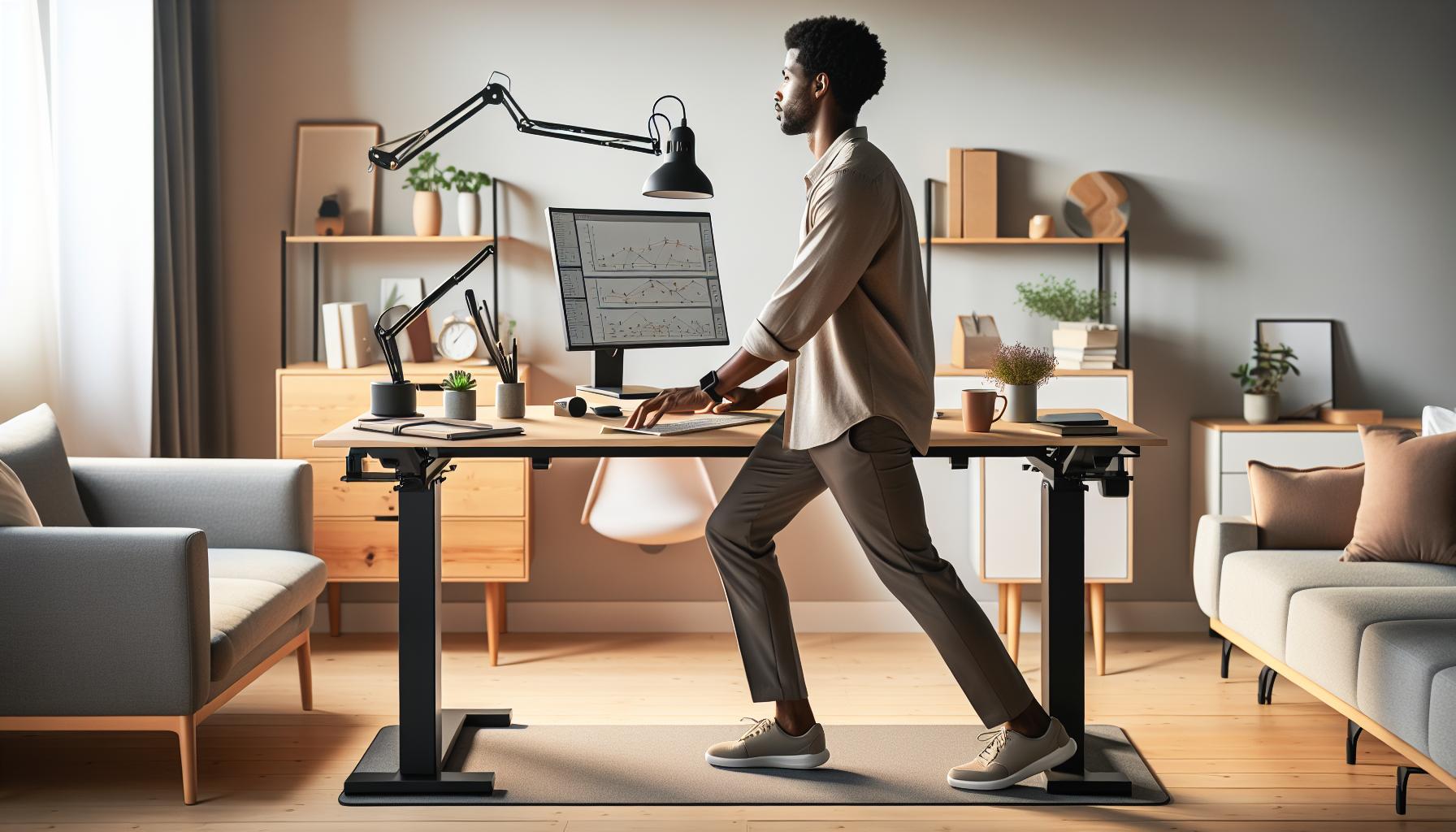
Creating an ergonomic setup for your standing desk can dramatically influence your comfort, productivity, and overall well-being during the workday. The correct positioning of your workstation components ensures you can work effectively without strain, paving the way for improved concentration and cognitive function. Here are some practical steps to optimize your standing desk ergonomics.
Desk Height
The top of your desk should align with your elbows when standing, typically around elbow height. When your arms rest at your sides, your elbows should form an angle of about 90 degrees. If your desk is too high, consider using an adjustable desk or adding a footrest to alleviate discomfort.
Monitor Positioning
Your computer monitor should be positioned so that the top of the screen is at or slightly below eye level, approximately an arm’s length away. This allows you to look straight ahead rather than tilting your head up or down, which can contribute to neck strain. A monitor stand or adjustable arm can help you achieve the correct height and distance.
Keyboard and Mouse Placement
Place your keyboard and mouse on the same surface, allowing your wrists to remain straight and your hands to float just above the keyboard. This setup minimizes the risk of repetitive strain injuries. Your wrists should not rest on the keyboard while typing; instead, they should be neutral. Use a wrist pad if necessary, but keep your wrists off the surface while typing.
Footwear and Floor Surface
Consider wearing supportive footwear to reduce fatigue while standing. Anti-fatigue mats can also decrease discomfort by providing cushioning while encouraging slight movement. Make it a habit to shift your weight from one foot to the other and to take short breaks to walk around, as prolonged standing can lead to leg and back fatigue.
Implementing these ergonomic principles creates a workspace that encourages not just physical comfort but also cognitive clarity. The more you can ensure your body is supported while you work, the better you will be able to focus and achieve your tasks efficiently. By prioritizing your ergonomic setup, you’re investing in your long-term health and productivity.
Finding the Right Balance: Standing vs. Sitting

Finding the ideal balance between sitting and standing while working can transform your productivity and comfort in the workplace. Recent studies show that alternating between these positions not only reduces the risks associated with prolonged sitting but also enhances your overall engagement and energy levels throughout the day. Embracing the flexibility of a standing desk doesn’t mean you have to abandon your chair entirely; rather, it’s about integrating both postures effectively.
A common misconception is that standing all day is the golden solution to combat sedentary behavior. However, standing for extended periods can lead to its own set of challenges, such as leg fatigue or joint discomfort. To find the right equilibrium, consider implementing a structured schedule where you stand for 20-30 minutes followed by 15-20 minutes of sitting. This rhythm helps mitigate the stress on your body while keeping your mind alert and engaged. Additionally, pay attention to how your body feels-if standing becomes uncomfortable, don’t hesitate to switch to a seated position, ensuring your workspace is adaptable to your daily comfort levels.
To support this dynamic approach, creating an environment where you can easily transition between sitting and standing is pivotal. Position your desk and equipment in a way that allows quick adjustments. Items that you use frequently should be within easy reach whether you’re in a seated or standing position. Incorporating standing desk accessories, such as an anti-fatigue mat, can also make a significant difference, providing support to your feet and promoting better circulation.
Remember, the key to maximizing your productivity lies in being mindful of your body’s responses. This strategy not only fosters better physical health but also enhances cognitive function, allowing you to remain focused and productive throughout the day. By actively managing your sitting and standing time, you’re taking significant steps toward a healthier work-life balance that prioritizes both your physical and mental well-being.
Optimizing Your Desk Setup for Maximum Comfort
Transforming your workspace into an ergonomic haven can drastically elevate your comfort and productivity levels. A well-optimized desk setup is crucial to prevent discomfort and fatigue, which are common pitfalls for those who spend extended periods both standing and sitting at their desks. Creating a personalized work environment that caters to your unique needs not only enhances physical well-being but significantly boosts mental focus and efficiency.
To start, it’s essential to adjust the height of your desk. When standing, your elbows should be at a 90-degree angle, allowing your forearms to float comfortably above the keyboard. When seated, your feet should rest flat on the floor with your knees slightly lower than your hips. This promotes circulation and reduces strain on your back and legs. Consider investing in an adjustable-height desk so you can easily switch between positions throughout the day, maintaining a healthy flow in your movements.
Another vital aspect is the placement of your monitor. Ideally, the screen should be at eye level about an arm’s length away. This positioning minimizes neck strain and encourages better posture. Use monitor risers if needed, or adjust your desk height accordingly. For additional comfort, evaluate your chair’s support if you opt for seated periods. A chair with good lumbar support is essential for maintaining the natural curve of your spine and can be matched with a seat cushion to enhance comfort.
Incorporate ergonomic accessories such as an anti-fatigue mat, which can alleviate the pressure on your feet, or a footrest that allows for posture shifts during long standing sessions. Having frequently used items within arm’s reach reduces the risk of straining as you reach or twist while working. Lastly, consider installing a document holder to keep papers at eye level, which can further minimize ocular strain and make reading, writing, or typing more comfortable.
By focusing on these aspects of your workspace, you can cultivate an environment that not only inspires productivity but also promotes long-term health. Engaging in these practices empowers you to take control of your workday, reminding you that a few simple adjustments can lead to significant improvements in your overall well-being and efficiency.
Best Practices for Standing Desk Usage
Creating a sustainable work environment when using a standing desk can enhance both your comfort and productivity. While standing desks offer significant benefits, such as improved posture and reduced back pain, the key to optimizing their use lies in incorporating various best practices that facilitate better health and cognitive function.
To maximize the effectiveness of your standing desk, practice the 20-20-20 rule. Every 20 minutes, take a 20-second break to look at something 20 feet away. This technique helps alleviate visual strain, particularly beneficial if you’re staring at screens for extended periods. Additionally, alternate positions throughout your workday. While standing is beneficial, alternating between sitting and standing can combat fatigue and prevent discomfort. Try standing for 30 to 60 minutes at a time before switching to a seated posture, and consider using an anti-fatigue mat to ease the pressure on your feet during long standing sessions.
Monitor Your Posture
Proper posture is essential in preventing strain and injury. When standing, ensure your feet are hip-width apart, with your weight evenly distributed. Your screen should be at eye level, allowing your neck to remain neutral. If possible, adjust your chair height to maintain lumbar support during seated periods.
Enhance Your Workspace
Optimize your desk setup by keeping essential items within arm’s reach to minimize awkward movements. Consider ergonomic accessories, like a document holder, which can further reduce neck strain while typing or reviewing materials. Regularly review your desk setup and make adjustments based on your body’s feedback. If you notice discomfort, don’t hesitate to modify your environment.
By integrating these practices into your daily routine, you can transform your standing desk into a dynamic tool that promotes not only physical wellness but also cognitive clarity, enabling you to work more efficiently and effectively throughout your day. Remember, listening to your body is paramount; if standing becomes uncomfortable, be proactive about adjusting your position or taking well-deserved breaks.
Incorporating Movement into Your Workday
Integrating movement into your workday is essential for maintaining energy levels, boosting cognitive function, and enhancing overall workplace wellness. Research indicates that prolonged periods of standing-as beneficial as it is-can lead to discomfort and fatigue. Therefore, balancing standing with movement is crucial for optimizing your productivity and health. In fact, incorporating short bursts of activity throughout your day can significantly affect both your physical and mental well-being.
One effective method is to set a timer to remind you to move every 30 to 60 minutes. Use this break to stretch, walk around your workspace, or perform light exercises like calf raises or leg stretches. These brief movements enhance circulation, reduce muscle tension, and alleviate the strain that standing can place on your lower back and legs. Consider keeping a pair of comfortable shoes at your desk or using an anti-fatigue mat to support you during these sessions.
In addition to structured breaks, look for opportunities to incorporate movement into your daily tasks. For example, consider opting for walking meetings instead of traditional sit-down discussions. If you work with a team, consider standing while collaborating to encourage a brief movement break for everyone involved. Simple choices like using a printer located farther away, or doing a quick set of chair squats while waiting for your coffee, can all add up to help keep your body engaged and energetic throughout the day.
Moreover, integrating stretches or quick exercises into your routine enhances your neuroplasticity, allowing your brain to adapt more readily to new tasks and challenges. Include simple stretches like shoulder rolls or neck rotations while standing, which not only relieve tension but also ignite blood flow to your brain, promoting mental clarity and focus. By being proactive about , you’ll empower yourself to operate at peak efficiency while nurturing your physical health.
Combatting Fatigue: Tips for Standing Longer
Standing for extended periods can have numerous benefits, but it can also lead to fatigue if not managed properly. To combat this fatigue and enhance your endurance while standing, consider implementing the following strategies:
Opt for Ergonomic Solutions
Investing in an anti-fatigue mat can significantly improve your comfort when standing. These mats provide cushioning, reducing pressure on your feet and legs and allowing for longer, more comfortable standing sessions. Additionally, fine-tuning your desk height is crucial. Your elbows should form a 90-degree angle while typing, and your computer screen should be at eye level to prevent strain on your neck and eyes.
Establish a Standing Routine
Rather than standing all day, which can strain your legs and back, create a structured routine that includes designated standing periods. For example, stand for 30 minutes, then switch to sitting for 15-20 minutes. This rhythm allows your body to adapt to standing without succumbing to fatigue. Gradually increase your standing time as your body becomes accustomed to the change.
Utilize Calf Raises and Shifting Movements
While standing, practice subtle movements that can activate different muscle groups and promote blood circulation. Try calf raises or gently shifting your weight from one foot to the other. This encourages circulation and reduces muscle stiffness. Stretching your legs and back every hour can also relieve tension, helping you feel more energized.
Stay Hydrated and Nourished
Dehydration can exacerbate feelings of fatigue. Ensure you’re drinking enough water throughout the day. Coupled with proper nutrition, rich in complex carbohydrates and lean proteins, this will provide sustained energy levels. Consider keeping healthy snacks like nuts or fruit at your desk to keep your energy up without resorting to sugary snacks that might lead to crashes.
By incorporating these habits into your routine, you can effectively combat fatigue and maximize the benefits of standing desks. Balancing standing with movement and ergonomically supportive practices creates a healthier work environment, enhancing both productivity and well-being.
Mental Focus: How Standing Affects Productivity
Standing while working could transform not just your posture, but also your productivity levels. Research indicates that switching from a sitting to a standing desk can enhance alertness and focus, leading to sharper cognitive performance. When you stand, you’re not only improving your physical health but also activating your brain to function at its best, heightening your engagement and task completion efficiency. This invigorating change can lead to a greater sense of psychological well-being, reducing the mental lethargy often experienced after long periods of sitting.
To harness the mental benefits of standing, consider incorporating a variety of movement patterns during your workday. Simple actions, such as shifting your weight from one leg to the other or performing calf raises, can stimulate blood circulation and infuse your brain with oxygen and nutrients. These practices support a steady flow of energy, allowing you to maintain focus and clarity throughout your tasks. Establishing designated standing periods interspersed with light movement not only reduces fatigue but also breeds a dynamic work environment conducive to creativity and critical thinking.
While the advantages of standing for productivity are compelling, finding the right balance is key. It’s essential to listen to your body and adjust your standing routine to fit your unique comfort level and work demands. Experiment with various standing durations and positions until you discover a schedule that maximizes your cognitive performance without leading to discomfort. Remember, the ultimate goal is to create a flexible workspace that empowers you to remain engaged, energized, and focused, promoting both mental and physical wellness throughout your day.
Incorporating ergonomic aids, such as adjustable desks, anti-fatigue mats, and proper monitor placements can further enhance this experience. By taking proactive steps towards an ergonomic setup, you’ll not only support your body but also arm your mind with the tools needed for sustained productivity. Whether it’s through structured standing routines or integrating movement into your day, a commitment to this practice can lead to improved cognitive function, ultimately elevating your performance and sense of accomplishment at work.
Monitoring Your Posture for Better Health
Monitoring your posture while standing at a desk is essential for maintaining long-term health and productivity. Poor posture can lead to discomfort, fatigue, and even chronic pain, affecting your ability to concentrate on tasks. Studies suggest that standing with a neutral spine can reduce the risk of musculoskeletal issues, allowing for a more comfortable and productive work experience. One effective tool to help monitor your posture is a posture reminder or ergonomic assessment app that can alert you when your posture strays from the ideal position.
When standing, ensure your shoulders are relaxed and your ears align directly over your shoulders. Your elbows should be close to your body and bent at a 90-degree angle, while your wrists remain straight and not bent upwards. Your feet should be flat on the floor, approximately shoulder-width apart, distributing your weight evenly. To further enhance your posture, consider incorporating the following practices into your daily routine:
- Regular Check-Ins: Set reminders to pause and check your stance throughout the day. Take a moment to assess your posture, making adjustments as necessary to maintain alignment.
- Foot Positioning: Shift your weight from leg to leg periodically or use a small footrest to help relieve pressure and enhance circulation.
- Stretching Exercises: Integrate simple stretches aimed at opening up the chest, stretching the neck, and releasing tension in the lower back during your breaks, allowing your body to reset and relieve stiffness.
In addition to these strategies, being mindful of your work environment can significantly affect your posture. Ensure that your monitor is at eye level to prevent straining your neck, and position your keyboard and mouse within easy reach. By taking these proactive steps and staying attuned to your body, you can cultivate a more comfortable standing experience that supports your overall well-being and cognitive performance. Consider consulting with a certified ergonomics professional for personalized strategies and adjustments to optimize your workspace further.
The Role of Standing Desks in Workplace Wellness
Standing desks are more than just a trendy office furniture choice; they play a vital role in promoting workplace wellness. Research indicates that prolonged sitting is associated with various health risks, including obesity, cardiovascular disease, and decreased productivity. In contrast, using a standing desk can help mitigate these risks, creating a more dynamic work environment that encourages movement and engagement.
One of the most significant benefits of standing desks is their contribution to improved posture and reduced musculoskeletal discomfort. When configured correctly, standing desks can facilitate a more ergonomic workspace, prompting users to maintain healthier spinal alignment and reducing the strain on neck and back muscles. This can lead to less fatigue throughout the day, empowering individuals to focus better on their tasks and remain energized during long periods of work.
Incorporating standing desks into the workplace also encourages a culture of movement. Businesses can enhance this initiative by promoting regular breaks, facilitating walking meetings, and providing areas for stretching or light exercise. By fostering an environment that values physical activity, employers can significantly enhance employee satisfaction and productivity. Moreover, a commitment to workplace wellness not only benefits individual employees but also cultivates a positive organizational culture, leading to better retention rates and overall morale.
To maximize the benefits of standing desks while mitigating potential downsides, it’s essential to foster a balanced approach to desk usage. Workers should be encouraged to alternate between sitting and standing, promoting a fluid work experience that allows for varied postures throughout the day. Educating employees on proper desk setup and posture techniques is equally critical, ensuring that everyone can harness the full potential of this ergonomic innovation while maintaining their health and well-being.
Tailoring Your Work Environment for Neuroplasticity
Creating an environment that nurtures neuroplasticity-the brain’s ability to reorganize itself by forming new neural connections-is essential for enhancing cognitive function and overall well-being at work. Workplaces that encourage a balance of movement, thought variety, and sensory engagement can optimize brain health while promoting productivity. By tailoring your workspace to support neuroplasticity, you empower your brain to adapt and thrive amidst the demands of a busy workday.
To harness the power of neuroplasticity, consider integrating various elements into your standing desk setup. Here are some suggestions:
- Vary Your Posture: Alternate between sitting and standing to foster new movement patterns. Every 30-60 minutes, change your position to enhance blood circulation and stimulate cognitive processes.
- Incorporate Physical Movement: Short breaks for stretching or walking can significantly boost brain function. Consider a quick walk around your office or simple stretches that promote flexibility and relieve tension.
- Utilize Multi-Sensory Inputs: Surrounding yourself with different textures, colors, and sounds can stimulate different areas of the brain. Use a standing mat for comfort, colorful decorations, or soft background music to create an inspiring atmosphere.
- Engage in Mindful Practices: Techniques such as deep breathing or mindfulness can enhance your mental clarity and focus. Even a few minutes of mindfulness can help reduce stress and cultivate a more adaptable brain.
Additionally, maintaining a healthy diet rich in nutrients can support brain health. Foods high in antioxidants, healthy fats, and vitamins, such as berries, fish, and leafy greens, can nourish your brain and aid in maintaining cognitive flexibility. Keeping yourself hydrated is equally essential, as even mild dehydration can impair cognitive performance.
Combining these practices will create a workspace that not only supports physical health but also nurtures cognitive resilience, enabling your brain to adapt and evolve in response to the challenges of modern work life. By empowering your neuroplasticity, you enhance your ability to learn and retain information, ultimately boosting your productivity and workplace satisfaction. Fostering a culture that embraces these concepts can lead to better collaboration and innovation, benefiting both employees and the organization as a whole.
Expert Insights: Recommendations from Ergonomics Specialists
Integrating standing desks into your workspace can significantly enhance comfort, productivity, and overall well-being, but the key to reaping the benefits lies in understanding how to use them optimally. Ergonomics specialists emphasize not just the benefits of standing while working, but also the importance of a balanced approach. Standing all day is not recommended; instead, they advocate for a dynamic work environment that promotes movement and variety in posture.
Research indicates that alternating between sitting and standing can reduce the risks associated with prolonged sitting, such as musculoskeletal disorders and metabolic syndrome. It is advisable to aim for a ratio of about 1:1 or 2:1 for standing to sitting time, especially when beginning to use a standing desk. This gradual increase helps your body adapt while minimizing fatigue. Ergonomics experts recommend using visual cues or reminders to encourage regular transitions between positions every 30 to 60 minutes.
Ergonomic Setup Tips
To ensure your standing desk setup supports your health, consider the following adjustments:
- Monitor Position: Your screen should be at eye level to prevent neck strain. The top of the monitor should be at or slightly below eye level, about 20 to 30 inches away.
- Keyboard and Mouse Height: When standing, your elbows should be at a 90-degree angle, with your wrists straight and hands floating comfortably above the keyboard.
- Foot Position: Keep your feet flat on the ground or on a footrest, distributing your weight evenly. This can help prevent fatigue in the lower back and legs.
Incorporating movement throughout your day is paramount for maintaining energy and mental clarity. Specialists suggest integrating simple practices such as stretching or short walks every hour to break stationary periods. Chairs that allow for movement (like active sitting stools) can also enhance engagement of core muscles and promote better posture.
Ultimately, by being mindful of how you utilize a standing desk and incorporating these expert recommendations, you can create a sustainable and health-promoting workspace that not only enhances productivity but also fosters cognitive vitality throughout your workday.
Frequently asked questions
Q: Is it bad to stand all day at my desk?
A: Standing all day can lead to fatigue and discomfort. It’s important to alternate between sitting and standing to prevent strain on your muscles and joints. Incorporate movement throughout your day to enhance well-being and productivity.
Q: How often should I switch between sitting and standing?
A: Aim to switch positions every 30 to 60 minutes. This helps to promote circulation and reduce the risk of discomfort or fatigue. Try using a timer as a reminder to change your posture frequently.
Q: What are the signs that I should sit down when using a standing desk?
A: If you experience discomfort, fatigue, or difficulty focusing, it’s time to sit. Listening to your body’s signals is crucial to maintaining comfort and productivity while working at a standing desk.
Q: Can standing desks help improve posture?
A: Yes, standing desks can promote better posture if used correctly. Ensure your monitor is at eye level, and practice maintaining a neutral spine to take full advantage of the ergonomic benefits.
Q: Are there specific exercises I can do while using a standing desk?
A: Yes, simple exercises like calf raises, gentle stretches, and shifting weight from one foot to another can keep your muscles engaged and prevent fatigue. Take breaks for longer stretches to rejuvenate.
Q: How can I make standing more comfortable at my desk?
A: Use an anti-fatigue mat, wear supportive footwear, and adjust your desk height for optimal ergonomics. Standing in small bursts rather than extended periods can also enhance comfort.
Q: Does standing while working increase productivity?
A: Research suggests that standing desks can enhance alertness and concentration. However, productivity may vary by individual, so it’s essential to find a balance that works best for you.
Q: What should I do if I feel tired after standing for a while?
A: If you’re feeling tired, take a break to sit down, stretch your legs, or walk around. Simple movements can rejuvenate your energy and help reset your focus.
Feel free to integrate these FAQs into your content to enhance engagement and user value while directing readers to related sections of your main article on optimal desk usage tips.
To Conclude
Deciding whether to stand all day at your desk involves more than just personal preference; it’s about finding a sustainable balance for your workplace wellness. Remember, alternating between sitting and standing can enhance your energy levels and support cognitive performance without increasing fatigue. If you’re curious about optimizing your workspace further, check out our guides on ergonomic workstations and healthy work habits for practical tips tailored to your needs.
Take the first step towards improving your work environment today-consider setting up a standing desk or experimenting with movement throughout your day. Have questions or experiences to share? We’d love to hear from you in the comments! For more insights on managing workplace stress and boosting brain health, sign up for our newsletter and stay informed about the latest evidence-based practices! Your journey to a healthier workspace starts now-explore our resources and transform your daily routine for better productivity and well-being.