
Did you know that improper posture while using standing desks can lead to discomfort and fatigue, counteracting their many health benefits? As more workplaces embrace standing desks, it’s crucial to understand how to use them effectively to enhance your comfort and productivity. In this guide, we’ll explore five common mistakes people make when standing at their desks and provide purposeful tips to create a healthier workspace. By being conscious of your posture, setting up your desk correctly, and making small adjustments throughout your day, you can improve not only your physical well-being but also your cognitive performance. Join us as we delve into these essential practices that promote workplace wellness and foster a more engaging, dynamic work environment.
How to Properly Set Up Your Standing Desk
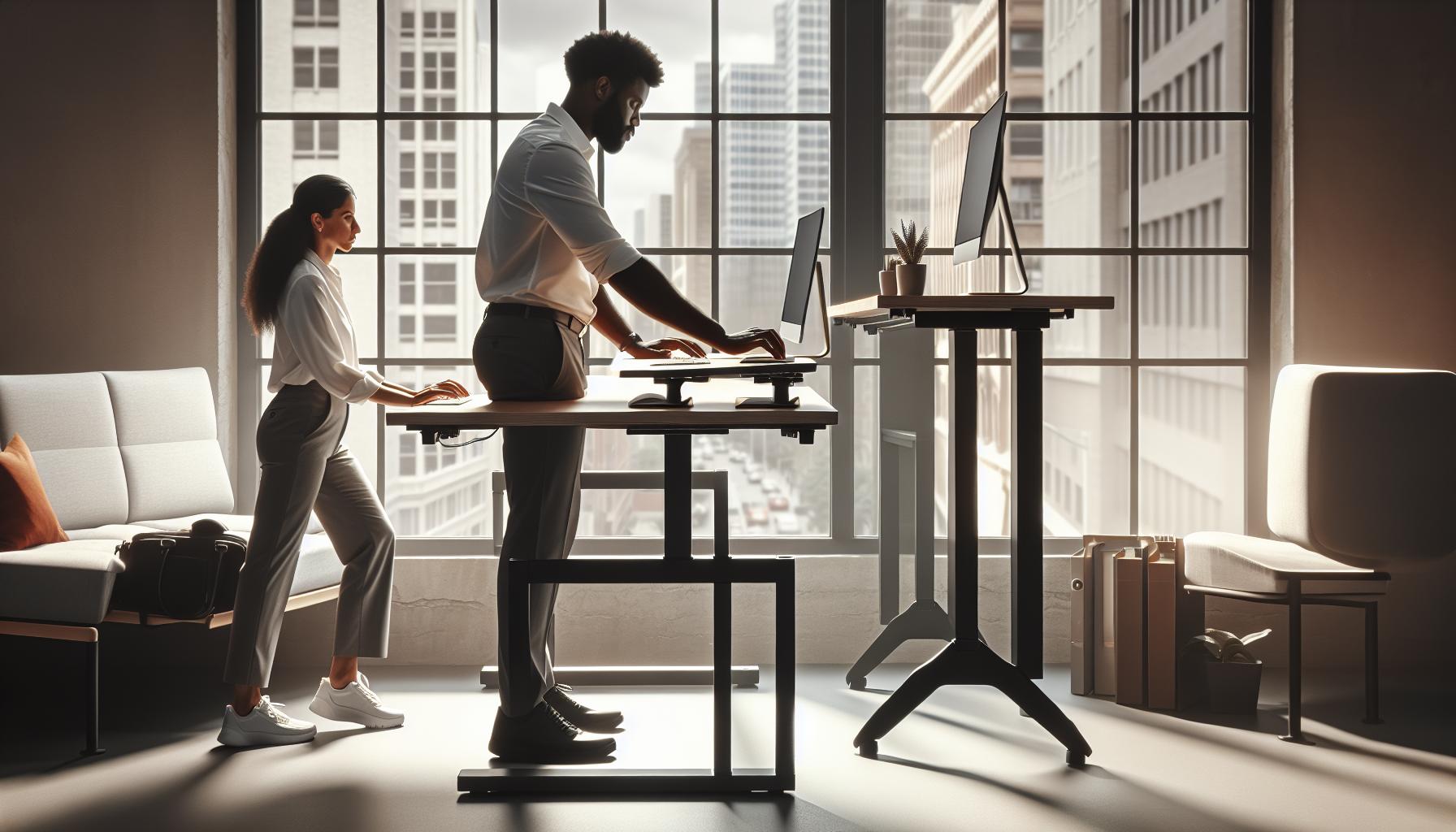
Setting up your standing desk correctly is crucial for ensuring comfort and promoting productivity throughout your workday. With many people transitioning to this style of work, understanding how to optimize your standing desk can prevent potential health issues and enhance your overall well-being. When configuring your desk, focus on achieving a height that allows for natural arm positioning while typing and maintains a neutral wrist alignment. Your elbows should ideally form an angle of about 90 degrees, ensuring easy access to your keyboard and mouse without straining.
To determine the correct desk height, stand with your feet firmly on the ground, keeping your knees slightly bent. The desk should be set to the height of your elbows when you are relaxed at your sides. Make sure your screen is at eye level-or slightly below-so that you don’t have to tilt your head down or excessively upward. This position helps to minimize neck and back strain, fostering a more comfortable workspace.
Key Adjustments for Ergonomic Setup:
- Adjust your chair height if you’re using a sit-stand converter, ensuring your feet can remain flat on the ground.
- Use an anti-fatigue mat to combat fatigue stemming from prolonged standing.
- Incorporate a footrest to alternate your weight and improve circulation as you stand.
Additionally, avoid common pitfalls such as standing on a surface that is too hard, which can contribute to discomfort, or setting the desk height based on seated positions rather than standing. Remember, the goal is to create a workspace that naturally adapts to your body’s needs, supporting both your physical and mental health for sustained focus and productivity. By taking the time to make these adjustments, you’ll enhance your work experience and ultimately support better cognitive performance throughout the day.
The Importance of Ergonomics for Your Health
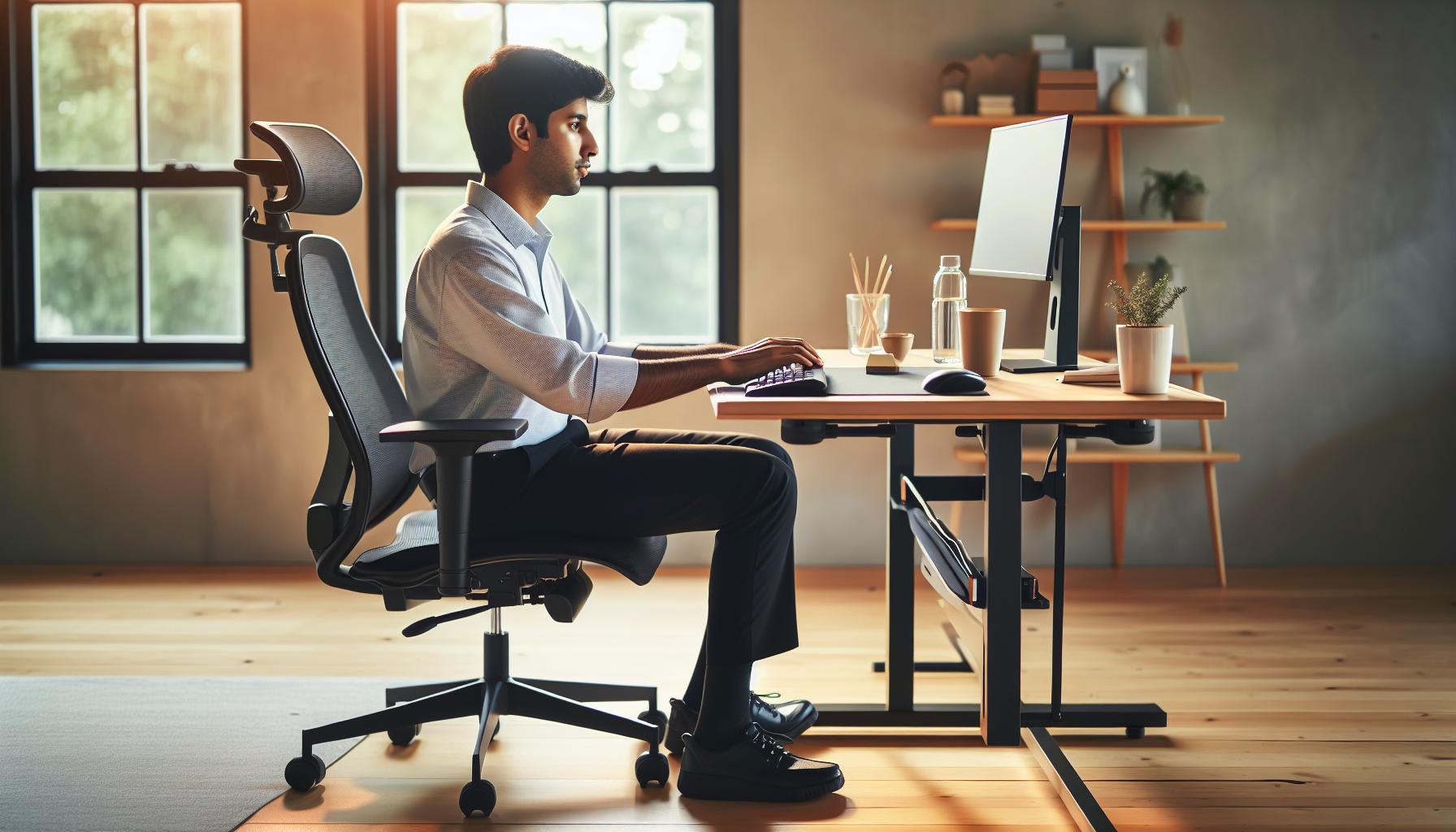
Standing desks can be a wonderful addition to your workspace, but their positive effects depend heavily on proper ergonomic practices. Investing time and effort into setting up your standing desk correctly plays a crucial role in ensuring your long-term health and well-being. Poor ergonomics can lead not only to discomfort but also to serious musculoskeletal issues over time. Adopting ergonomically sound practices helps minimize strain on your muscles and joints, significantly reducing the risk of chronic pain.
When you maintain an ergonomic setup, you support your body’s natural alignment. For instance, the ideal positioning of your screen, keyboard, and mouse can prevent excessive bending of your neck and wrists, ensuring your posture remains neutral. This setup improves circulation, reduces fatigue, and enhances overall cognitive performance. Studies show that proper ergonomics not only promote physical comfort but also boost productivity. Employees who feel comfortable and supported in their work environment are more focused and engaged, leading to better outcomes.
To further illustrate the importance of ergonomics, consider the long-term effects of standing improperly at a desk. Over time, incorrect positioning can lead to pain in the lower back, neck, and shoulders, which may eventually contribute to long-lasting musculoskeletal disorders. Therefore, it is essential to assess and adjust your workstation regularly. Balance is key; standing should not replace sitting entirely but rather intersperse with movements and breaks to enhance overall wellness.
In conclusion, prioritizing ergonomic practices in your workspace is a proactive way to take charge of your health. This attention to detail not only fosters physical well-being but also enhances cognitive performance, enabling you to thrive in your work life. Embrace the benefits of ergonomics, and your body and mind will thank you.
Key Features of a Well-Designed Standing Desk

Creating an effective standing desk setup requires careful consideration of various features that contribute to comfort and productivity. A well-designed standing desk not only supports your body’s natural alignment but also enhances overall functionality in your workspace.
Adjustable Height Mechanism
The cornerstone of an ergonomic standing desk is its ability to adjust in height easily. Your desk should accommodate both sitting and standing positions, promoting a natural transition between the two. Look for desks that offer a range of heights and smooth adjustments, such as electric or pneumatic lifting mechanisms. This versatility allows users of varying heights to find their ideal settings, ultimately fostering a healthier work routine.
Surface Area and Organization
A spacious desk surface is vital for maintaining an organized and efficient workspace. Your keyboard, mouse, and monitors should be neatly arranged to minimize clutter and distractions. Consider using cable management solutions to keep cords out of sight, helping to create a clear and focused environment. This is not only aesthetically pleasing but also promotes better mental clarity, as an organized space can significantly influence cognitive performance.
Monitor Placement and Support
Proper monitor placement is crucial for preventing neck strain and ensuring comfortable visibility. Your monitor should be at eye level, about an arm’s length away, allowing you to view the screen without tilting your head or straining your neck. Utilizing monitor arms can be particularly beneficial, offering flexibility in positioning and helping to maintain an ergonomic setup.
Supportive Footwear and Anti-Fatigue Mats
Footwear plays a significant role in your comfort when using a standing desk. Wearing supportive shoes that provide adequate arch support can alleviate stress on your feet, legs, and back. Additionally, consider incorporating anti-fatigue mats into your setup. These mats promote micro-movements in your leg muscles, reducing fatigue and discomfort associated with prolonged standing.
Incorporating these key features into your standing desk setup will not only enhance your comfort but also boost your productivity. By prioritizing your workspace’s design and ergonomics, you can create an environment that supports your physical health and cognitive performance, empowering you to tackle your daily tasks with greater ease.
Common Mistakes When Adjusting Desk Height
Many individuals jumping into the realm of standing desks often overlook critical adjustments, leading to discomfort or inefficient work habits. One of the most common missteps is misjudging the optimal desk height. It’s essential to align your desk properly with your body to promote comfort and productivity. Here are some prevalent mistakes made when adjusting desk height, along with effective strategies to avoid them.
One frequent error is setting the desk too high or too low, which results in poor posture. Ideally, your elbows should form a 90-degree angle when typing, with your forearms parallel to the ground. If your desk is too high, you may lift your shoulders, leading to tension and strain. Conversely, a desk that’s too low forces you to hunch over, compromising spinal alignment. To find the right height, stand up straight with your arms at your sides and adjust the desk accordingly, ensuring that when you place your elbows on the desk, they should remain relaxed and your wrists straight.
Another common mistake is neglecting monitor height when adjusting the desk. Users often focus solely on desk height without considering monitor placement, which plays a crucial role in ergonomics. The top of your monitor should ideally be at or slightly below eye level, helping to prevent neck strain. To achieve this, consider using monitor arms or adjusting your chair height in combination with your desk to ensure that you maintain a straight line of sight while standing.
Lastly, many individuals fail to reevaluate their desk height regularly, particularly after extended periods of use or when they switch between standing and sitting. Bodies adapt, and what felt comfortable a few months ago may not apply today. Set reminders to reassess your setup every few weeks, adjusting as necessary to maintain an ergonomic environment that supports your well-being and productivity in the long run.
By being mindful of these adjustments and avoiding these common mistakes, you can create a standing desk setup that significantly enhances both your comfort and work efficiency. Embracing ergonomic habits not only supports your physical health but can also lead to improved focus and cognitive performance throughout the workday.
Finding the Perfect Posture While Standing

Standing for prolonged periods can lead to discomfort if you don’t maintain the right posture. An optimal posture at your standing desk not only enhances comfort but also boosts productivity and focuses your cognitive energy more effectively. Research shows that poor posture can lead to various musculoskeletal issues, affecting your overall well-being and performance. By understanding the nuances of good standing posture, you can create a workspace that supports your health and productivity.
To achieve the ideal standing posture, begin by positioning your feet about hip-width apart. This stance provides a stable base of support. Your weight should shift evenly between both legs to avoid fatigue. Keep your knees slightly bent rather than locked straight, which can contribute to discomfort over time. The alignment of your body is crucial; aim to maintain a straight line from your ears through your shoulders and down to your hips. This alignment helps to prevent neck and back strain.
Another key aspect is how you engage your core. Gently tightening your abdominal muscles while standing can improve spinal alignment and support your back as you work. Your shoulders should be relaxed and pulled slightly back, avoiding the urge to hunch forward. This adjustment not only improves your posture but also encourages deeper breathing, which can enhance your cognitive function.
Utilizing appropriate ergonomic aids can further enhance your standing posture. Consider investing in an anti-fatigue mat to reduce discomfort in your feet and legs, allowing for longer periods of standing without strain. Additionally, placing your monitor at eye level is essential; it minimizes neck strain and encourages alignment. Using a document holder for papers you might refer to can also maintain a fluid, relaxed posture without bending.
Finally, remember that good posture is dynamic. Allowing yourself to shift your weight occasionally or performing subtle movements can help keep your muscles engaged and prevent stiffness. Incorporating micro-breaks to stretch and realign your body can dramatically improve your overall comfort and endurance throughout your workday. By being mindful of these elements, you can maximize the benefits of your standing desk while maintaining both your comfort and productivity.
Footwear Choices that Support Standing Comfort
Choosing the right footwear can be a game-changer in your pursuit of comfort and productivity while standing at your desk. Many people underestimate the impact that quality shoes can have on their overall well-being. The right shoes not only support your feet but also contribute significantly to your posture, energy levels, and even mental focus during the long hours at a standing workstation.
When selecting shoes for standing desks, look for options that provide ample support and cushioning. Shoes with arch support help maintain the natural position of your foot, reducing strain on your lower back and legs. Additionally, consider footwear that has a cushioned insole to absorb shock-this feature is particularly beneficial if you are on your feet for extended periods. Brands that are specifically designed for comfort, such as those focused on orthopedic or athletic footwear, often incorporate breathable materials and advanced cushioning technologies that can enhance your standing experience.
A few other key features to consider include:
- Flexibility: Select shoes that allow for natural foot movement. A rigid sole can lead to discomfort and fatigue.
- Weight: Lightweight shoes minimize the extra load on your feet, contributing to overall comfort as you stand and move.
- Fit: Ensure a snug fit that gives your toes enough room to move without feeling cramped, as this can help prevent blisters and foot pain.
Equally important is the type of flooring you’re standing on. If your workspace has hard surfaces, consider layering your choice of footwear with supportive insoles or using an anti-fatigue mat, which can provide additional comfort even in the right shoes.
Finally, stepping into well-designed footwear is just one part of the equation. It’s crucial to pay attention to how your body responds throughout the day. Stay mindful of any discomfort or signs of fatigue, which may indicate the need for a change in shoes or a more dynamic approach to your standing routine, such as shifting your weight or taking short walks to promote circulation. By investing in the right footwear and being proactive about your comfort, you set yourself up for a more productive and enjoyable workday.
Incorporating Movement: Best Practices at Your Desk
Incorporating movement into your work routine is essential for reaping the benefits of using a standing desk. Extended periods of standing can lead to discomfort and even fatigue if not balanced with movement. Integrating simple, dynamic movements throughout your day can enhance circulation, reduce muscle stiffness, and improve overall cognitive function, ultimately making your work environment more productive and enjoyable.
Start by setting a timer to remind yourself to move every 30 minutes. During these brief breaks, consider simple activities like side leg lifts, calf raises, or even gentle stretches to relieve tension and promote mobility. Shifting your weight from one leg to another can also help alleviate strain on your lower back and legs while encouraging blood flow. Remember, the goal is to keep your body engaged-standing still for too long isn’t ideal.
Additionally, consider using tools that facilitate movement, such as a balance board or under-desk elliptical. These can subtly incorporate motion into your day without requiring you to step away from your work. Even small actions, like pacing while on phone calls or taking a few minutes to walk around your workspace, can make a significant difference in how you feel throughout the day.
Engage in activities that promote upper body movement as well; for instance, you can try desktop exercises such as arm circles or wrist stretches that enhance flexibility. Don’t underestimate the power of posture; consciously adjusting your stance can also work different muscle groups. By becoming more aware of your body’s needs and making a conscious effort to incorporate movement into your routine, you are setting the stage for a healthier work life. Striking a balance between standing and movement not only supports your physical health but also enhances your mental clarity and focus, allowing you to tackle tasks with renewed vigor.
Tips for Transitioning from Sitting to Standing
Transitioning from sitting to standing can be a game-changer for your energy levels and overall health during the workday. However, making this shift requires a thoughtful approach to avoid common pitfalls that could lead to discomfort or fatigue. Start by gradually increasing your standing time-don’t jump straight to all-day standing. Begin with short intervals, perhaps 15 to 30 minutes, and then take regular seated breaks to prevent overexertion. This gradual adjustment not only helps your body acclimate but also allows you to monitor how standing impacts your comfort and productivity.
It’s crucial to focus on your posture during this transition. Make sure your workstation is set up correctly, with your monitor at eye level and your elbows at approximately a 90-degree angle. Adjust your standing position so that your weight is evenly distributed between both feet. This alignment can help minimize strain on your muscles and joints, setting you up for a more comfortable experience. Remember to shift your weight from leg to leg periodically-this simple action can alleviate tension and encourage better blood circulation.
Choosing the right footwear can significantly enhance your comfort level while standing. Opt for shoes that provide ample support and cushioning; avoid high heels or completely flat shoes that don’t support your arches. Consider using an anti-fatigue mat to provide additional cushioning and promote better posture while standing. These small changes can yield substantial benefits, allowing you to stay focused and energized throughout your workday.
To maximize the benefits of your standing desk, implement a routine that includes movement and stretching. Engage in light stretching or simple exercises during your breaks to combat stiffness. Activities like calf raises, ankle rotations, or gentle neck stretches can refresh your body and mind. As you make these adjustments, be attentive to how your body responds, tweaking your routine as necessary. By taking a mindful approach to your transition, you’ll not only foster better health but also enhance your productivity and overall well-being.
Signs You’re Not Standing Correctly
Standing at a desk can provide numerous benefits, but if you’re not mindful of your posture and alignment, you may undermine these advantages. Recognizing the signs that you’re not standing correctly is crucial for maintaining comfort and preventing long-term physical issues. For instance, if you frequently find yourself shifting from side to side or frequently raising and lowering your shoulders, it may indicate that your workstation isn’t adequately set up for your height or body type.
One key sign is discomfort in your back or neck. If you experience recurring aches in these areas, it could suggest that your monitor is either too high or too low. Ideally, your monitor should be at eye level, allowing your neck to stay neutral. Additionally, if your elbows are tensing or straining, it might be due to your workstation setup being off. Your elbows should remain at roughly a 90-degree angle, with your wrists in line with your forearms.
Another telling indicator is fatigue in your legs or feet. This could signify that you’re placing too much weight on one leg. To combat this, focus on shifting your weight from one leg to the other or even consider using an anti-fatigue mat that can help distribute your weight more evenly across your feet. Regularly changing your stance and incorporating small movements can mitigate discomfort and enhance your overall energy levels.
Finally, if you find yourself frequently leaning toward your screen or getting close to your keyboard, this is a clear indication that your desk need adjusting. Optimize your setup to allow for a comfortable reach to your tools and ensure that your body is supported, not bent or strained. By paying attention to these signs, you can make necessary adjustments and create an ergonomically sound standing desk environment that promotes health and productivity.
Improving Focus and Productivity at a Standing Desk
Standing desks are increasingly popular, yet simply switching from sitting to standing can lead to unproductive days if not approached thoughtfully. Research suggests that the way you position your body and how you engage with your workspace can extremely influence your focus and productivity levels. By adopting careful strategies, you can maximize these benefits and maintain a work environment that enhances your cognitive capabilities while reducing fatigue.
To begin with, ensure that your standing desk is ergonomically optimized for your body height and task requirements. A common mistake is positioning the monitor too high or too low, which can strain your neck and hinder concentration. The ideal setup places the top of your monitor at or just below eye level, enabling you to maintain a neutral neck position. Pair this with an adjustable keyboard tray that allows your elbows to remain close to your body at a 90-degree angle to promote comfort and minimize strain.
Incorporating micro-movements and varying your posture throughout the day can significantly boost your productivity. Standing still for extended periods can lead to fatigue, which detracts from mental sharpness. Consider integrating gentle movements, such as stretching or shifting your weight between legs, to stimulate blood flow. Utilizing anti-fatigue mats can also enhance comfort while encouraging subtle shifts in position, all of which contribute to sustained energy levels.
Finally, don’t underestimate the importance of structured breaks. The Pomodoro Technique, which involves working in focused bursts followed by brief breaks, can enhance cognitive function and prevent burnout. Use these intervals to step away from your desk, hydrate, or engage in short bursts of movement, allowing your mind to rest and rejuvenate for the tasks ahead. This approach not only improves your overall well-being but also fosters a more productive mindset as you tackle your workload. By actively managing your standing routine with these strategies, you can create a more focused, dynamic, and productive work environment.
The Role of Breaks in Standing Desk Efficiency
Incorporating regular breaks into your work routine is essential for maintaining both physical and mental health, especially when using a standing desk. Studies show that prolonged periods of standing without movement can lead to fatigue, reduced blood circulation, and discomfort, which ultimately detracts from focus and productivity. The phrase “sitting is the new smoking” has gained traction, but standing for long durations without movement isn’t a healthy alternative; balance is key.
Utilizing structured breaks can greatly enhance your efficiency while standing. Consider implementing the Pomodoro Technique, where you work in short, focused bursts-typically 25 minutes-followed by a 5-minute break. Use these intervals to stretch, breathe deeply, or take a brisk walk around your workspace. This not only allows your muscles to relax but also rejuvenates your mind, enhancing cognitive function. During these breaks, strive to incorporate activities that promote flexibility and circulation, such as ankle rolls or shoulder shrugs.
Another effective strategy is to coordinate your breaks with hydration. Take a moment to refill your water bottle or enjoy a light snack. Staying hydrated can significantly impact your concentration levels and energy. If you’re hesitant to interrupt your workflow, consider setting reminders on your phone or using a timer on your computer to help you remember to take these crucial breaks.
Ultimately, the role of breaks in optimizing standing desk efficiency cannot be overstated. Regularly stepping away from your workstation helps manage stress, invigorate your mental faculties, and ultimately leads to a more engaging work experience. Empower yourself by listening to your body and allowing time for necessary rest, ensuring that your standing desk setup serves its purpose effectively. By making breaks a non-negotiable element of your work routine, you foster a healthier, more dynamic workspace that supports both productivity and well-being.
Long-Term Health Benefits of Proper Standing Practices
Standing desks have been hailed as a potential remedy against the health risks associated with prolonged sitting. However, embracing proper standing practices is essential to reaping long-term health benefits. Engaging with your standing desk correctly not only enhances physical well-being but also contributes positively to cognitive function and overall productivity. Adjusting your routine to include mindful standing can lead to improved posture, reduced risk of musculoskeletal disorders, and even better mood regulation.
When utilized effectively, proper standing can enhance blood circulation and energy levels. More dynamic blood flow reduces the risk of conditions like varicose veins and helps to stave off fatigue, which is often exacerbated by static positions. Research has shown that individuals who strategically alternate between sitting and standing experience less discomfort in their lower back and neck, leading to fewer days lost due to discomfort or pain. Those who maintain good posture while standing can also improve their breathing, which has a notable impact on cognitive performance by ensuring that the brain receives adequate oxygen and nutrients.
Incorporating movement and regularly alternating between sitting and standing can greatly enhance your overall wellness journey. The flexibility of switching positions allows for healthier adaptation by minimizing the pressures placed on your joints and ligaments. It’s also beneficial to integrate light stretching or micro-movements throughout the day, which can boost metabolic rates and help maintain energy levels. A practical approach could involve using reminders to change your position every 30-60 minutes, promoting a dynamic work environment that supports your body’s natural rhythm.
Remember, while the benefits of proper standing practices are numerous, it is vital to remain aware of your body’s signals. Listening to those signals and adjusting your routine accordingly can not only prevent discomfort but also enhance your focus and productivity. By making informed adjustments and prioritizing your well-being, you can fully unlock the health benefits that a standing desk can offer over the long term. Embrace the journey toward a more engaging and healthier work life that celebrates both movement and mindfulness.
Faq
Q: What are the best practices for standing at a desk?
A: The best practices include adjusting your desk height to elbow level, keeping your monitor at eye level, and using a footrest to shift your weight. Additionally, incorporate movement by alternating your stance or taking short breaks to walk around, which helps maintain energy and health over time.
Q: How long should I stand at a standing desk?
A: Aim to stand for about 30 to 60 minutes at a time, interspersed with sitting breaks. Gradually increase your standing time as your body adapts, balancing between standing and sitting to prevent fatigue and discomfort.
Q: What are the signs of improper standing posture?
A: Common signs of improper standing posture include back pain, leg fatigue, and discomfort in your neck or shoulders. If you notice these issues, reassess your desk setup and posture, ensuring your body is aligned and supported.
Q: Can standing desks help with back pain?
A: Yes, using a properly set up standing desk can help alleviate back pain for some individuals. Ensuring ergonomic alignment, such as keeping feet flat and knees slightly bent, helps reduce strain on the back. However, transitioning gradually is key.
Q: What footwear is best for using a standing desk?
A: Choose supportive footwear that offers cushioning and stability, like athletic shoes or shoes designed for standing. Avoid high heels and flip-flops, as they can increase fatigue and discomfort while standing for long periods.
Q: How can I make standing at a desk more comfortable?
A: To enhance comfort, use an anti-fatigue mat, shift your weight frequently, and incorporate dynamic movements like stretching or walking. Regularly change your position can prevent fatigue and promote better circulation.
Q: Is it better to sit or stand while working?
A: Both sitting and standing have their benefits. Alternating between sitting and standing promotes better circulation and reduces the risks associated with prolonged sitting. Ideally, combine both postures throughout the day for optimal health and productivity.
Q: How can I tell if my desk is too high or too low?
A: Your desk is too high if your shoulders are raised or you have to reach up to use your keyboard. It’s too low if you have to bend your wrists or hunch over. Your elbows should form a 90-degree angle when typing to ensure comfort and prevent strain.
Concluding Remarks
Now that you’re equipped with the key strategies to effectively stand at your desk while avoiding common pitfalls, it’s time to take action! Remember, making small adjustments in your workspace can lead to significant improvements in your overall health and productivity. For more tips on creating an ergonomic workstation, check out our article on “Essential Ergonomics for Your Home Office” and don’t miss our guide on “5 Simple Stretching Exercises You Can Do at Your Desk” to keep your body feeling great throughout the day.
Before you go, consider signing up for our newsletter to receive the latest insights on workplace wellness, brain health, and effective stress management techniques directly in your inbox. Feel free to share your own standing desk experiences in the comments below – your input can inspire others on their journey to better work habits! Remember, optimizing your workspace is a continuous journey; every step you take improves not just your work life, but your overall well-being.