
Did you know that incorporating a standing desk can significantly boost your productivity and energy levels throughout the workday? In just five minutes, you can master the setup of your standing desk to create a workspace that promotes better posture, reduces discomfort, and enhances cognitive clarity. This quick guide walks you through the essential steps to program your standing desk, ensuring you find the perfect height for comfort and efficiency. By optimizing your workstation, you’ll not only improve your physical health but also elevate your overall work experience. Let’s dive in and transform your workspace into a haven of productivity and wellness!
Master the Basics: Understanding Your Standing Desk
Understanding the features and benefits of a standing desk can significantly enhance your productivity and health. While traditional sitting desks have long been the norm, emerging research highlights the potential advantages of standing while working. This shift in workplace dynamics may reduce sedentary behavior, which is linked to various health issues, including obesity, cardiovascular disease, and lower back pain.
To ensure that you fully benefit from your standing desk, it is crucial to set it up properly. Start by adjusting the desk height so that your elbows form a 90-degree angle when your hands are on the keyboard. The monitor should be at eye level or slightly below to prevent neck strain, and a footrest can be helpful to shift your weight and promote circulation. Integrating anti-fatigue mats can also make standing more comfortable by providing cushioning and support.
Regular movement is essential when using a standing desk. Encourage yourself to take short breaks every 30-60 minutes to stretch or walk around. This practice not only helps maintain energy levels but also enhances cognitive function and overall well-being. By understanding the key elements and implementing thoughtful adjustments in your workspace, you can maximize the productivity benefits while promoting your health year-round.
Essential Tools for Easy Setup
Setting up a standing desk can be a game-changer for your productivity and overall health, but it often requires the right tools to ensure a seamless experience. Having the appropriate equipment not only simplifies the setup process but also creates an ergonomic workspace that promotes comfort and efficiency. It’s essential to have a toolkit that addresses various needs, enabling you to tailor your desk to suit your unique requirements.
First off, a height-adjustable standing desk is critical. This feature allows you to easily switch between sitting and standing positions, accommodating different tasks throughout your day. For optimal usage, consider a desk that has programmable heights, enabling you to save preferred settings for quick adjustments. Additionally, investing in an anti-fatigue mat can provide cushioning that reduces discomfort during prolonged standing, promoting better circulation and relieving pressure from your legs and feet.
To enhance ease of use, you might also want to include a monitor riser. Proper monitor height is vital to prevent neck strain; your screen should be at eye level for comfortable viewing. A riser can help achieve this easily. Furthermore, a keyboard tray that slides under the desk can free up surface area and allow for a more relaxed typing posture, keeping wrists aligned and reducing the risk of repetitive strain injuries.
Lastly, don’t overlook the power of cable management solutions. Maintaining an organized workspace not only looks visually appealing but also minimizes distractions and keeps you focused on your work. With these essential tools at your disposal, you’ll be well on your way to mastering your standing desk setup, transforming your workspace into a hub of productivity and well-being.
- Height-adjustable standing desk with programmable settings
- Anti-fatigue mat for comfort
- Monitor riser for ergonomic viewing
- Keyboard tray for optimal wrist alignment
- Cable management solutions for organization
Step-by-Step Guide to Adjust Height
Adjusting your standing desk to the correct height is key to promoting better posture and enhancing productivity. Studies have shown that working at the optimal height can reduce strain on your back, neck, and wrists, leading to a more comfortable work experience. Follow these straightforward steps to ensure your standing desk is set up for maximum ergonomic benefit.
Start by standing in a natural position with your feet shoulder-width apart. Your elbows should be bent at a 90-degree angle when your hands rest on the desk. When typing, your forearms should be parallel to the ground. Adjust the desk height so that your wrists are straight and your hands can comfortably reach the keyboard without elevated shoulders. Utilizing height-adjustable desks often comes with programmable settings, allowing you to save your preferred height for easy transitions between sitting and standing.
Once you’ve achieved the right height, it’s beneficial to check your monitor setup. The top of your monitor screen should be at or slightly below eye level, which can help reduce neck strain. If necessary, use a monitor riser to elevate your screen to the appropriate height. Make these adjustments not just once but regularly, as your needs may change throughout the day. Keeping your workspace flexible is crucial for sustaining energy and focus.
Finally, dedicate a moment to establish a routine that integrates standing and sitting. Transitioning between the two can prevent fatigue and boost cognitive performance. Utilize reminders or timers to prompt you to switch positions, aiming for a balanced approach of sitting and standing every 30 to 60 minutes. This commitment not only enhances your comfort but also supports the long-term health benefits associated with using a standing desk.
- Stand with feet shoulder-width apart for a natural stance.
- Set desk height for comfortable elbow positioning.
- Check monitor height; adjust if necessary using a riser.
- Use reminders to alternate between sitting and standing.

Optimizing Your Desk for Ergonomics
Creating an ergonomic workspace is essential for not only maximizing your comfort but also enhancing your productivity when using a standing desk. The right setup can help minimize discomfort, reduce the risk of injury, and improve your overall work experience. Studies show that poor posture can lead to chronic pain and decreased focus, yet a well-optimized desk can significantly alleviate these issues.
To begin optimizing your desk, ensure that your feet are firmly planted hip-width apart. This stable base enhances balance and reduces unnecessary strain on your back and legs. Your elbows should comfortably rest at a 90-degree angle while using the keyboard. This positioning allows your forearms to be parallel to the ground, preventing tension in your wrists and forearms. Adjusting the desk height to accommodate these guidelines is crucial, allowing for natural movements without forcing your body into uncomfortable positions.
Another key component of an ergonomic setup is the placement of your monitor. Ideally, the top of your screen should be at or just below eye level. This positioning helps maintain a neutral neck position, reducing the likelihood of strain or discomfort over prolonged use. If your monitor is too low, consider using a monitor riser or even stacks of books to elevate it. As you adjust, remember that regular checks and modifications are necessary; your needs may change throughout the day based on how you feel and the tasks at hand.
Finally, encourage your body to move throughout the day by integrating light stretching or simple exercises into your routine. This practice not only counteracts the static nature of standing work but also keeps your mind alert and engaged. Use reminders on your phone or computer to help you take short, periodic breaks. Committing to these habits will not only optimize your ergonomic setup but also foster long-term well-being in your work environment.
- Feet should be hip-width apart for stability.
- Adjust elbow angle to maintain comfort and reduce wrist strain.
- Ensure monitor height promotes a neutral neck position.
- Incorporate regular movement and stretching throughout the day.
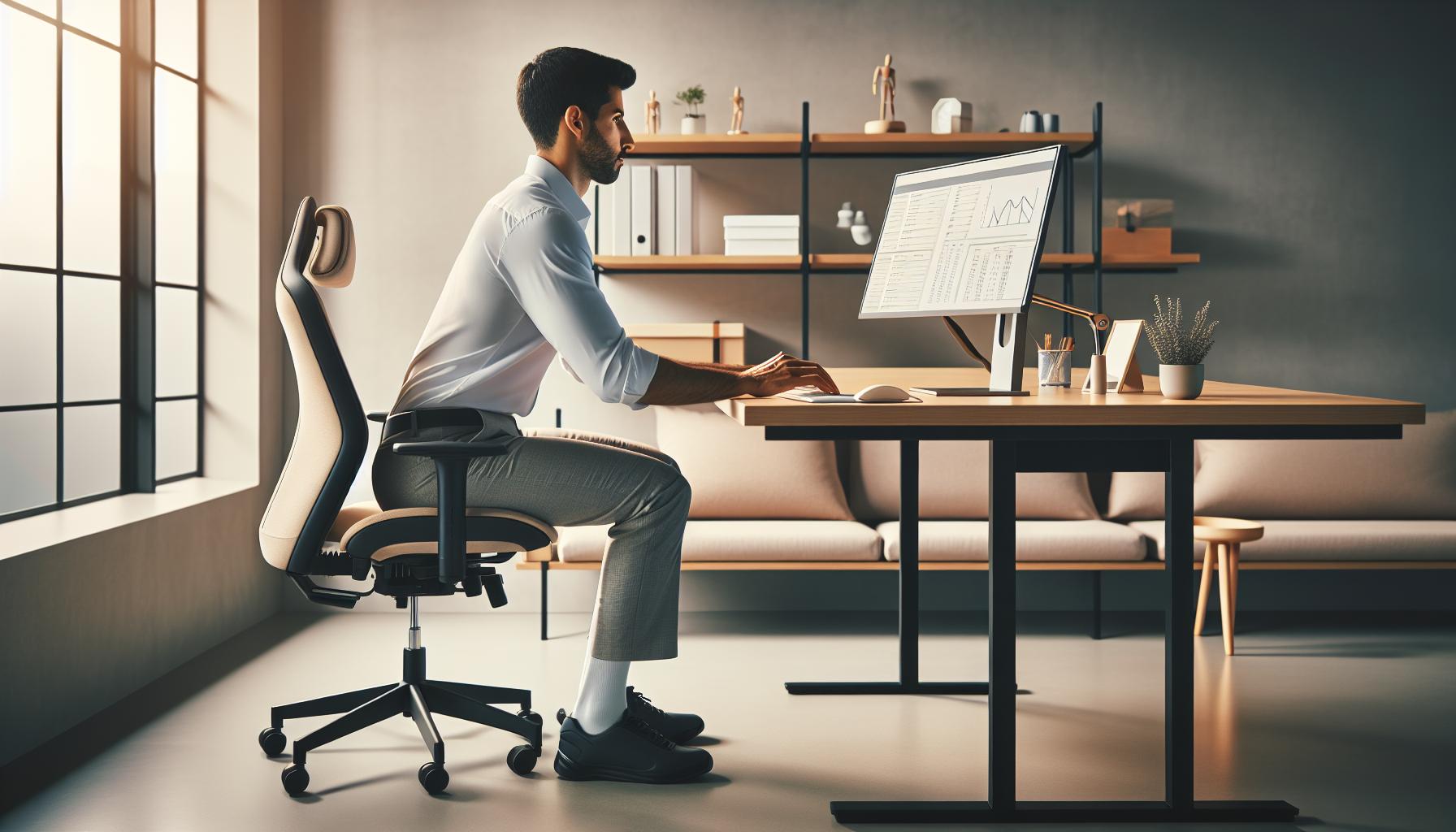
Personalizing Settings for Comfort
The key to a truly effective and enjoyable standing desk experience lies in the personalization of your workspace settings. Tailoring your desk to suit your specific comfort preferences not only boosts productivity but also enhances your overall well-being. Research shows that when employees feel comfortable, their efficiency increases. Taking the time to adjust your setup can make a significant difference in how you feel throughout the day-a crucial factor in maintaining both mental clarity and physical health.
Start by evaluating your desk height. While a general guideline suggests that your elbows should be at a 90-degree angle when typing, this can vary based on individual body proportions. Aim for a position where your wrists remain in a neutral position; this reduces strain and discomfort. Don’t hesitate to experiment: a slight adjustment upwards or downwards can help you find your sweet spot. Some standing desks come with programmable height settings, which can save time and ensure you transition seamlessly between seating and standing.
Another important aspect to consider is your footwear. The right shoes can make all the difference; supportive footwear helps alleviate stress on your knees and back when standing. If you’re on your feet for long periods, look into anti-fatigue mats that provide cushioning and support. These mats can significantly reduce discomfort and fatigue, which is vital for maintaining focus on tasks.
Remember that comfort extends beyond the physical layout-incorporate elements like adequate lighting and personalization. Ensure your workspace is well-lit, reducing eye strain while increasing alertness. Personal items like photos or plants can make your environment feel more inviting and can even enhance mental well-being. Ultimately, personalizing your desk means tuning into your needs and making conscious choices that promote not just comfort, but also a conducive workspace for productivity and creativity.
- Evaluate and adjust the desk height for optimal elbow angle and wrist position.
- Invest in supportive footwear and consider anti-fatigue mats.
- Ensure adequate lighting to reduce eye strain.
- Incorporate personal items to enhance your workspace’s atmosphere.
The Importance of Posture and Movement
Maintaining proper posture while using a standing desk is crucial not only for comfort but also for overall health. Poor posture can lead to discomfort, fatigue, and even long-term musculoskeletal issues. Studies show that aligning your body correctly while standing can immensely enhance your productivity and cognitive function. When standing, ensure that your head is aligned over your shoulders and your shoulders are relaxed and parallel to your hips. This alignment allows for optimal engagement of your core muscles, which supports your spine and minimizes strain on your back.
Movement is equally important; it helps keep your muscles engaged and reduces stiffness that can occur from standing still for extended periods. Consider integrating small movements and stretches into your routine. Simple actions like shifting your weight from one foot to another, or performing calf raises, can help improve circulation and decrease fatigue. Set reminders on your phone or computer to encourage brief movement breaks every 30 to 60 minutes. These breaks can make all the difference in preventing discomfort and maintaining your focus throughout the day.
Furthermore, remember that ergonomic adjustments play a significant role in posture maintenance. Ensure your screen is at eye level to prevent leaning forward, and position your keyboard so that your wrists remain neutral while typing. Using an anti-fatigue mat can provide a soft surface that encourages small shifts in movement, further promoting circulation and reducing strain. By cultivating a habit of mindful posture and integrating movement into your daily routine, you can enhance both your comfort and productivity at the standing desk.
- Maintain alignment: Keep your head above your shoulders and shoulders relaxed.
- Incorporate movement: Shift your weight and do simple stretches regularly.
- Adjust ergonomics: Position screen and keyboard for optimal wrist and neck alignment.
- Use anti-fatigue mats to promote micro-movements and reduce strain.
Integrating Technology for Efficiency
In today’s fast-paced work environment, integrating technology into your standing desk setup can elevate both productivity and comfort. Smart standing desks often come equipped with programmable height settings that allow you to customize your workspace effortlessly. By utilizing these features, you can set specific height presets for various tasks-be it typing, video calls, or relaxing with a book-which can save valuable time and enhance your workflow. Imagine a typical workday where with a single button press, you can shift between sitting and standing positions, maintaining your energy and focus throughout the day!
One of the most impactful technological enhancements you can make is the incorporation of sit-stand desk converters or electric standing desks with memory functions. These devices allow you to easily transition between sitting and standing, and with memory settings, you can store your preferred heights for quick access. For instance, setting a reminder to stand can be as simple as syncing your desk with your calendar; every hour, the desk can adjust automatically, reminding you to alleviate the toll of prolonged sitting. Furthermore, integrating apps that track your movement and work intervals can gamify the experience, offering challenges and rewards for maintaining an active posture.
Additionally, consider using accessories that complement your standing desk, such as ergonomic keyboards and monitors with adjustable stands. This technology can help ensure that your body remains aligned, reducing strain and discomfort. An adjustable monitor arm can lift your screen to eye level, promoting better posture while working. Pairing these technologies with software tools that schedule breaks or prompt posture checks can help maintain your cognitive efficiency and overall well-being.
- Programmable Height Settings: Save time by setting preferred heights for different tasks.
- Integration with Apps: Use technology to remind you to alternate between sitting and standing.
- Ergonomic Accessories: Invest in adjustable monitors and keyboards to maintain alignment.
- Movement Tracking: Leverage apps that encourage regular movement and posture checks.
By thoughtfully blending technology with your standing desk setup, you empower yourself to not only enhance your workspace efficiency but also foster a healthier, more dynamic working routine. This mindful approach to integrating tech can be transformative, making your work environment one that supports both productivity and wellness.
Creating a Routine: Alternating Between Sitting and Standing
Finding the right balance between sitting and standing while working is crucial for maintaining energy levels and enhancing productivity throughout your day. Research suggests that regularly changing your posture can combat fatigue, improve circulation, and reduce the risk of musculoskeletal problems. To truly harness the benefits of your standing desk, it’s vital to create a structured routine that prompts you to alternate between sitting and standing effectively.
To establish a practical routine, begin by defining intervals that suit your work style and comfort level. For many, a good starting point is to sit for 25-30 minutes and then stand for about 15-20 minutes. As you become accustomed, you can adjust these timings based on your personal comfort and productivity. Utilize any programmable features of your standing desk to set reminders or create height presets that facilitate smoother transitions. For instance, set your desk to automatically rise after you’ve been sitting for a designated time, gently nudging you to change positions.
Incorporate Movement into Your Routine
In addition to alternating between sitting and standing, integrating brief movement periods into your routine can significantly contribute to your overall well-being. Consider scheduling short breaks every hour to stretch or walk around your workspace. These brief interludes not only break up prolonged periods of static posture but also stimulate blood flow and keep your mind fresh. Apps designed to promote physical activity can also be a valuable tool; they often provide reminders for movement and posture checks.
Monitor Your Comfort and Adjust Accordingly
As you develop your routine, pay attention to how your body responds. Are there times when you feel more fatigued or experience discomfort? Adjust your intervals based on this feedback. It may also help to alternate your workspace setup day by day; perhaps one day you focus more on standing, while the next, you give yourself permission to sit more frequently. Your routine should be adaptable, reflecting your daily energy levels and work demands.
Creating and maintaining a routine that includes alternating between sitting and standing can enhance your workplace wellness and cognitive health. By adopting these strategies, you empower yourself to make choices that promote physical activity and mental clarity, ultimately leading to a healthier work environment.
Tracking Your Progress: Health Benefits of a Standing Desk
Tracking the impact of your standing desk setup can be incredibly motivating and beneficial for your overall health. Research indicates that using a standing desk may lead to significant improvements in health markers, productivity, and mood. Regularly assessing these benefits will not only encourage you to maintain your new habits but also keeps you aligned with your wellness goals.
To effectively monitor your progress, consider maintaining a journal or using a smartphone app that allows you to log your daily activities and energy levels. Track how long you stand each day, any notable changes in comfort or fatigue, and your productivity levels. Reflect on whether standing more frequently correlates with higher energy and focus during tasks. For instance, you might find that standing during meetings improves your engagement and alertness compared to when seated.
Health Benefits to Monitor
Here are some key health metrics to observe while using your standing desk:
- Energy Levels: Note any fluctuations in your energy throughout the day. An increase in stamina is often reported as a key benefit.
- Posture Improvement: Pay attention to your posture; you may experience reduced back pain or discomfort that can arise from poor sitting habits.
- Reduced Fatigue: Monitor feelings of tiredness or lethargy when shifting from sitting to standing.
- Productivity: Assess any changes in your ability to concentrate and complete tasks efficiently.
Engaging in regular self-assessment can clarify how best to fine-tune your standing desk routine. Adjust height settings, configure reminders for optimal standing intervals, and incorporate movement breaks based on your observations and overall comfort. Each small adaptation can lead to substantial improvements in your well-being and work satisfaction.
Implementing these strategies helps create a mindful approach to how you utilize your standing desk, empowering you to make informed decisions about your health and productivity throughout the workday. Keeping track of your progress not only fosters a positive mindset but also reinforces the benefits of your standing desk on a physical and mental level.
Common Mistakes to Avoid When Setting Up
Setting up a standing desk can be a transformative move for your health and productivity, but common mistakes can undermine its benefits. One prevalent error is failing to adjust the desk height correctly. Ideally, your elbows should be at a 90-degree angle when typing, and the monitor should be at eye level to prevent strain. If the desk is too high or too low, you may end up with discomfort or pain, which can detract from your focus and effectiveness.
Another mistake is standing for prolonged periods without movement, which can lead to fatigue or soreness. It’s essential to alternate between sitting and standing, ideally every 30 to 60 minutes. Consider integrating small movement breaks, like stretching or walking around, into your routine. This not only helps combat fatigue but also enhances circulation and keeps your energy levels sustained throughout the day.
A frequent oversight is overcrowding the workspace. Keeping your desk clutter-free promotes better organization and focus. Ensure essential items are within reach, but limit distractions that could diminish your productivity. Using trays or organizers can help maintain a clean and efficient workspace.
Lastly, neglecting the importance of footwear presents another issue. Wearing unsupportive shoes can lead to discomfort or strain on your feet, legs, and back. Opt for supportive shoes or consider using a cushioned mat to reduce impact while standing. Implementing these simple adjustments will maximize the benefits of your standing desk and contribute to a healthier, more productive work environment.
Advanced Adjustments for Maximum Productivity
To unlock the full potential of your standing desk setup, consider implementing advanced adjustments that go beyond just height settings. A well-configured workspace can promote not only physical comfort but also cognitive function and productivity. The connection between your workspace and mental clarity is significant; studies have shown that an optimized environment can boost focus and overall job satisfaction.
Optimize Your Workflow
One of the simplest yet most effective adjustments is to arrange your desk layout based on your workflow. Place frequently used items-like your keyboard, mouse, and notepads-within easy reach, minimizing unnecessary movements. This arrangement reduces the risk of distractions and helps maintain a continuous flow of work. Incorporate a monitor stand to elevate your screen to eye level, which can alleviate neck strain and encourage more natural posture, enhancing comfort during long periods of standing.
Use Technology to Your Advantage
Leveraging technology is another adjustment that can enhance productivity. Many standing desks come with programmable settings; take advantage of these features by pre-setting heights for sitting and standing positions. Consider using apps or timers to remind you to alternate positions regularly. Technology can also assist in tracking your standing time and activity levels, a strategy proven to encourage movement. For example, setting reminders to stand for five minutes every hour not only breaks the monotony but refreshes your mind and supports circulation.
Personalize Your Experience
Lastly, don’t underestimate the power of personalization. Customize your standing desk setup to reflect your personal preferences and style. This could involve incorporating ergonomic tools such as wrist supports or adjustable footrests that enhance comfort. Adding elements that inspire you, such as artwork or plants, can also boost motivation and creativity. Remember, a workspace that feels good to you is one that fosters greater productivity and well-being.
By focusing on these advanced adjustments, you can transform your standing desk into a powerful tool that actively supports your health, enhances cognitive performance, and promotes a balanced workflow. Embrace the change, and you’ll likely notice a significant improvement in both your physical stamina and mental clarity throughout your workday.
Maintaining Your Standing Desk: Tips for Longevity
To keep your standing desk in optimal condition and ensure its longevity, regular maintenance is essential. Neglecting this aspect can lead to wear and tear, which may hinder the functionality of your workspace. By incorporating a few simple habits and cleaning protocols into your routine, you can extend the life of your desk while enjoying the numerous benefits of an ergonomic setup.
Regular Cleaning
Dust and dirt can accumulate on your standing desk over time, negatively impacting its appearance and functionality. Use a microfiber cloth to wipe down the surface weekly, concentrating on areas that attract fingerprints and spills. For deeper cleaning, gently use a damp cloth with mild soap to avoid damaging the finish. Ensure that no moisture seeps into electrical components if your desk features electronic adjustments.
Check for Stability and Functionality
Over time, the mechanisms that adjust the height of your standing desk may loosen. Regularly check the legs and stability of the desk to ensure that it remains secure while in use. If you notice any wobbling or unusual noises, consult the manufacturer’s guidelines for troubleshooting or consider professional service to repair or adjust the desk.
Manage Cables and Accessories
Proper cable management is crucial for both aesthetics and functionality. Untangle and secure cables to prevent them from pulling on the desk’s mechanisms. This not only prevents damage but also enhances your workspace’s organization and visual appeal. Consider using cable trays or spirals to keep cords tidy and out of the way.
Maintain Adjustable Features
If your desk has programmable height settings, make a habit of recalibrating them periodically. Ensure that the memory settings reflect your preferred ergonomic positions for both sitting and standing. Rechecking these settings can help prevent strain over long periods and encourage better posture.
By establishing a routine that includes cleaning, checking stability, managing cables, and maintaining adjustable features, you contribute to the longevity of your standing desk. A well-maintained workspace not only enhances your productivity but also supports your overall health and comfort, promoting a happier and more efficient work environment.
Faq
Q: How do I program my standing desk for optimal use?
A: To program your standing desk effectively, first familiarize yourself with its control panel. Adjust the height to your elbow level when seated and standing. Save preferred heights using preset buttons for quick access. For detailed adjustments, follow the step-by-step guide within the article.
Q: What should I consider when setting the height of my standing desk?
A: Consider your ergonomic needs: your elbows should be at 90 degrees when typing, and your monitor should be at eye level. Adjust the desk height while standing to ensure your wrists are straight. Refer to the “Optimizing Your Desk for Ergonomics” section for more details.
Q: Can a standing desk help with back pain?
A: Yes, using a standing desk properly can alleviate back pain by promoting better posture and reducing the time spent in static positions. Make sure to alternate between sitting and standing and follow the “Importance of Posture and Movement” section to maximize health benefits.
Q: How can I create a routine with my standing desk?
A: Establish a routine by alternating between sitting and standing every 30 to 60 minutes. Use a timer or app to help remember intervals. For further guidance, check “Creating a Routine: Alternating Between Sitting and Standing” in the original article.
Q: What are common mistakes when using a standing desk?
A: Common mistakes include setting the desk at incorrect heights, standing for too long without breaks, and poor posture. Make sure to check the “Common Mistakes to Avoid When Setting Up” section to learn how to optimize your standing desk experience.
Q: How do I maintain my standing desk to ensure longevity?
A: Regularly check for loose screws, clean the surface, and avoid overloading the desk. Following the tips outlined in “Maintaining Your Standing Desk: Tips for Longevity” will help ensure your desk remains in good condition over time.
Q: What can I do to enhance my productivity with a standing desk?
A: Enhance productivity by integrating tools like a monitor riser, keyboard trays, and anti-fatigue mats. Also, use scheduled breaks and track your adjustments to find the optimal balance between sitting and standing. For deeper insights, explore the section on “Advanced Adjustments for Maximum Productivity.”
Q: How do I ensure my standing desk is set up correctly?
A: Start by checking that your desk height allows your arms to rest comfortably at 90 degrees. Your screen should be at eye level. Utilize the “Step-by-Step Guide to Adjust Height” from the article for precise adjustment methods.
In Retrospect
Now that you’ve mastered the setup of your standing desk in just five minutes, it’s time to take the next step towards optimizing your workspace for better health and productivity. Remember, making small adjustments can lead to significant improvements in your overall well-being and cognitive performance. Don’t miss out on our additional resources, like our comprehensive guide on creating ergonomic workspaces and exploring effective stress management techniques to enhance your wellness journey.
If you found this guide helpful, we encourage you to subscribe to our newsletter for more tips on workplace health and productivity. Share your experiences or ask questions in the comments below-your input helps us create content that matters most to you! Explore related topics on workplace wellness to unlock your full potential and transform your work environment today. Let’s take proactive steps towards a healthier work life together!