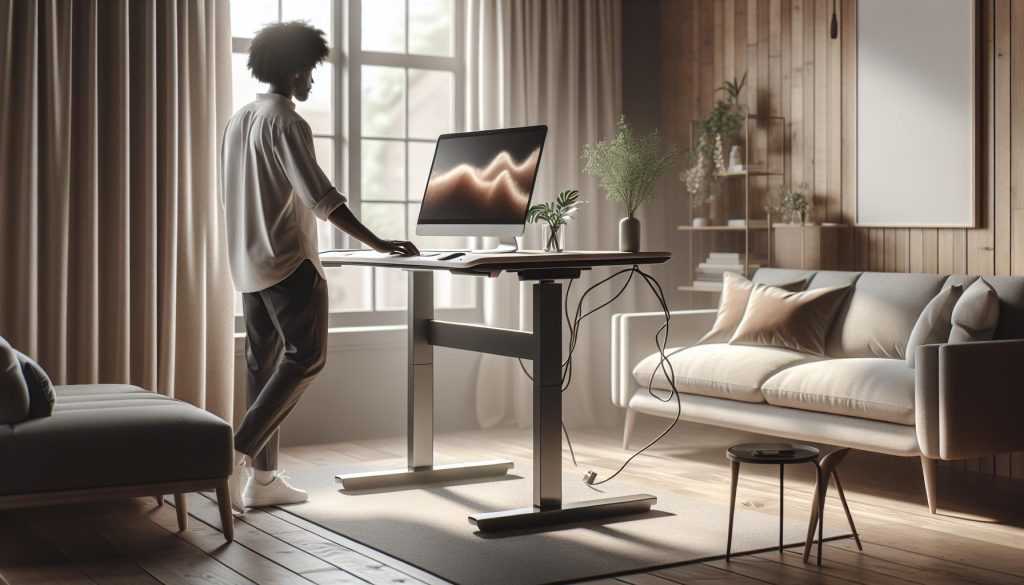
As more people embrace the benefits of standing desks for improved ergonomics and enhanced productivity, a common question arises: do these desks need to be plugged in? Understanding the power requirements for your standing desk is crucial for maximizing its benefits and ensuring a seamless work experience. Whether you’re concerned about flexibility, convenience, or simply how to set up your workspace effectively, this guide will clarify everything you need to know. By exploring the different types of standing desks, you’ll gain insights into the setups that promote workplace wellness, making your work life healthier and more efficient. Let’s dive in and unravel the essentials of setting up your standing desk for optimal health and productivity.
Do Standing Desks Require Electrical Power?
Most modern standing desks, especially electric models, require electrical power to operate effectively. These adjustable desks integrate motors that allow for seamless height adjustments at the push of a button, promoting a more dynamic workspace. Without being plugged in, these desks cannot perform their primary function, rendering them immobile and limiting their benefits. In contrast, manual standing desks rely on human effort-whether that be through a crank or by lifting the desktop-meaning they do not necessitate a power source.
For those opting for electric standing desks, the convenience they provide is a substantial advantage. Powering these desks typically involves connecting to a standard electrical outlet, enabling users to transition between sitting and standing positions with ease. This functionality not only aids in creating a healthier workspace but also contributes to improved focus and productivity, as studies suggest that changing positions can enhance cognitive performance and reduce fatigue.
When choosing a standing desk, considerations about power sources extend beyond just whether they’re electric or manual; it’s essential to think about the layout of your workspace. Ensuring proximity to power outlets can help prevent cable clutter and make the desk more functional. For example, planning your desk placement with easy access to power strips or embedded outlets can streamline the workspace, fostering an environment conducive to both work and wellness.
Understanding the Mechanisms of Powered Standing Desks
Powered standing desks use sophisticated mechanisms that enhance not only the functionality of the workspace but also promote better health and cognitive performance. Central to these desks are electric motors that facilitate height adjustments at the touch of a button, providing users with the ability to easily alternate between sitting and standing positions throughout the day. This adaptability is more than just a convenience; it also aligns with ergonomic principles that suggest frequent position changes can reduce physical strain and improve overall wellness.
The mechanism typically includes a control panel that allows users to raise or lower the desk, often equipped with memory settings to save preferred heights for different users. Many models now feature advanced technology, such as anti-collision sensors that prevent the desk from hitting objects while moving, promoting a safe environment even in busy workspaces. Additionally, some desks come with built-in USB ports and wireless charging pads, integrating technology that makes work life more convenient and less cluttered.
Understanding these mechanisms can guide users in selecting desks that meet their specific needs. For instance, those who work in collaborative environments may prefer desks that adjust quickly and quietly, while users focused on personal projects may prioritize stability and a higher weight capacity. This awareness not only fosters greater individual productivity but can also enhance team dynamics by creating adaptable workstations that cater to varying needs throughout the day.
In the long term, investing in a quality powered standing desk can offer significant dividends. As research continues to validate the link between movement and cognitive function-suggesting that regular changes in posture can spark creativity and reduce fatigue-embracing such tools helps cultivate a more vibrant and dynamic work culture. Therefore, integrating an electric standing desk into your workspace isn’t merely about physical comfort; it’s a step towards a healthier, more engaged way of working.
Key Benefits of Plugged-In Standing Desks
The transformative power of plugged-in standing desks lies in their ability to foster an adaptable and health-promoting work environment. Research consistently highlights the hazards of prolonged sitting, linking it to a range of health issues including obesity, cardiovascular disease, and reduced cognitive function. Plugged-in standing desks address these concerns by offering the ability to easily switch between sitting and standing positions, facilitating a more dynamic and engaging workspace. The convenience of electric height adjustments encourages users to regularly change their posture throughout the day, combating the stiffness and fatigue often associated with static workstations.
Enhanced Ergonomics and Comfort
One of the standout benefits of electric standing desks is the ergonomic design tailored to individual preferences. With the push of a button, users can adjust their workspace to suit their exact height, promoting better posture and reducing strain on the back, shoulders, and neck. Incorporating features like memory settings allows multiple users to effortlessly return to their personalized height, ensuring comfort for everyone who uses the desk. This adaptability not only improves physical well-being but also boosts productivity, as comfortable workers can maintain concentration and efficiency for longer periods.
Integration of Technology
Many powered standing desks are designed with modern work-life integration in mind. Features such as built-in USB ports and wireless charging stations simplify the workspace by reducing cord clutter and making it easier to stay connected. Furthermore, the inclusion of anti-collision technology enhances safety in actively used spaces, allowing users to feel confident when adjusting their desks without the risk of damaging equipment or causing accidents. This intersection of technology and flexibility creates a state-of-the-art work environment that supports both productivity and well-being.
Positive Impacts on Health and Wellbeing
Utilizing a plugged-in standing desk can also have profound effects on both physical health and mental performance. Studies suggest that alternating between sitting and standing can lead to increased energy levels and decreased feelings of fatigue. The simple act of standing can enhance circulation and boost metabolic rates, contributing to overall well-being. Additionally, there is emerging evidence linking movement throughout the day to heightened creativity and problem-solving abilities. By investing in a powered standing desk, individuals are not just purchasing furniture; they are committing to a healthier lifestyle that promotes both physical and cognitive vitality.
In summary, the benefits of plugged-in standing desks extend beyond comfort and usability. By prioritizing ergonomic design, integrating technology, and supporting health and wellness, these desks play a crucial role in creating an engaging and productive work environment. As individuals transition to these dynamic workstations, they are not only optimizing their workspace but also investing in their long-term health and cognitive function.
How to Set Up Your Standing Desk Correctly
The right setup of your standing desk can make a remarkable difference in how comfortably and effectively you work. People are often surprised to learn that even minor adjustments can lead to significant improvements in posture, productivity, and overall wellness. A well-optimized standing desk not only reduces strain on your body but also enhances cognitive performance, allowing you to harness the full benefits of alternating between sitting and standing throughout the day.
To start, it’s crucial to find the appropriate height for your desk. When standing, your elbows should be at a 90-degree angle when typing so that your wrists are straight. This position can enhance blood flow and decrease the risk of repetitive stress injuries. Use the following steps to ensure your desk is set up correctly:
- Find Your Ideal Desk Height: Stand tall with your feet flat on the ground. Adjust your desk so that your elbows are level with the desk or slightly above it when your hands are on the keyboard.
- Monitor Placement: Position your monitor directly in front of you, about an arm’s length away, with the top of the screen at or slightly below eye level. This placement helps reduce neck strain and promotes a more natural alignment of your head and spine.
- Feet Position: Keep your feet flat on the ground or on a footrest. Creating a slight forward angle in your hips can also help distribute your weight evenly.
- Use Accessories Like Anti-Fatigue Mats: Incorporate cushioned anti-fatigue mats to provide support and comfort, especially if you spend long hours standing. This addition can significantly reduce fatigue and discomfort in your feet and legs.
- Consider a Screen Filter: If your desktop or monitor glows too brightly, use an anti-glare screen filter. This can help reduce eye strain, allowing for longer, more comfortable work periods.
Lastly, remember that setting up your standing desk is not a one-time event; it should be an ongoing process as your comfort needs evolve. Schedule regular breaks to stretch and move around, even if just for a few moments. Nutrition plays a key role in cognitive performance, so combining your ergonomic setup with healthy eating habits can further enhance your work life. Listening to your body and making small adjustments as needed will help you seamlessly integrate a standing desk into your daily routine, promoting a healthier and more productive work environment.
Essential Features of Electric vs. Manual Desks
When deciding between electric and manual standing desks, understanding their essential features can guide your choice and enhance your workplace experience. Electric desks, which rely on a powered mechanism to adjust height, not only offer convenience but often include advanced features that cater to various user needs. Conversely, manual desks, which typically require physical effort to change height, can be simpler, maintenance-free options that are often more affordable.
Electric desks are equipped with motors that allow users to transition between sitting and standing positions with the push of a button. This feature is particularly useful for those who may frequently switch postures throughout the day, promoting better ergonomics and reducing discomfort associated with prolonged sitting. Many electric desks also include programmable height presets, enabling users to easily recall their preferred settings for quick adjustments, thus optimizing workflow and comfort.
On the other hand, manual desks often feature a crank or lever system for height adjustments. While this might require more effort, the absence of electrical components means there are fewer possible malfunctions, making them a durable choice. Additionally, manual desks usually come at a lower price point, making them a budget-friendly option for those just starting their transition to a standing desk environment.
Ultimately, the choice between electric and manual desks hinges on your specific needs and preferences. If seamless adjustments and multifunctionality are priorities for you, an electric standing desk may be ideal. Alternatively, if cost and simplicity are more critical, a manual desk could suit your workspace well. Prioritize a desk that not only fits your budget but also supports your health and productivity goals effectively.
Choosing the Right Standing Desk for Your Needs
When selecting the perfect standing desk for your workspace, understanding your specific needs and preferences is paramount. A well-chosen desk can significantly enhance your productivity, well-being, and comfort throughout the workday. With a variety of options available, it’s helpful to consider several factors that align with your work habits, space, and budget.
- Assess Your Space: Before diving into options, measure your available workspace to ensure you select a desk that fits seamlessly. Consider both the height and width of the desk and check that there is adequate clearance for any surrounding furniture.
- Evaluate Your Usage: Think about how frequently you’ll be adjusting the height. If you plan to alternate between sitting and standing often, an electric desk with programmable presets can facilitate quick adjustments, making this process smoother.
- Consider Ergonomics: Look for desks that can be adjusted to fit your specific height requirements. Ergonomic positioning can prevent strain, improve posture, and boost focus – essential for effective work performance.
- Budget and Longevity: Understand your budget range while keeping in mind the long-term investment a standing desk represents. Electric options may come at a premium but can enhance functionality and ease of use.
- Style and Functionality: Standing desks come in various styles and finishes. Choose one that not only matches your aesthetic preferences but also provides the functionality you require, like integrated cable management or additional workspace for your technology.
By carefully evaluating these considerations, you can identify a standing desk that not only fits your current needs but also adapts as those needs evolve. Remember, the goal is to foster a workspace that promotes health and productivity, enabling you to thrive in your daily tasks while optimizing comfort and reducing stress. Aim for a solution that supports your body and mind, which ultimately translates into higher workplace satisfaction and cognitive performance.
Addressing Common Concerns About Desk Power Sources
In today’s rapidly evolving workspace, the choice between electric and manual standing desks often raises common concerns about power sources. Many users wonder if an electric desk is worth the investment or if a manual alternative suffices. The key distinction here lies in the convenience and functionality offered by powered desks. While manual standing desks can be easier to set up without needing an electrical outlet, they require physical effort to adjust the height, which can deter frequent changes during the workday.
Electric standing desks are designed to provide seamless height adjustments with the touch of a button. This convenience is particularly appealing for those who shift between sitting and standing positions throughout the day. Studies have shown that alternating postures can reduce fatigue and improve overall productivity, making the functionality of a powered desk a valuable asset. However, the reliance on electricity can raise concerns about accessibility in certain work environments or the risk of technical failures.
To mitigate concerns about desk power sources, consider the following practical aspects:
- Alternative Power Options: Look for electric desks that offer battery-operated solutions. These desks provide flexibility and can be used anywhere, eliminating worries about accessibility to power outlets.
- Safety Features: Many modern electric standing desks come equipped with safety mechanisms to prevent accidents. Features like anti-collision technology ensure that the desk stops adjusting if it encounters an obstacle, providing peace of mind in a busy workspace.
- Easy Maintenance: Electric standing desks generally require minimal maintenance. Regularly checking cable connections and ensuring that the height adjustment mechanism is free from debris helps maintain a smooth operation.
Addressing these concerns allows you to make an informed decision that aligns with your work habits and environment. No matter the choice, the goal remains clear: to create a workspace that supports health, productivity, and overall well-being.
Easy Troubleshooting for Electric Standing Desks
Electric standing desks are designed to improve your workspace ergonomics and overall health, but like any technology, they can occasionally run into hiccups. Understanding some simple troubleshooting steps can empower you to address issues efficiently and keep your productivity flow uninterrupted. Whether it’s an unexpected power failure or an unresponsive height adjustment mechanism, knowing what to check can save you time and frustration.
One of the most common issues that users encounter is a desk that won’t adjust. If this happens, first check to see if the desk is properly plugged in. An accidental disconnection, a faulty power outlet, or even a surge protector that has tripped can render your desk unusable. For desks equipped with memory presets, you might also want to reset the control box. This procedure often involves pressing and holding down the down button while reconnecting the power supply.
Another frequent concern is the desk’s movement being jerky or jammed. This can be caused by an obstruction or debris lodged in the height adjustment mechanism. Make a habit of keeping the area around your desk clean. If the problem persists, lift the desk manually (if possible) to identify any blockages. Checking the cables for fraying or wear can also help ensure that everything is in order. Remember, safety features, such as anti-collision technology, are designed to prevent harm, but they may halt adjustments if they detect resistance.
Lastly, if your desk seems to be functioning intermittently, potential wiring issues could be to blame. A loose connection or damaged cable can disrupt the power supply. Ensure all cables are securely connected, and consider consulting the manufacturer’s warranty or customer service for replacement parts. Also, look for battery-operated options; these eliminate reliance on a constant power source, providing flexibility and reducing concerns regarding accessibility to outlets.
By implementing these troubleshooting strategies, you can resolve most common issues your standing desk may encounter. Adopting regular maintenance habits not only extends the life of your desk but also maximizes your comfort and productivity, reinforcing the practice of an ergonomically sound workspace.
Transforming Your Workspace: Ergonomic Considerations
Creating an ergonomically sound workspace is essential not only for comfort but also for enhancing cognitive performance and overall workplace health. Transitioning to a standing desk can significantly alter your work experience if properly set up. Research indicates that adopting an ergonomic setup can reduce discomfort and fatigue, allowing for better focus and productivity. Understanding key aspects of desk height, posture, and workstation layout can transform not only your physical space but also your mental clarity.
To start, ensure that your standing desk is set at the right height. An optimal desk height allows your elbows to remain at a 90-degree angle while typing, with your wrists in a neutral position to avoid strain. Your monitor should be at eye level, approximately an arm’s length away, ensuring you don’t have to tilt your head up or down, which can lead to neck and spine issues. Incorporating accessories like monitor risers or footrests can help maintain this ideal setup.
Moreover, shifting between sitting and standing is crucial. Aim to alternate every 30 to 60 minutes to keep your body engaged and prevent fatigue. Encouraging movement during the day, such as stretching or walking, enhances circulation and reduces stress, contributing to improved cognitive function. Consider integrating desk exercises or short breaks that not only refresh your mind but also alleviate the physical strain of prolonged standing.
Lastly, lighting plays a pivotal role in an ergonomic setup. Natural light is ideal, but if that’s not available, invest in a good desk lamp that reduces eye strain. A well-lit workspace minimizes fatigue and enhances productivity, directly influencing how effectively you can complete tasks. By focusing on these ergonomic considerations, you can create a workspace that fosters well-being, enhances cognitive performance, and ultimately contributes to a healthier work-life balance.
Maximizing Comfort and Productivity with Desk Height Adjustments
Finding the perfect desk height is a game-changer for your workspace productivity and comfort. Studies reveal that discomfort often originates from improper desk setups, which can affect both your physical health and cognitive performance. To maximize your time at a standing desk, it’s essential to make adjustments that cater to your body’s needs, ultimately leading to increased focus and efficiency throughout your workday.
Adjusting your desk height to ensure your elbows are at a 90-degree angle while you type is a foundational step. Your wrists should stay straight, minimizing strain, while your monitor is ideally positioned at eye level, approximately an arm’s length away. This alignment not only reduces potential neck and back pain but also contributes to a more natural posture, allowing you to engage deeply with your work. If you find your desk lacking in adjustability, consider accessories such as adjustable monitor stands or standing desk converters to optimize your setup.
It’s also beneficial to incorporate dynamic movement into your work routine. Utilize the variability of a standing desk by switching between sitting and standing throughout the day. A general guideline is to alternate every 30 to 60 minutes. This not only helps prevent fatigue but also boosts energy levels and cognitive function. Simple stretching exercises or short walks during these transitions can enhance circulation and foster a more invigorated mindset.
Equally important is how you manage your workspace surrounding the desk. Ensure good lighting to avoid eye strain-natural light is preferable, yet adjustable task lighting can also suffice. A well-illuminated space enhances not only your comfort but also your overall productivity. By consistently reassessing and tweaking your desk height and surrounding conditions, you cultivate an environment that supports both your physical well-being and your cognitive agility, paving the way for optimal performance and engagement throughout your workday.
How to Transition to a Standing Desk Habit
Transitioning to a standing desk habit can elevate your work experience, reinforcing the benefits of improved posture and increased energy levels. However, adapting to this new way of working requires a thoughtful approach to ensure the shift is both comfortable and sustainable. Research indicates that incorporating standing into your workflow can significantly enhance focus and reduce fatigue over time, but making this transition requires patience and strategic planning.
To start, gradually increase the amount of time spent standing each day. It’s wise to begin with shorter intervals; aim for 20 to 30 minutes of standing, followed by a seated period. This can be adjusted as your body becomes accustomed to the new posture. A practical technique is to set a timer or use a smartphone app to remind you when it’s time to switch positions. This structured approach not only eases you into the habit but also helps to alleviate the potential discomfort that can arise from prolonged standing.
Additionally, consider your footwear and flooring. Supportive shoes, especially those designed for standing, can significantly reduce strain on your feet and back. If possible, use a cushioned mat to provide extra support, making standing more comfortable and decreasing fatigue. Moreover, engaging your core and maintaining proper posture while standing helps to maximize the benefits of this setup, reducing the risk of discomfort.
As you embark on this transition, it’s essential to listen to your body. If you experience pain or discomfort, don’t hesitate to adjust your standing time or explore ergonomic solutions such as footrests or anti-fatigue mats. Keep in mind that alternating your position throughout the day is key; consider creating a routine that incorporates sitting, standing, and even light movement, as this variability can help maintain your energy levels and enhance cognitive function over the course of your workday. By embracing this gradual shift and prioritizing comfort, you can successfully cultivate a sustainable standing desk habit that supports both your physical health and productivity.
Exploring the Impact on Health and Cognitive Performance
Research has shown that the way we work can significantly impact not only our physical health but also our cognitive performance. Standing desks embody a growing trend in workplaces aiming to promote a healthier work environment. By facilitating a mixture of sitting and standing, these desks can lead to better posture, increased energy levels, and improved concentration. Rather than being tied down by traditional seating, users report feeling more alert and engaged when they incorporate standing into their work routine.
Physical Benefits and Brain Health
Standing while working encourages more movement, which can enhance circulation and metabolic functions. Improved blood flow not only energizes the body but also boosts brain activity, as the brain relies on a steady supply of oxygen and nutrients. Enhanced circulation may lead to clearer thinking and faster cognitive processing, as evidenced by studies that link physical activity to improved mental acuity. Additionally, shifting positions throughout the day can reduce discomfort related to prolonged sitting, which is associated with negative outcomes such as chronic pain and fatigue that detract from focus and productivity.
Creating a Proactive Work Environment
To fully harness the benefits of a standing desk, it’s vital to create an environment that supports ergonomic principles. Adjust your desk to align with your body’s natural posture; the top of your computer screen should be at eye level, and your elbows should be bent at approximately 90 degrees. Incorporating accessories like anti-fatigue mats can further enhance comfort, allowing longer standing sessions without discomfort. Also, be mindful of your screen time; consider periodic breaks to stretch and relax your eyes, enhancing both physical well-being and cognitive clarity.
Moreover, fostering a habit of alternating between sitting and standing can facilitate neuroplasticity-the brain’s ability to adapt to new situations. Engaging in varied postures keeps your brain active and responsive, promoting creativity and problem-solving skills. By integrating these small shifts into your daily routine, you can cultivate a more dynamic, responsive mindset that not only boosts productivity but also contributes to overall workplace wellness.
FAQ
Q: Do all standing desks require electricity to operate?
A: Not all standing desks require electricity. Electric standing desks need to be plugged in for height adjustment, while manual standing desks operate through a mechanical mechanism and do not require power. Choose based on your power needs and preferences.
Q: What should I consider when setting up a standing desk?
A: When setting up a standing desk, consider the height of the desk relative to your elbows, the position of your monitor, and the placement of your keyboard. Good ergonomic alignment can enhance comfort and productivity. Refer to the section on “How to Set Up Your Standing Desk Correctly” for detailed guidance.
Q: Can I use a standing desk without plugging it in?
A: Yes, you can use a manual standing desk without plugging it in. These desks allow you to adjust height manually using either a crank or a simple lift mechanism, giving you flexibility without needing electricity.
Q: Are there any disadvantages to using a powered standing desk?
A: One disadvantage of powered standing desks is the dependency on electricity, which can be inconvenient during power outages. Additionally, they may be more expensive and require more maintenance. It’s important to weigh these factors against their convenience and features.
Q: How can I troubleshoot my electric standing desk?
A: To troubleshoot an electric standing desk, first check if it’s plugged in and that there are no loose connections. If it still doesn’t work, reset the desk according to the manufacturer’s instructions. Refer to the section on “Easy Troubleshooting for Electric Standing Desks” for more solutions.
Q: What are some common features of electric standing desks?
A: Common features of electric standing desks include programmable height presets, durable motors for smooth adjustments, and built-in cable management systems. These features enhance convenience and help maintain an organized workspace. Consider “Essential Features of Electric vs. Manual Desks” to explore different options.
Q: How do I transition to using a standing desk effectively?
A: To transition effectively to a standing desk, start by alternating between sitting and standing, gradually increasing standing time. Ensure your desk is set to the right height for comfort and productivity. Explore “How to Transition to a Standing Desk Habit” for more tips.
Q: Will using a standing desk really improve my health?
A: Using a standing desk can contribute to better posture, reduced back pain, and increased energy levels. However, it’s essential to combine standing work with movement and breaks for optimal health benefits. Check out “Exploring the Impact on Health and Cognitive Performance” for detailed insights.
Feel free to dive deeper into each topic for a more comprehensive understanding of standing desks and their setup.
Key Takeaways
Now that you understand whether standing desks need to be plugged in and how to set them up effectively, you’re well on your way to creating a healthier workspace. Incorporate standing breaks into your daily routine to enhance productivity and promote better posture. If you still have questions about creating an ergonomic office environment, check out our articles on healthy work habits and stress management techniques for more insights!
Don’t miss out on maximizing your workplace wellness journey-sign up for our newsletter to receive expert tips on cognitive health and biohacking strategies right in your inbox. Remember, small changes can lead to significant benefits, so take action today and transform your workspace for the better! Join the conversation below; we’d love to hear your thoughts and experiences!