
Did you know that sitting for prolonged periods can significantly impact your health and productivity? Transitioning to a standing desk can not only alleviate discomfort but also boost your focus and energy levels throughout the workday. In this complete installation guide, we’ll explore how to set up a standing desk effectively, ensuring it aligns with your personal needs and workspace. By making this simple yet impactful change, you can enhance your workplace wellness and cognitive health, ultimately creating a more dynamic and engaging work environment. Ready to transform your workspace? Let’s dive into the step-by-step process of setting up your standing desk!
Choosing the Right Standing Desk for Your Needs
Choosing a standing desk is an important decision that can significantly impact your productivity and overall health. With numerous options available, understanding what to look for can make the selection process manageable. Ideally, the right desk should cater to your personal preferences, workspace requirements, and ergonomic needs to promote physical wellness while you work.
Begin by considering the desk’s height range. A key feature of any standing desk is its adjustability; it should accommodate both sitting and standing positions comfortably. Measure your height and the height of your regular desk setup to ensure that the new desk can be adjusted to a position that aligns with your elbows at 90 degrees when typing. Furthermore, consider the weight capacity if you plan to load the desk with multiple monitors or other equipment.
Material and build quality are also critical factors. Choose desks made of sturdy materials that provide stability when in use. The surface should be spacious enough to hold your computer, documents, and any accessories you frequently use. Some desks offer additional features such as cable management systems or built-in USB ports for convenience, which can enhance your workspace’s tidiness and functionality.
When selecting between manual and electric options, think about your working style. Electric standing desks allow for smooth and quick height adjustments with the push of a button, making them ideal for individuals who frequently shift between sitting and standing. In contrast, manual desks might be more straightforward and less expensive but may require more effort to adjust.
By thoughtfully considering these aspects, you can find a standing desk that not only fits your physical workspace but also promotes a healthier work environment, reducing fatigue and improving focus. Remember, the right standing desk is more than just a piece of furniture; it’s an investment in your health and productivity.
Understanding Ergonomic Principles for Setup
Creating an ergonomic workspace is crucial for ensuring comfort and productivity, especially when using a standing desk. An improperly set up desk can lead to a host of issues, including back pain, neck strain, and even decreased focus. Adequate understanding of ergonomic principles is essential for maximizing the benefits of your standing desk while minimizing any potential discomfort.
To begin with, maintaining a neutral body posture is key. This means your feet should be flat on the ground, and your knees should be at about a 90-degree angle. When using a keyboard, your elbows should also rest comfortably at this angle, allowing your wrists to stay straight rather than bent. A footrest can be particularly beneficial; it encourages slight shifting of your weight, which can alleviate pressure on your lower back during prolonged standing.
Consider Your Monitor Height
The height of your computer monitor is another critical factor. Ideally, the top of your monitor screen should be at or slightly below eye level, ensuring that you do not strain your neck by looking too high or low. The screen should be roughly an arm’s length away, which can prevent eye strain from excessive screen time. If necessary, use monitor risers or stands to achieve the correct alignment.
Incorporate Movement
While standing desks promote a more active work style, it’s essential to incorporate movement throughout your day. Consider adding in intermittent walking or stretching breaks, which can enhance circulation and reduce fatigue. Simple exercises, such as shoulder rolls or calf raises, can also help keep your muscles engaged.
By applying these ergonomic principles when setting up your standing desk, you can foster a more productive and comfortable working environment. An optimal setup not only aids in your physical well-being but also enhances cognitive function, allowing for better focus and creativity throughout your workday. Prioritizing ergonomic practices today leads to a healthier and more sustainable work lifestyle in the long run.
Essential Tools and Materials for Installation
Setting up a standing desk can transform your work environment, encouraging healthier habits and enhancing productivity. However, to maximize this transition, it’s crucial to gather the right tools and materials before diving into assembly. Having everything you need at your fingertips not only streamlines the installation process but also minimizes frustration and helps you focus on creating an ergonomic workspace.
Start with the essentials: you’ll typically need a power drill, a screwdriver, and an adjustable wrench for most standing desk models. If your desk comes with pre-drilled holes, ensure to have the appropriate bits on hand for easier assemblage. Additionally, a level can be invaluable for making sure your desk sits evenly, preventing any awkward tilting that could lead to discomfort.
Aside from tools, your materials should include all hardware components that come with the desk, such as screws, brackets, and any specialized fixtures. It’s wise to lay out everything in an organized manner to avoid confusion and ensure nothing goes missing during the installation. If you’re upgrading an existing workspace or integrating technology, consider including cable management accessories like clips or sleeves to keep cords tidy and out of the way; this can further enhance your workspace’s aesthetic and functionality.
Finally, think about your personal comfort items, which can assist in optimizing your set-up. You may want to have a footrest for added support or an anti-fatigue mat to alleviate pressure on your legs during long periods of standing. By ensuring you have the proper tools and materials ready, you’ll not only set the stage for a smooth assembly process but also lay the groundwork for a more productive and comfortable work environment in the long run.
Step-by-Step Guide to Standing Desk Assembly
As you embark on the journey of setting up your standing desk, remember that proper assembly is essential for creating an environment conducive to both productivity and health. A well-assembled desk not only ensures stability but also maximizes the ergonomic benefits your new workspace can provide. Follow these straightforward steps to ensure your standing desk is assembled correctly, allowing you to enjoy all the advantages that come with it.
Begin by carefully laying out all the parts and tools you gathered earlier. This includes the desk frame, tabletop, hardware components like screws and brackets, and essential tools like a power drill and screwdriver. Once organized, follow these steps:
Step 1: Assemble the Frame
Start by constructing the frame of the desk. Depending on your model, this typically involves connecting the side legs to the crossbars. Use the screws as instructed by your assembly manual, ensuring everything is tightened securely to maintain stability. A level is especially useful here; check that the frame is even before proceeding.
Step 2: Attach the Tabletop
Once the frame is assembled, carefully place the tabletop onto the frame. Align it according to the pre-drilled holes; if yours lacks them, you can drill new holes for better alignment. Secure the tabletop using the screws provided, ensuring they are firmly fastened to prevent any wobbling.
Step 3: Install Additional Features
If your standing desk comes with additional features like cable management systems or adjustable height mechanisms, now is the time to install them. Follow the manufacturer’s guidelines to ensure proper functionality. Organizing your cables efficiently can significantly improve your workspace’s aesthetics and utility.
Step 4: Final Adjustments
After assembly, it’s crucial to adjust your desk to the appropriate height for your comfort. Generally, your elbows should be at a 90-degree angle while typing. Take this opportunity to double-check that everything is secure and that your desk stands evenly. If it wobbles, revisit the mounting points to tighten any loose screws.
Following these steps thoughtfully can make a significant difference in your workspace experience. A properly assembled standing desk not only helps in maintaining good posture but also minimizes discomfort, allowing you to focus on enhancing your productivity and wellness throughout the day. Remember, creating an ergonomic workspace is a vital step toward ensuring better cognitive performance and overall health.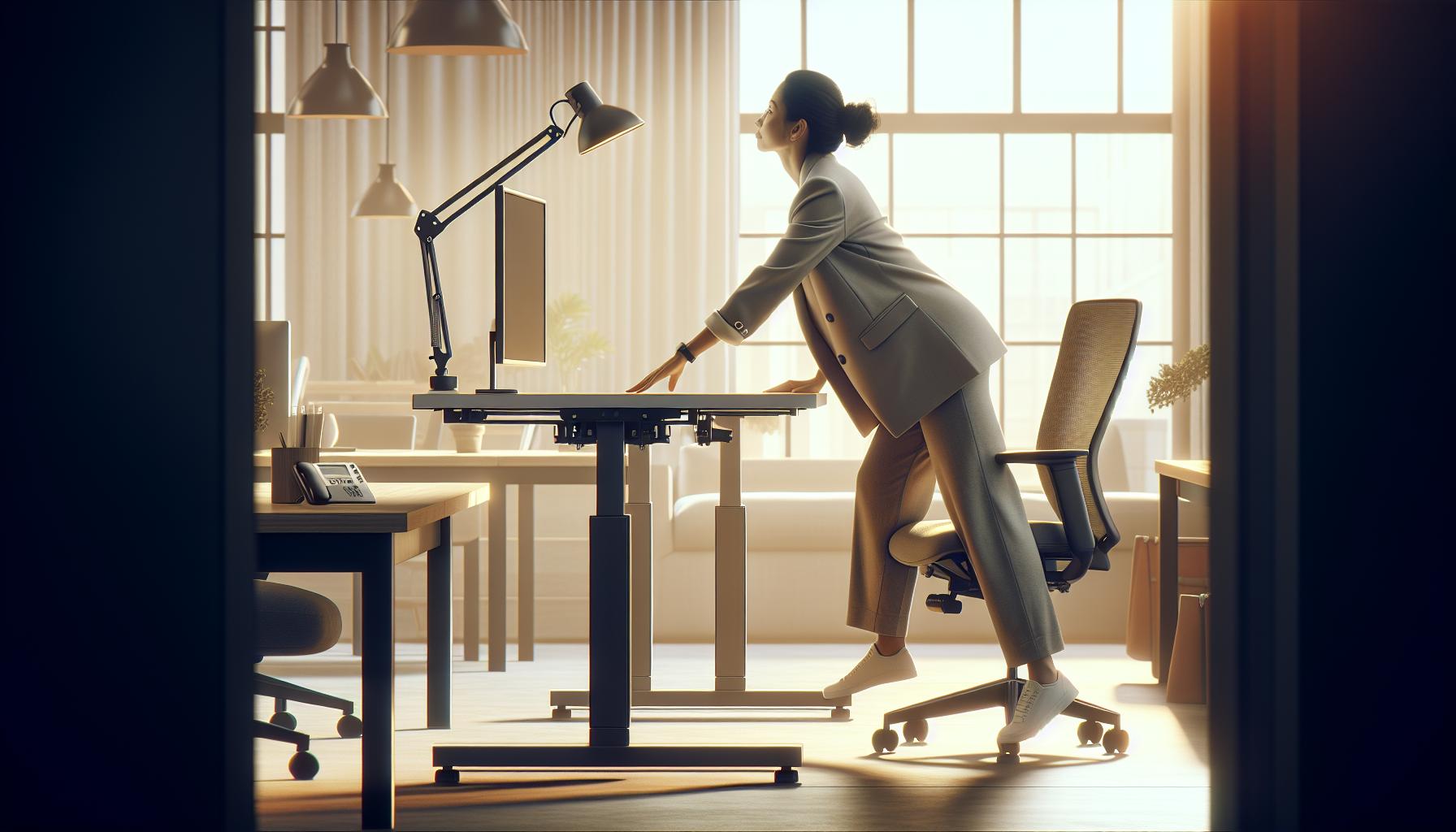
Adjusting Your Desk Height for Optimal Comfort
Finding the right height for your standing desk is crucial for maximizing comfort and productivity. A desk that’s too high or too low can lead to discomfort and strain, undermining the benefits of standing while working. According to research, the right desk height can enhance circulation, reduce fatigue, and improve focus-factors essential for cognitive performance. Here’s how to adjust your desk for optimal comfort and ensure you’re setting yourself up for success.
Start by standing up straight with your feet flat on the ground. Your elbows should be bent at about a 90-degree angle when your hands rest on the keyboard. This positioning helps maintain a natural and comfortable posture, reducing the risk of shoulder and wrist strain. If the desk is too high, you may find yourself raising your shoulders unnecessarily; if it’s too low, you might hunch over, leading to back pain. A good rule of thumb is that your wrists should be straight and in line with your forearms while typing.
Adjusting the Height
Many standing desks come with adjustable legs or electronic height controls. If yours has these features, follow the manufacturer’s instructions to raise or lower the desk. For manual models, you’ll likely need to loosen knobs or screws before adjusting. Here are some tips to assist your adjustment process:
- Stand next to the desk and adjust it so that the surface is at wrist height.
- Test the height by typing for a few moments to see if your elbows remain at that comfortable angle.
- Make incremental adjustments, testing as you go, to ensure you don’t overshoot the ideal height.
Considerations for Footwear
Your choice of footwear plays a significant role in the perceived height of your desk. If you’re wearing shoes with thick soles, you may need to adjust the desk to a slightly higher position compared to when you’re barefoot or wearing flats. Additionally, using an anti-fatigue mat can provide extra cushioning and support, further improving comfort during long hours of standing.
Incorporating frequent movement and stretching can enhance the benefits of standing. Consider alternating between sitting and standing throughout your workday to further promote circulation and energy levels. This fluidity in position not only prevents fatigue but also enhances overall well-being. Adjust your desk height periodically to optimize comfort and productivity-there’s no one-size-fits-all solution when it comes to ergonomics. Your body will adjust over time, so pay attention to how you feel as you work, making minor adjustments as needed for the best experience.
Creating an Ergonomic Workspace Layout
Creating a workspace that fosters comfort and productivity is key to maximizing the benefits of a standing desk. A well-organized ergonomic layout not only enhances physical well-being but also boosts cognitive function and overall mood. Did you know that a clutter-free workspace can reduce stress and improve focus? Here are essential considerations for designing your ergonomic workspace.
Start by positioning your desk in a way that minimizes distractions and enhances your workflow. Ideally, place your standing desk in a location where you have ample natural light, which is known to improve productivity and mood. Ensure your computer monitor is at eye level to prevent neck strain; the top of the screen should align with your line of sight. Consider the distance from the monitor, aiming for about an arm’s length away, to reduce eye fatigue.
Optimize Equipment Arrangement
Think about the layout of your tools and equipment. Frequently used items like your keyboard, mouse, and notepad should be easily accessible. Here’s how to arrange your desk for maximum efficiency:
- Keyboard and Mouse: Ensure that the keyboard is placed at a height that allows your elbows to stay close to your body, forming an approximate 90-degree angle. Keep your mouse at the same level to maintain a smooth flow.
- Monitor Positioning: Utilize monitor stands or adjustable arms to achieve the correct height. An angle of 20 to 30 degrees from your eyes can further help with comfort.
- Foot Position: Use an anti-fatigue mat to support prolonged standing and shift your weight between feet to encourage movement.
Incorporating Natural Elements
Enhancing your workspace with elements like plants not only beautifies your environment but can also improve air quality and reduce stress levels. Plants like snake plants or pothos are low-maintenance yet effective in bringing life and warmth into your workspace. Adding personal touches such as photos or inspirational quotes can make your standing desk area feel more inviting.
Remember that a key aspect of an ergonomic workspace is the fluidity of movement. Encourage yourself to switch between sitting and standing regularly; this can help mitigate fatigue and keep your energy levels up. By designing a workspace with these principles in mind, you’ll create an environment that supports your physical health and enhances cognitive function, making it easier to thrive in your daily tasks.
Incorporating Technology: Cables and Accessories
A well-organized workspace goes beyond just the physical arrangement of your desk and chair; it often hinges on how effectively you manage technology. In a world where devices and gadgets proliferate, understanding how to incorporate technology, including cables and accessories, is crucial for an efficient standing desk setup. A tidy, tech-savvy workspace not only enhances comfort but also promotes productivity and reduces stress.
Start by organizing your cables to prevent clutter and potential hazards. Use cable management solutions like clips, sleeves, or trays to keep your cords neatly tucked away. For example, consider utilizing a cable management box to house excess cords and power strips, or adhesive clips to direct cables along the edges of your desk. This not only improves the aesthetic of your workspace but also minimizes distractions caused by tangled wires. Additionally, choosing wireless devices when possible-such as a Bluetooth keyboard and mouse-can greatly reduce the number of cables, resulting in a more streamlined setup.
Incorporating accessories that enhance your ergonomic setup can also contribute significantly to workplace wellness. Adjustable monitor stands are a good investment, allowing you to set your screen at eye level. This adjustment helps to reduce strain on your neck and eyes, facilitating better posture. A docking station can further consolidate connections for multiple devices, making it easier to switch between laptop and desktop use. Moreover, consider integrating accessories like a standing desk mat, which offers comfort and encourages movement, helping you maintain your energy levels throughout the day.
Finally, ensure that your workspace is equipped with adequate lighting. Good lighting can reduce eye strain and fatigue, boosting your cognitive performance. Consider smart lighting options that can be adjusted based on the time of day, such as warmer tones in the morning and cooler tones as the day progresses. This kind of attentiveness to your technological environment not only enhances your physical setup but also supports cognitive function and overall workplace wellness, creating a space that fosters productivity and focus.
Maintaining Good Posture While Using a Standing Desk
Maintaining a healthy posture while using a standing desk is crucial for both comfort and productivity. Did you know that poor posture can lead to long-term health issues, such as chronic back pain or decreased cognitive performance? Adopting a few simple practices can significantly enhance your overall well-being while you work.
Begin with the fundamental rule: your screen should be at eye level. An adjustable monitor stand can help achieve this, which prevents neck strain and allows you to keep your head upright. Position your monitor about an arm’s length away to minimize eye fatigue. Your elbows should rest at about a 90-degree angle, with your wrists straight and hands slightly below your elbows while typing. This alignment not only reduces the risk of repetitive strain injuries but also fosters a more relaxed and efficient work environment.
To promote good posture, consider your stance as well. Distribute your weight evenly between both feet, and alternate your position periodically. Engaging your core muscles can also provide additional support for your lower back. Using an anti-fatigue mat under your feet can enhance comfort and encourage slight movements, aiding circulation. Remember to take regular breaks to stretch; even brief stretches can significantly relieve tension built up from prolonged standing.
In summary, aligning your desk components and adjusting your body mechanics can lead to improved posture and overall health. Paying attention to your ergonomics will not only enhance your comfort but can also increase your productivity and cognitive performance, allowing you to work smarter, not harder.
Tips for Transitioning to a Standing Desk
Making the shift to a standing desk can redefine your work environment and boost your health, but transitioning improperly can lead to discomfort and frustration. One essential tip is to start slow: begin by standing for 15-30 minutes every hour, gradually increasing your standing time as your body adapts. This approach not only eases your muscles into the new routine but also helps you gauge how your body responds. Consider keeping a flexible mindset; some days you may feel energized and want to stand longer, while on others, seated work might feel better.
To facilitate this adjustment, focus on your posture and setup from the beginning. Ensure that your desk and monitor are at the right height; your screen should be at eye level, while your elbows should rest comfortably at a 90-degree angle. This not only prevents strain but also enhances your productivity. Use an anti-fatigue mat if you’ll be standing for extended periods-these mats can significantly improve comfort and encourage more movement while you work.
Additionally, incorporate regular breaks into your routine. Every 30 minutes, take a moment to stretch or walk around. This action not only alleviates stiffness but also triggers a mental refresh, keeping your cognitive performance sharp. You might also find that alternating between sitting and standing enhances your focus and stamina throughout the day, providing a balance that accommodates your individual needs and energy levels.
Lastly, cultivate a workspace that inspires you. Personalize your standing desk with items that lift your spirits, such as plants, photos, or motivational quotes. Engaging positively with your environment can greatly enhance your overall experience and reinforce healthy work habits. As you adapt, remember that small adjustments can lead to substantial long-term benefits for your health and productivity. Enjoy the journey to a more dynamic work style!
Enhancing Productivity with Standing Desk Strategies
Making the shift to using a standing desk can significantly enhance productivity, but to truly harness its potential, you’ll want to adopt specific strategies that promote engagement and focus throughout your workday. Research shows that standing can elevate energy levels and boost overall mood, which may lead to improved cognitive performance. However, the physical structure alone isn’t enough; it’s how you use it that counts.
To optimize your standing desk experience, consider implementing the following strategies:
Connect with Movement
Introduce movement into your routine. Standing desks inherently encourage more dynamic actions compared to sitting, but you can amplify this by integrating light exercises. Activities like calf raises, gentle squats, or even walking in place can stimulate blood flow and reduce fatigue. Setting a timer as a reminder to switch between activities every half hour will keep your energy high and maintain mental sharpness.
Utilize Technology Wisely
Technology can enhance your productivity when working at a standing desk. Use applications that promote reminders to maintain good posture or take breaks. Ergonomic keyboards and monitors with adjustable heights aid in creating a comfortable workspace, allowing you to focus on your tasks instead of discomfort. Additionally, consider Bluetooth headphones for hands-free calls or meetings, enabling more mobility and engagement while you work.
Create a Sensory Experience
Engage your senses to improve focus and engagement. Incorporate items like essential oil diffusers, soothing background music, or even ambient nature sounds to create a motivating atmosphere. Studies have found that pleasant sensory stimuli can enhance cognitive function and elevate mood, making the work environment more enjoyable and conducive to productivity.
Regular Reflection
Make time for short reflections during your day to assess how the standing desk impacts your workflow. After a few weeks, take note of any changes in your focus, energy levels, or overall productivity. Adjust your strategies accordingly, experimenting with variations of standing durations, movements, and amenities until you find the rhythm that works best for you. By actively engaging in this reflective practice, you empower yourself to refine your workflow continuously.
By integrating movement, leveraging technology, creating a sensory-friendly environment, and reflecting on your practices, you can transform your standing desk from a mere piece of furniture into a powerful tool for productivity and wellness. As you embark on this journey, remember that each adjustment is a step toward a healthier, more engaged working life.
Personalizing Your Workspace for Maximum Comfort
Creating a workspace that feels personal and comfortable is essential for optimizing your productivity and well-being. Research underscores that personalizing your environment can enhance focus and stimulate creativity, making it vital to consider the aesthetic and functional aspects of your standing desk setup. By integrating elements that resonate with you, you can transform your workspace into a place that not only supports your physical health but also boosts your mental clarity and motivation.
One impactful way to personalize your workspace is through the selection of color and decor. Colors like blue and green are known to increase productivity and calmness, while brighter hues can inject energy into the space. Consider the following ways to create a tailored environment:
- Incorporate plants: Adding greenery not only enhances visual appeal but can also improve air quality and provide a sense of tranquility.
- Artwork and personal photos: Surround yourself with visuals that inspire you or evoke positive memories. This can enhance your mood and maintain a stimulating environment.
- Functional decor: Use items like stylish organizers or holders for pens and tools, merging utility with aesthetics to keep your area tidy and engaging.
Elevating comfort involves choosing the right accessories that promote ergonomics and ease of use. Investing in a quality anti-fatigue mat can significantly reduce discomfort related to prolonged standing. Additionally, customizable monitor stands or laptop risers ensure that your screens are at eye level, reducing strain on your neck and shoulders. Further options include:
Equipment and Accessories
- Ergonomic chairs or stools: If you choose to alternate between sitting and standing, having a comfortable chair that promotes good posture can be invaluable.
- Wrist rests: Adding wrist supports when using your keyboard can prevent strain and enhance comfort while typing.
- Adjustable lighting: Consider desk lamps with adjustable brightness to minimize eye strain and create an inviting workspace atmosphere.
Including these personalized touches not only makes your workspace more enjoyable but also supports your cognitive health and stress management. When your environment reflects your preferences and needs, it fosters a sense of control and comfort, which is crucial for managing workplace stress. Regularly revisiting and updating your space can keep it aligned with your evolving needs and preferences, ultimately leading to a more fulfilling work experience.
Maintaining Your Standing Desk: Best Practices
Being proactive about the upkeep of your standing desk is vital for maintaining a functional and supportive workspace. A well-maintained standing desk not only enhances your physical comfort but can also boost your productivity and overall well-being. Here are some best practices to ensure your standing desk remains in optimal condition while promoting a healthier work environment.
Regularly inspect and clean your standing desk to prevent dust accumulation and maintain its appearance. Wipe down surfaces with appropriate cleaners to avoid damaging the finish or electronic components. Additionally, check the desk’s mechanical parts, such as hydraulic lifts or motors, for any signs of wear or malfunction. Keeping these components clean and operating smoothly can extend the life of your desk and ensure that height adjustments are effortless.
Ergonomic Adjustments
To maximize comfort and minimize strain, routinely reassess your desk height and workspace setup. Ensure that the monitor is at eye level, with the top of the screen roughly at or slightly below eye level, to prevent neck strain. Keep your elbows at a 90-degree angle when typing, and position your keyboard and mouse close enough to eliminate any awkward stretching. Remember to vary your positions; balance your time between standing and sitting to avoid fatigue.
Incorporating Movement
Standing desks encourage a more active work style, so infusing movement into your day can enhance ergonomic benefits. Incorporate micro-movements, such as shifting your weight from one leg to another or using a footrest to change positions. Set reminders to take short walks or stretch every 30 to 60 minutes. This not only enhances circulation but also leads to improved cognitive function and prevents stiffness during long working hours.
Accessories for Comfort
Invest in accessories designed to further enhance comfort and support. An anti-fatigue mat can significantly reduce pressure on your feet, improving overall comfort during prolonged standing. Consider using a document holder to position papers at eye level, cutting down on neck strain caused by looking down. Additionally, wrist supports for your keyboard can help maintain ergonomics, reducing the risk of strain injuries.
By adopting these best practices for maintaining your standing desk, you foster a workspace that not only aligns with ergonomic principles but also enhances your productivity and overall mental clarity. Regular maintenance and adjustments are essential tools in promoting workplace wellness and ensuring that your environment supports your physical health effectively.
FAQ
Q: What is the best height for a standing desk?
A: The best height for a standing desk varies based on individual height. Generally, your elbows should be at a 90-degree angle when typing, with the screen at eye level. For most users, this translates to the desk height being about level with your wrists while standing. Adjust accordingly to ensure comfort.
Q: How often should you adjust your standing desk?
A: You should adjust your standing desk between sitting and standing every 30 to 60 minutes. This promotes blood circulation and reduces fatigue. Gradually increase your standing time as your body adapts, aiming for a balance that works best for you.
Q: Are standing desks better for your health?
A: Standing desks can provide health benefits, such as reducing back pain and improving mood and energy levels. However, they are not a cure-all; it’s essential to alternate between sitting and standing, integrate movement, and maintain proper posture to maximize health benefits.
Q: How can I prevent fatigue when using a standing desk?
A: To prevent fatigue while using a standing desk, wear supportive footwear, use an anti-fatigue mat, and take regular movement breaks. Consider shifting your weight from one foot to another or using a footrest to enhance comfort during long standing periods.
Q: What accessories should I consider for my standing desk?
A: Essential accessories for a standing desk include an anti-fatigue mat, a monitor stand or arm for proper screen height, and cable management solutions. A comfortable chair for sitting breaks and ergonomic tools like keyboards and mice can also improve your workspace setup.
Q: How can I create a balanced workflow with a standing desk?
A: To create a balanced workflow, alternate between standing and sitting throughout your workday. Schedule specific times to stand or sit, and incorporate movement exercises or stretches to keep your energy levels high. Creating a to-do list can also aid focus, enhancing productivity.
Q: What should I do if my standing desk wobbles?
A: If your standing desk wobbles, ensure it is placed on a flat surface and check that all screws and fittings are tightened. If uneven floors are an issue, consider using furniture levelers or a stabilizing mat to enhance the stability of your desk.
Q: Can a standing desk help with posture improvement?
A: Yes, a standing desk can encourage better posture by promoting an upright stance and reducing slouching. To maximize this benefit, adjust your desk height properly and incorporate ergonomic accessories to maintain alignment and support while working.
Concluding Remarks
Congratulations on taking the first step to enhance your workspace with a standing desk! By prioritizing your comfort and health, you’re investing in both your productivity and well-being. As you settle into this new setup, remember to adjust your desk regularly to find the perfect height for you. For more tips on maintaining an ergonomic workspace, check out our guides on effective posture and breaks during work hours.
Don’t stop here! Sign up for our newsletter to receive the latest insights on workplace wellness and brain health directly to your inbox. If you’re looking to dive deeper into biohacking techniques or stress management strategies, explore our articles that detail evidence-based practices for a healthier work life. We encourage you to share your experience in the comments-your journey might inspire others on their path to a better workspace. Keep pushing towards a healthier lifestyle; you’ve got this!