Did you know that nearly 80% of office workers experience discomfort in their workspaces? Investing in a standing desk can be a game-changer, but only if it’s the right fit for you. Measuring for a standing desk is crucial to ensure optimal ergonomics, which can lead to increased productivity and reduced strain on your body. This guide will walk you through the essential steps to accurately measure your space and personal dimensions, helping you avoid costly mistakes that could hinder your comfort and effectiveness. Whether you’re looking to elevate your workspace or enhance your overall well-being, understanding how to properly measure for a standing desk is the first step in creating an environment that promotes both health and efficiency. Let’s dive in and set you up for success with a workspace tailored to your needs!
Tips for Choosing the Right Standing Desk Height
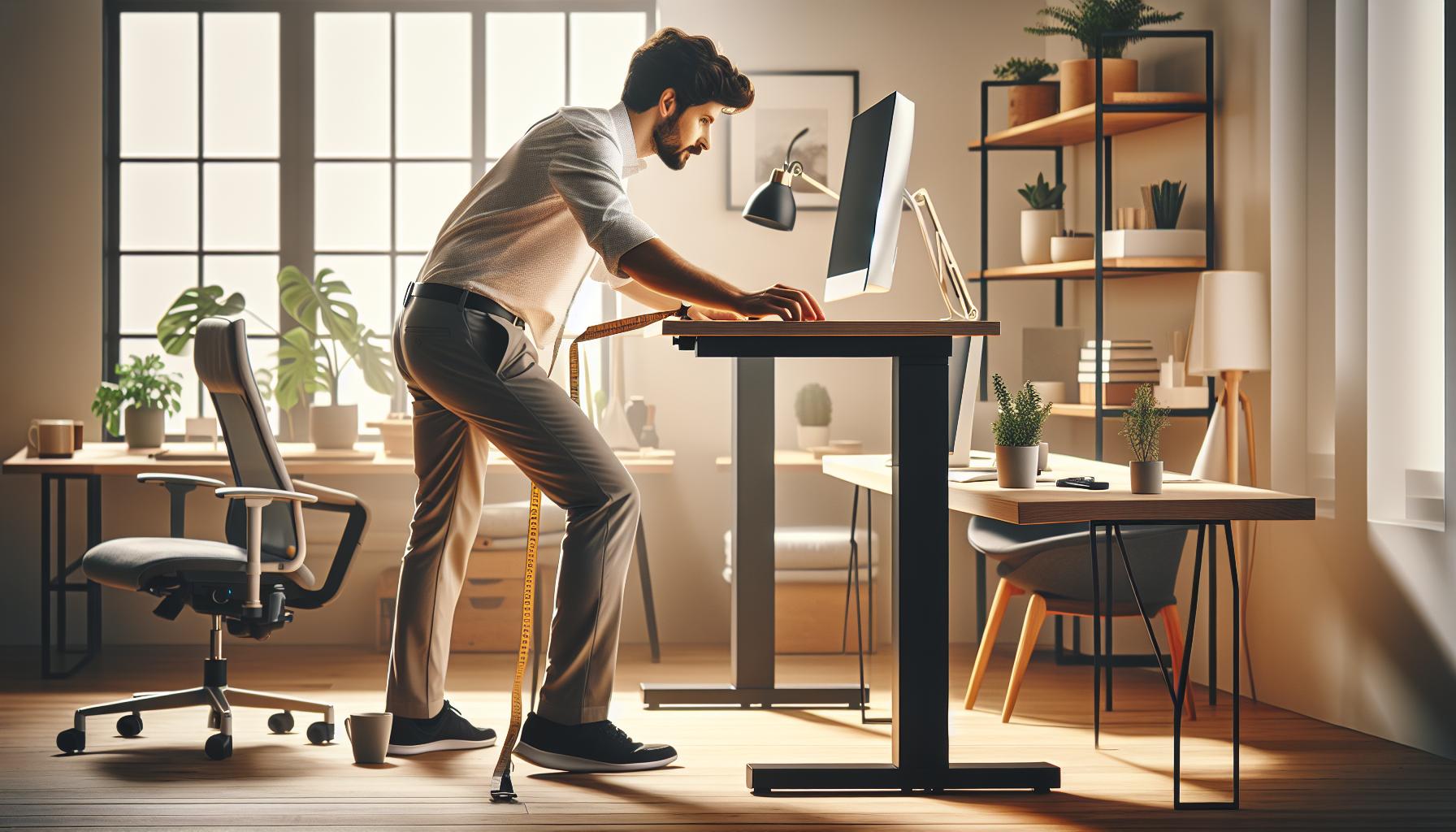
Choosing the right height for your standing desk is crucial for maximizing comfort and productivity. The ideal desk height ensures that your body is properly aligned, reducing strain on your back, neck, and wrists. A common guideline is to set your desk height so that your elbows are at a 90-degree angle when your hands are on the keyboard. This position not only promotes better posture but also encourages a more ergonomic setup, allowing you to work efficiently without fatigue.
To determine your optimal desk height, consider using the elbow measurement method. Stand straight with your arms relaxed at your sides. Then, bend your elbows at a 90-degree angle. The height of your forearms from the floor while in this position is a good starting point for your standing desk. However, individual variations such as leg length and overall height may require minor adjustments. Using an adjustable desk can be especially beneficial, giving you the flexibility to make tweaks as needed throughout the day.
- Involve Footwear: If you typically wear different shoes at work, factor in their height when measuring for your desk setup. High heels or cushioned shoes can affect your stance.
- Consider Screen Height: Your screen should be at eye level, so adjust your monitor height alongside your desk to maintain proper alignment and minimize neck strain.
- Experiment with Height: Once set, spend some time observing how your body feels through the day. Don’t hesitate to make further adjustments to achieve the best fit.
Remember, maintaining an ideal standing position goes beyond just the height of your desk. Regular breaks and posture checks are essential to ensuring long-term comfort and health. Engage your core, keep your feet flat, and shift your weight between legs to avoid fatigue. Making these adjustments not only supports your physical well-being but can also enhance cognitive performance and productivity at work.
Essential Tools for Accurate Desk Measurement
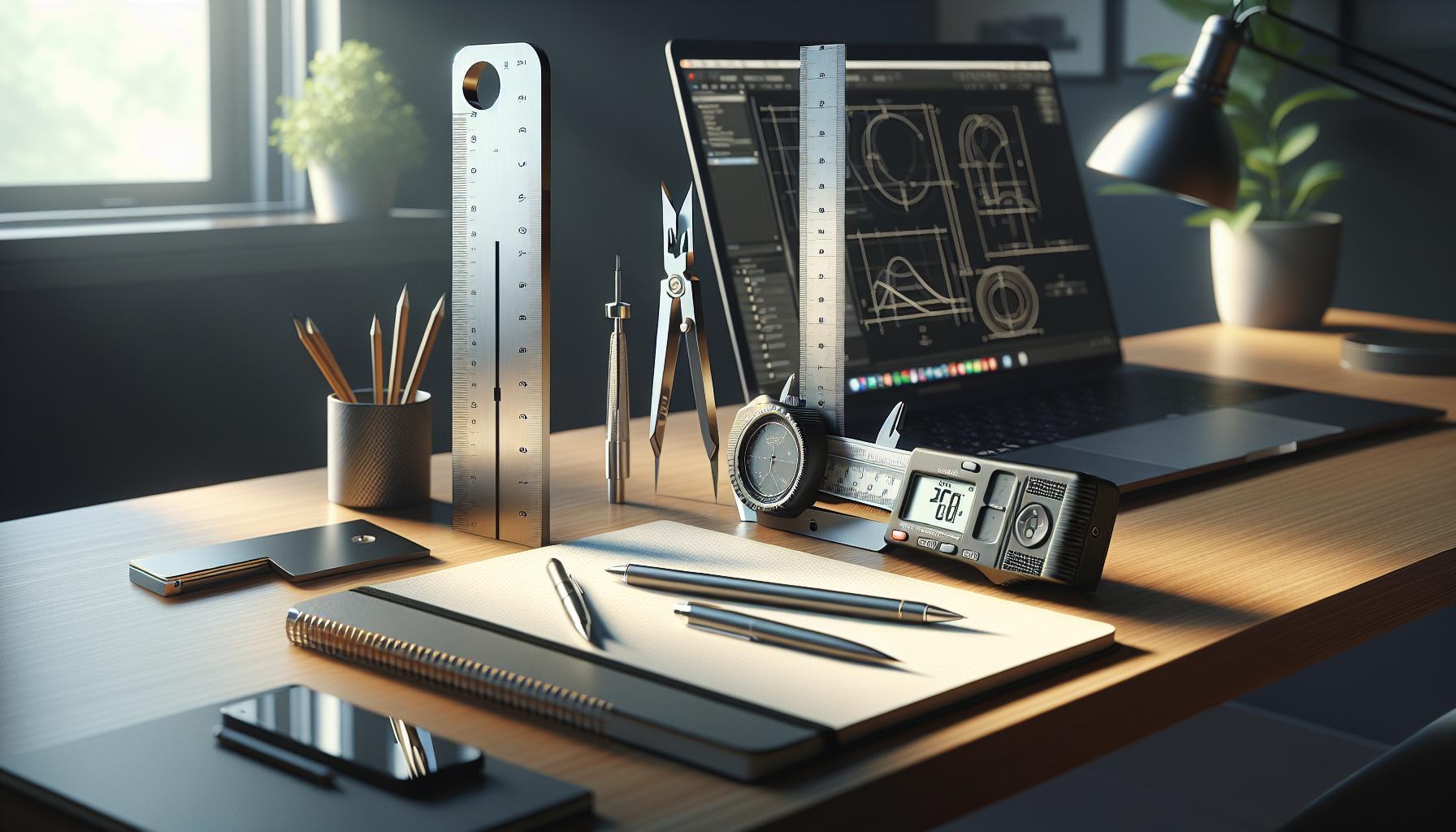
To create an ergonomic workspace, precise measurements are key. Utilizing the right tools not only simplifies the process but also ensures that your standing desk setup caters to your unique physical needs. Armed with the appropriate equipment, you can avoid the common pitfalls of misalignment that could lead to discomfort and health risks over time.
Begin with a reliable measuring tape, preferably one that offers both metric and imperial measurements. This versatility allows you to easily document your ideal desk height based on your body measurements. A digital level or a smartphone app with leveling capabilities can also be beneficial to ensure your desk is perfectly horizontal. Discrepancies in surface level can create awkward postures, contributing to long-term discomfort.
Next, consider using a footrest or balance board during your measurement process. These tools can aid in assessing how different foot positions affect your comfort and posture. Standing comfortably often involves shifting weight, so integrating a footrest facilitates better positioning and encourages movement throughout your workday. Additionally, a notebook or digital note application to track your measurements and observations will help you log adjustments over time.
Finally, it can be immensely advantageous to have a partner assist you during the setup. Having someone else hold the measuring tape or adjust the desk while you check the alignment and dimensions allows for a more accurate setup. Engaging in this collaborative process not only helps ensure accuracy but also fosters a discussion about workplace wellness, encouraging both of you to explore better ergonomic practices together. By equipping yourself with these essential tools and methods, you set the stage for a workspace designed to enhance both comfort and productivity.
Step-by-Step Guide to Measuring Your Workspace
To ensure a well-fitted standing desk that enhances your productivity and comfort, precise measurements are crucial. An ergonomic desk height can dramatically influence your posture, reduce discomfort, and promote overall well-being. Follow these straightforward steps to measure your workspace accurately and avoid costly mistakes.
Start by assessing your individual needs: Stand straight, and measure the distance from your elbow to the floor. This measurement, generally between 24 to 36 inches, will serve as the ideal height for your desk. Keep in mind that everyone’s ideal desk height can differ, so you may want to adjust based on your comfort level. Use this measurement as a starting point when you set up your standing desk.
Next, with a measuring tape, document the height of your current desk or the area where you plan to place your new standing desk. If you’re adapting a traditional desk, measure from the floor to the underside of the desktop to ensure there are no obstructions. Place a notebook or digital app nearby to jot down these figures as you go, making tracking adjustments easier.
After establishing your base measurement, it is essential to evaluate your ergonomics. While standing, keep your elbows at roughly a 90-degree angle and your wrists flat, parallel to the keyboard. This position minimizes strain on your wrists and shoulders. You can check this with a helper or by using a camera to ensure you are maintaining the correct posture. If possible, try out different desk heights, adjusting as needed, to see what feels best for your working position.
Incorporate a footrest or balance board to give your feet a break and to promote movement while you work. This simple addition encourages shifting your weight and can prevent fatigue. Remember to adjust your chair height if you are switching between sitting and standing to maintain proper posture throughout the day.
Utilizing these practical steps allows you to create a standing desk setup that supports your health and enhances productivity. By measuring accurately and making thoughtful adjustments, you can cultivate a workspace that promotes wellness and supports cognitive performance throughout your day.
Common Mistakes When Measuring for a Standing Desk
Measuring for a standing desk isn’t just about getting the dimensions right; it’s crucial for ensuring a workplace that promotes health and productivity. One common mistake is relying solely on standard desk heights rather than personal measurements. Everyone’s body is unique, and what may be a comfortable height for one person could lead to discomfort for another. Always take the time to measure your own height while standing, aiming for your elbows to sit at a 90-degree angle when your hands are resting on the keyboard. This personal touch can dramatically enhance your ergonomic setup.
Another frequent error is failing to consider the entire workspace environment. For instance, overlooking the space needed for monitors, keyboards, and other accessories can lead to a cluttered desk. It’s essential not only to measure the height of your desk but also to account for the positioning of your monitor. Ideally, the top of the screen should be at or just below eye level to reduce strain on your neck. Moreover, ensure there’s enough depth for full keyboard use without cramping your wrists.
Additionally, some people neglect the importance of testing multiple heights during setup. Instead of committing to one specific height immediately, use adjustable features to try out varying levels throughout your workday. This exploration helps you determine the most comfortable position for prolonged periods while standing, incorporating adjustments that adapt to how your body feels over time.
Proper desk measurement also involves addressing ergonomic accessories that complement your setup, such as wrist rests or standing mats. These can significantly impact comfort levels and reduce fatigue during long hours of standing. Neglecting to integrate these tools may leave you feeling tired and sore, counteracting the benefits a standing desk is supposed to offer.
By sidestepping these common pitfalls, you can create a tailored and functional workspace that not only boosts your productivity but also enhances your overall health and well-being.
How to Adjust Your Desk for Optimal Ergonomics
Adjusting your standing desk to achieve optimal ergonomics can transform your work environment, leading to increased productivity and improved well-being. Studies consistently show that proper desk height significantly influences posture, reduces body strain, and can enhance cognitive function by allowing for better focus and reduced fatigue. To get started, consider the following key adjustments that cater to your unique needs:
Set the Right Height
Your desk height should enable you to maintain a comfortable standing position. Measure your elbow height while standing, then adjust the desk so your elbows are at a 90-degree angle when typing. Additionally, your wrists should remain straight, aligned with your forearms. A common benchmark is to have your monitors placed an arm’s length away, with the top of the screen at or just below eye level. This setup helps minimize neck strain and improves visual comfort during long working hours.
Incorporate Ergonomic Accessories
While the desk height is crucial, integrating ergonomic accessories can further enhance your comfort. Consider adding a high-quality anti-fatigue mat to reduce pressure on your feet and legs, encouraging blood circulation during prolonged standing. Utilizing a footrest can also allow for subtle weight shifts, which helps lessen tension in your lower back.
- Wrist Rests: If you experience wrist discomfort, a cushioned wrist rest can provide crucial support and help maintain proper alignment when typing.
- Monitor Stands: Adjust monitors to appropriate heights using stands or risers, avoiding the strain that comes from looking downwards.
Maintain an Active Standing Position
To maximize the benefits of your standing desk setup, incorporate movement throughout your workday. Shift your weight from foot to foot, take short walking breaks, or use a balance board to engage your core muscles. This combination of adjustments and dynamic movement not only mitigates fatigue but also boosts your overall focus and energy levels.
By taking the time to customize your standing desk setup, you invest in a healthier, more productive work experience. Maintaining proper ergonomics is not just about comfort; it directly contributes to your cognitive performance and enhances your overall workplace wellness journey.
Benefits of a Properly Measured Standing Desk
A properly measured standing desk can significantly enhance your work experience, transforming not just your posture but also your productivity and overall health. When your desk height aligns with your ergonomic needs, it optimizes your body mechanics, reducing the risk of strain and discomfort. This precision can lead to higher energy levels and improved focus, enabling you to tackle daily tasks with greater efficiency.
Understanding your body is crucial in this adjustment. A desk that fits well can help maintain a neutral position for your arms and wrists, which is essential for avoiding repetitive strain injuries. When your elbows are at a 90-degree angle and your wrists remain straight, you reduce tension in the shoulders and neck, preventing discomfort that might otherwise distract you from your work. Moreover, an ergonomically sound setup can encourage better alignment of the spine, contributing to less back pain and easier breathing, promoting overall wellness.
Additionally, investing in a correctly measured standing desk doesn’t just affect your physical health; it can also enhance cognitive performance. Studies indicate that good ergonomics foster heightened concentration and mental clarity. When you are comfortable and adequately supported, your brain can devote its resources to complex problem-solving and creative thinking rather than managing discomfort from poor posture.
Finally, incorporating this thoughtful design into your workspace delivers long-term benefits. By establishing a routine that integrates standing and movement-such as shifting weights or taking short walks-you further enhance your health and productivity levels. Engaging regularly in these practices can lead to sustainable work-life harmony, allowing you to maintain your physical health while also fostering a stimulating and productive work environment. Taking the time to properly measure your standing desk is not just an adjustment; it’s a significant step toward optimizing your overall workplace wellness.
Understanding the Impact of Desk Height on Health
Optimal desk height plays a pivotal role in maintaining not only comfort but also long-term health and productivity. When a standing desk is set at an inappropriate height, it can lead to significant physical strain, affecting areas such as the back, neck, and wrists. For instance, a desk that is too high might cause you to raise your shoulders continuously, leading to tension and discomfort, while a desk that is too low can result in slouching and poor posture. Both scenarios can contribute to chronic pain and fatigue, ultimately impacting your cognitive performance and overall well-being.
To ensure maximum health benefits, your elbows should ideally be positioned at a 90-degree angle when typing, with wrists straight and hands slightly above the keyboard. This alignment allows for smoother movements and reduces the risk of repetitive strain injuries such as carpal tunnel syndrome. Furthermore, keeping your monitor at eye level minimizes neck strain, promoting a more comfortable and focused work environment. Regular adjustments between sitting and standing can also help mitigate the negative effects of prolonged sedentary behavior, thus enhancing metabolic health and reducing the risk of cardiovascular issues.
On a broader scale, appropriate desk height significantly influences productivity and cognitive function. Research suggests that when employees feel comfortable and are free from physical distractions, their mental clarity improves, allowing for more effective problem-solving and creativity. In contrast, discomfort can impair concentration and lead to increased stress, which may hinder overall work performance. Thus, investing the time to find the right desk height is not merely a matter of physical health; it’s a strategic decision that can enhance your cognitive capabilities and contribute to a more dynamic workplace.
By integrating movement throughout your day-such as changing positions, stretching, and taking brief walks-you complement a properly measured desk setup. This dynamic approach not only boosts circulation but also reinforces the positive effects of your ergonomic arrangements, fostering a sustainable balance between work and wellness. As you refine your workspace, consider it an ongoing journey, where small adjustments lead to substantial gains in both health and productivity.
Incorporating Cable Management for a Clean Setup
A well-organized workspace can significantly enhance your productivity and overall well-being. One often overlooked aspect is cable management, which not only keeps your environment tidy but also reduces potential hazards and distractions. Poor cable management can lead to unsightly tangles and overwhelm your standing desk setup, detracting from your focus and clarity. To achieve a clean and efficient workstation, implementing effective cable management strategies is essential.
Effective Cable Management Techniques
Consider these practical tips for organizing your cables:
- Use Cable Clips: Attach adhesive cable clips to the back or underside of your desk to keep wires neatly positioned. This prevents them from slipping onto the floor and becoming tripping hazards.
- Cable Sleeves or Raceways: Invest in cable sleeves or raceways which can house multiple cables together, maintaining a streamlined look. These options not only group your cables but also protect them from wear and tear.
- Box It Up: If feasible, use a cable management box to hide a power strip and excess cables. This can be placed discreetly under your desk for a clean appearance while ensuring easy access to outlets.
- Label Your Cables: Identifying cables with labels can save time and frustration, especially in setups with multiple devices. This simple step allows for quicker troubleshooting and adjustments.
Each of these solutions contributes to minimizing visual clutter, which can be beneficial for cognitive clarity and focus. A clean workspace invites a clear mind, crucial for enhancing productivity and reducing stress levels, particularly in a dynamic environment like a standing desk setup.
Benefits of Cable Management
Beyond aesthetics, effective cable management can improve safety and efficiency. By keeping cables secure, you reduce the risk of damage to the cords and devices, potentially saving on replacement costs. Furthermore, a well-organized desk fosters an environment conducive to concentration. Research indicates that a clutter-free workspace significantly enhances mental clarity, promoting better decision-making and creativity.
Incorporating these strategies into your standing desk setup not only enhances physical safety but also serves as a proactive step towards optimizing your workspace for both health and productivity. The commitment to an organized and functional environment demonstrates a mindful approach to working, encouraging a balance between efficiency and wellness.
Adjusting Your Accessories for Maximum Comfort
To create a comfortable standing desk environment that promotes productivity and physical well-being, adjusting your accessories is crucial. Ergonomics is not just about the desk height; it extends to how your accessories-like monitors, keyboards, and even your chair when seated-are arranged. For instance, keeping your monitor at eye level can help avoid neck strain, while positioning your keyboard and mouse within easy reach can reduce the risk of repetitive strain injuries.
- Monitor Position: Your screen should be at eye level or slightly below, so you don’t have to tilt your head up or down to see. This can often mean elevating your monitor with a stand or stack of books. A distance of about an arm’s length away is ideal.
- Keyboard and Mouse Placement: Place your keyboard and mouse so that your elbows can remain close to your body and form an angle between 90 and 110 degrees. This positioning alleviates wrist strain and enables a more natural posture.
- Footwear Considerations: Wear supportive shoes or utilize a cushioned mat to reduce foot fatigue. High-quality standing mats can provide the necessary cushioning for your feet during extended standing periods.
- Adjustable Accessories: Consider using an adjustable keyboard tray or a monitor arm. These allow you to make incremental changes to achieve optimal positioning without the hassle of constantly rearranging everything.
It’s also beneficial to integrate mobility into your standing routine. Try shifting your weight from foot to foot, using a footrest to alternate resting your feet, or engaging in light stretching every so often. Simple movements can significantly alleviate the stress that prolonged standing can place on your body.
Remember, achieving maximum comfort involves a bit of trial and error. Regularly reassess your setup as your body and needs may change over time. This adaptive approach not only enhances your immediate workspace comfort but also fosters long-term cognitive health and productivity, paving the way for a healthier work-life balance.
Testing and Tweaking Your Setup for Best Results
Finding the perfect height for your standing desk can significantly impact your comfort and productivity. One essential aspect that often goes overlooked is the process of continuous evaluation and adjustment. Your body can change throughout the day-feelings of fatigue, discomfort, or even productivity fluctuations can indicate that your desk setup requires tweaking. It’s crucial to adopt a mindset of flexibility, allowing for adjustments that cater not only to your immediate comfort but also to your long-term wellness goals.
Start by periodically assessing your posture while working at your standing desk. Is your back upright? Are your shoulders relaxed? If you notice any tension or fatigue creeping in, these could be signs that your desk height or accessory placement isn’t quite right. A general rule of thumb is that your monitor should be at eye level and your elbows should be at approximately a 90-degree angle when typing. If you find yourself frequently adjusting your body or straining to see your screen, take a moment to raise or lower your desk or reposition your accessories accordingly.
Another helpful approach is to integrate some trial-and-error techniques in your setup. For example, try different foot positions-switching from flat feet to a slight heel lift can prevent fatigue. Consider using a footrest to alternate resting positions, relieving pressure on your legs and improving circulation. Keep in mind that personal preferences vary widely, and what works for a colleague may not suit your body mechanics or comfort levels.
Lastly, don’t be afraid to solicit feedback from yourself. After making adjustments, take note of how your body feels during and after your work sessions. Utilize simple notes or a tracking app to document these feelings over a few days or weeks. This iterative approach will not only help you refine your setup but will also empower you to make decisions that enhance your work-life balance and cognitive health. By continuously optimizing your environment, you will foster not just a productive workspace but a sanctuary for creativity and focus.
Expert Recommendations for Personalized Adjustments
Choosing the right standing desk configuration is not just about meeting a set of measurements; it’s a personal journey towards creating a workspace that enhances your well-being and productivity. Research shows that the proper desk height can improve posture, reduce discomfort, and even boost cognitive performance. As you embark on this journey, consider these expert recommendations to tailor your standing desk setup to your specific needs.
Focus on Personal Comfort
Start by standing naturally at your desk, allowing your arms to hang comfortably by your sides. Your elbows should ideally be at a 90-degree angle when your hands are resting on the keyboard. Adjust the desk height until it feels just right-neither too high that you’re straining to reach nor too low that you feel tension in your shoulders and arms. Using an adjustable desk is ideal for this type of personalization, allowing for quick changes throughout the day.
Utilize Monitoring Tools
Incorporate tools like an ergonomic ruler or height measurement app to accurately determine the height of your desk. Many standing desks feature a digital display that remembers your settings, but manually measuring and documenting can provide insights into what feels best as your body adapts. Keeping track of minor adjustments and how they affect your comfort can facilitate long-term improvements.
Experiment with Accessories
Your desk tools should complement your body mechanics. For instance, using an anti-fatigue mat can provide extra cushioning and support while standing, reducing the strain on your legs and feet. Additionally, considering a document holder at eye level can alleviate strain on your neck and improve posture. Items like footrests or stability balls can also be integrated into your setup, allowing you to shift positions and engage different muscle groups comfortably throughout the day.
Ultimately, finding your ideal setup is a dynamic process. Make small adjustments regularly, and be mindful of changes in how you feel during your work tasks. Maintaining a flexible approach not only supports ergonomic wellness but also fosters an environment where creative thought and productivity can flourish. Remember, what works best for someone else may not work for you, so embrace the opportunity to create a personalized workspace that caters to your unique needs.
How to Maintain Your Standing Desk Setup
Maintaining a standing desk setup is essential for ensuring long-term comfort and health benefits. Unlike traditional desks, standing desks require ongoing attention to ergonomic principles and personal comfort levels. The better you manage your workspace, the more likely you are to experience the positive outcomes associated with standing work, including improved posture, reduced discomfort, and increased productivity.
Start by regularly reassessing your desk height. As you adjust to standing and your body’s needs evolve, what felt comfortable a month ago may no longer suit you. Take a few moments each week to stand at your desk and gauge how your body feels. Ensure your elbows remain at a 90-degree angle and your wrists are straight when typing. This simple check-in can help you prevent strain and maintain optimal posture over time.
Incorporate movement into your routine to keep your blood flowing and prevent fatigue. Standing still for extended periods can lead to discomfort or even muscle soreness. To counteract this, consider setting a timer to remind yourself to shift your weight from one leg to the other or take short breaks to walk around every 30 minutes. Additionally, integrating stretching exercises can enhance flexibility and recharge your focus, making you feel more energized throughout the workday.
Another vital aspect of maintaining your setup involves regular cleaning and organization. Cluttered workspaces can distract your mind and contribute to stress. Keep your desk tidy by using cable management solutions to prevent tangles, and utilize organizing trays or drawers to store necessary items within reach. A neat space not only improves your mental clarity but also allows for better airflow around your workstation, which can positively impact your overall work experience.
Finally, don’t underestimate the power of feedback from your body. Keep a journal to document how different desk heights, accessories, and postures affect your comfort levels. Over time, this data can help you fine-tune your workspace to maximize ergonomics and overall satisfaction. Listening to your body is crucial; if you start to notice discomfort or fatigue, it may be time to reassess your setup or consult a professional for more tailored guidance.
Maintaining your standing desk is a dynamic process that relies on self-awareness, regular adjustments, and a commitment to creating a healthy workspace. By proactively managing your setup, you’ll not only enhance your comfort but also promote productivity and well-being in your daily work life.
Faq
Q: How do I determine the right height for my standing desk?
A: To find the optimal standing desk height, stand up straight and bend your elbows at a 90-degree angle. Your forearms should be parallel to the floor, with the keyboard at or just below elbow height. Ensure your monitor is at eye level to prevent neck strain.
Q: What measurements should I take before buying a standing desk?
A: Measure the space where the desk will go, focusing on width, depth, and height limits. Also, measure the height of your current desk to compare. Consider your overall height and ergonomic needs for the standing desk adjustment range.
Q: Why is it important to measure for a standing desk correctly?
A: Correct measurements ensure your desk is ergonomic, reducing the risk of strain or discomfort. Poor alignment can lead to long-term health issues such as back pain or repetitive strain injuries, so proper measurement is essential for comfort and productivity.
Q: Can I use a standard desk as a standing desk?
A: Yes, you can convert a standard desk into a standing desk using a desk riser or adjustable platform. Ensure it raises your monitor to eye level and maintains elbow height for an ergonomic standing position.
Q: What are common mistakes to avoid when measuring for a standing desk?
A: Common mistakes include neglecting to account for monitor height, not considering the space needed for accessories, and failing to test desk height adjustments before purchasing. Always review your measurements twice to avoid errors.
Q: How can I test my current desk height before buying a standing desk?
A: To test your desk height, stand at your workstation with your arms by your sides, then raise an elbow to 90 degrees. If your forearms are uneven or straining, note the adjustments needed as a guideline for your new standing desk ideal height.
Q: What features should I look for in an adjustable standing desk?
A: Look for desks with a wide height range, ease of adjustment (manual or electric), stability at various heights, and enough surface area for your workspace needs. Additional features like built-in cable management can also enhance your setup.
Q: How frequently should I adjust my standing desk?
A: It’s recommended to adjust your standing desk height throughout the day to alternate between sitting and standing. Aim to change your position every 30 to 60 minutes to promote circulation and reduce fatigue while working.
In Retrospect
By now, you understand the critical importance of measuring for a standing desk to avoid costly mistakes that can compromise your comfort and productivity. Don’t let uncertainty hold you back from creating an ideal workspace. Take the next step by exploring our comprehensive guide on setting up your ergonomic workspace for optimal wellness and performance. If you’re ready to invest in your health, check out our recommendations for top-rated standing desks and adjustable workstations to transform your work environment.
As you embark on this journey, remember that small adjustments can lead to significant improvements in your energy levels and focus. Consider subscribing to our newsletter for more tips on workplace wellness and brain health, and feel free to explore related topics such as stress management techniques and cognitive performance boosters to enrich your daily routine. We invite you to leave your thoughts or questions in the comments-your journey to a healthier, more productive workspace could inspire others!