Did you know that simply adjusting your desk height can significantly boost your productivity and enhance your overall well-being? In “How to Adjust Your Humanscale Standing Desk: Pro Tips Revealed,” we’ll show you how to find the perfect ergonomic settings for your workspace. A well-adjusted standing desk can alleviate discomfort, improve focus, and promote better posture, making your work hours more enjoyable and effective. Whether you’re seeking to combat stress, elevate your cognitive performance, or simply shift to a healthier work style, the right adjustments can make a world of difference. Continue reading to discover practical steps that will not only optimize your desk setup but also contribute to your long-term wellness and productivity goals.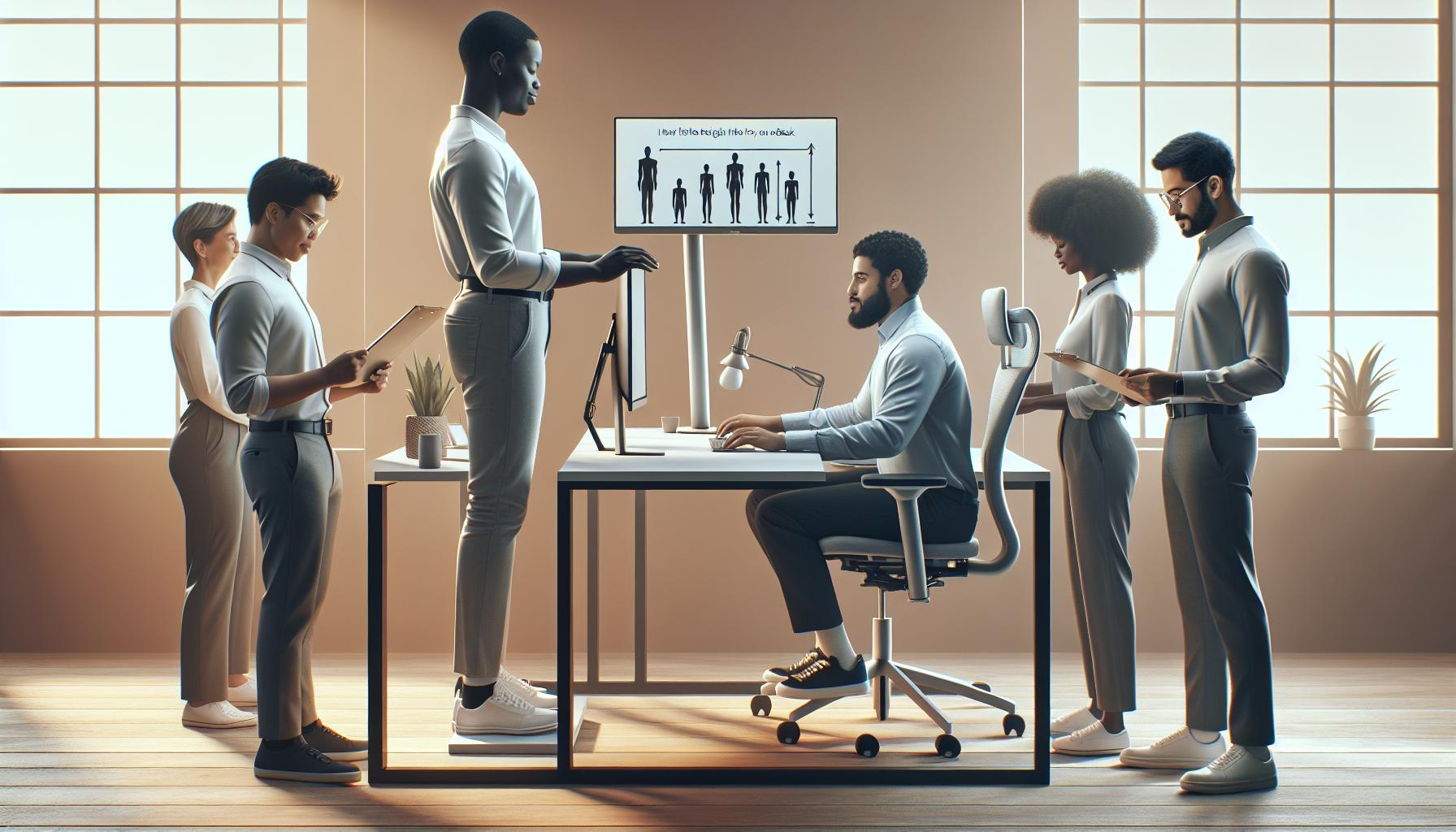
How to Find the Perfect Height for Your Humanscale Desk
Finding the optimal height for your Humanscale desk is crucial for enhancing your ergonomic workspace and promoting overall well-being. A well-adjusted desk can lead to increased comfort, better posture, and heightened productivity throughout your workday. To determine the perfect height, start by standing upright with your arms relaxed at your sides. Bend your elbows at a 90-degree angle-this is the height at which your desk should ideally sit. Maintaining a neutral wrist position while typing or using your mouse is essential; your wrists should not be bent up or down.
Once you’ve established a suitable height, it’s beneficial to test the adjustment. Place a monitor at eye level, ensuring that the top of the screen is just below your eye line to prevent neck strain. The monitor should be approximately an arm’s length away. If you’re using a laptop, consider a separate keyboard and mouse to maintain ergonomic alignment. Make sure your chair is adjusted as well; your feet should rest flat on the ground or on a footrest, with your knees at hip level.
To summarize the process, consider these essential steps for finding your desk’s perfect height:
- Stand with arms relaxed, elbows at 90 degrees.
- Adjust the desk height so that your forearms can rest parallel to the ground.
- Position the monitor at eye level, about an arm’s length away.
- Ensure proper seating posture with feet flat on the floor or a footrest.
Taking the time to achieve the right desk height can significantly impact your comfort and productivity. Regularly assess your workspace setup, as adjustments may be necessary over time. Remember, your well-being is a priority, and a properly adjusted standing desk is a foundational step towards improving your work-life harmony.
Essential Features of a Humanscale Standing Desk
Investing in a standing desk is more than just a shift in position; it’s a commitment to enhancing your overall well-being and productivity. An essential feature of Humanscale standing desks is their innovative design, which promotes a seamless transition between sitting and standing. This encourages movement throughout your workday, combating the adverse effects of prolonged sitting. When selecting a Humanscale standing desk, consider attributes that cater directly to your ergonomic needs and overall health.
One standout aspect of Humanscale desks is their adjustability. Many models utilize a manual or pneumatic lift mechanism that allows for easy height adjustments, accommodating various user heights and preferences. This feature is crucial for achieving the optimal desk height, as it enables you to maintain proper posture and avoid strain. Aim to set your desk so your elbows remain at a 90-degree angle while typing, which not only enhances comfort but also increases productivity.
Another critical feature is the workspace ergonomics built into Humanscale designs. These desks typically have a broad surface area that allows for thoughtful placement of monitors, keyboards, and other workspace essentials. For example, keeping your monitor at eye level is vital for preventing neck strain, while ensuring your keyboard is appropriately positioned to maintain wrist alignment. Many Humanscale desks come with additional ergonomic accessories, such as keyboard trays, that further enhance user comfort and reduce the risk of repetitive strain injuries.
Moreover, the stability of these desks is paramount. A sturdy base ensures that your workspace remains steady whether you’re typing vigorously or utilizing dual monitors. This stability not only alleviates interruptions in workflow but also supports your physical wellness by minimizing the risk of accidents or mishaps that could occur with a wobbly structure.
In short, the -its adjustability, ergonomic design, and stability-work in concert to support a healthier work environment. By prioritizing these attributes, you can maximize your comfort, maintain focus, and ultimately enhance your productivity throughout the day.
Step-by-Step Guide to Adjusting Your Standing Desk
Finding the right height for your standing desk is essential for maintaining comfort and productivity throughout your workday. An improperly adjusted desk can lead to discomfort and decrease your focus over time. Here’s a helpful guide to successfully adjusting your Humanscale standing desk for optimal ergonomics and performance.
Begin by standing in front of your desk with your feet flat on the floor, shoulder-width apart. The first step is to adjust the height of the desk to suit your body. You should aim for your elbows to be at a comfortable 90-degree angle when typing. To do this:
- Position your elbows: Ensure your arms hang naturally at your sides, with your forearms parallel to the ground when you rest your wrists on the desk.
- Adjust desk height: If your desk has a manual crank or pneumatic lift mechanism, use it to raise or lower the desk until it meets this elbow position.
- Check monitor height: Your monitor should be at eye level, so you can look straight ahead without tilting your head up or down. The top of the screen should be at or just below eye level.
Once you have adjusted the desk and monitor height, take a moment to evaluate your posture. Stand tall with your shoulders relaxed but not slouched. Avoid leaning forward, as this can cause strain on your back and neck. Keeping your feet planted firmly and evenly distributing your weight can help to create a more stable and comfortable standing position.
After everything is set up, it’s beneficial to try working at your standing desk for intervals. Start with feasible time segments, such as 15-30 minutes, then alternate with sitting. Gradually increase the standing intervals as your body adjusts. This approach not only aids in building muscle endurance but also keeps your mind fresh and invigorated. Regular evaluation and adjustments will allow you to maintain optimal comfort and ergonomic support, enhancing your work experience and overall well-being.
Maximizing Comfort with Ergonomic Accessories
To truly enhance your experience at a Humanscale standing desk, incorporating ergonomic accessories can make a significant difference in both comfort and productivity. Accessories like anti-fatigue mats, monitor arms, and keyboard trays can help ensure that every element of your workspace supports a healthier posture and minimizes strain.
Investing in an anti-fatigue mat is one of the simplest yet most effective ways to improve comfort while standing. These mats are designed to reduce foot and leg fatigue, encouraging better circulation and minimizing discomfort during prolonged use. When your feet are supported, you’re likely to feel more energized, which can translate into improved focus and productivity throughout your day.
Another important accessory is a monitor arm. This adjustable component allows you to position your screen at eye level, promoting proper posture and reducing neck strain. A correctly positioned monitor should be at or just below eye level, enabling you to maintain a neutral neck position while working. Additionally, consider using a keyboard tray that allows for the proper positioning of your keyboard and mouse at elbow height, which can help prevent wrist strain and enhance typing comfort.
Other ergonomic accessories that can further contribute to your workspace optimization include wrist supports and posture-correcting devices. Using wrist supports while typing can alleviate pressure on your wrists, reducing the risk of repetitive strain injuries. Furthermore, posture-correcting devices serve as gentle reminders to maintain an upright position, assisting in muscle memory development and encouraging long-term good habits.
By thoughtfully integrating these ergonomic accessories into your Humanscale standing desk setup, you can create a more harmonious and productive work environment. Prioritizing comfort and body mechanics not only elevates your daily performance but also enhances overall well-being, making work an empowering experience rather than a mundane task.
Understanding the Benefits of a Standing Desk
Embracing a standing desk can be a transformative choice for your health and productivity. Research indicates that prolonged sitting is associated with a myriad of health issues, including obesity, heart disease, and even early mortality. Conversely, standing desks facilitate a shift in posture and can lead to significant improvements in overall well-being. Users of standing desks often report higher energy levels, which can enhance focus and reduce feelings of fatigue throughout the workday.
Moreover, standing desks can positively impact metabolic health. Standing more throughout the day can help boost metabolism, allowing for increased caloric expenditure compared to sitting. This is particularly beneficial for those looking to maintain or lose weight. According to various studies, transitioning to a standing desk may also help lower blood sugar levels, especially after meals, making it a proactive approach to combating insulin resistance.
Enhanced Mood and Productivity
Switching between sitting and standing can also foster a more dynamic work environment. Many users report an increase in mood and a decrease in feelings of stress and fatigue when using standing desks. This uplift in morale can translate into increased productivity, as higher engagement levels often lead to more creative problem-solving and efficient work practices.
To maximize these benefits, it’s crucial to properly adjust your Humanscale standing desk to your individual needs, ensuring that your workstation promotes good posture. Additionally, incorporating movement-such as stretching or brief walking breaks-can further augment the positive effects of standing during the workday. Ultimately, the blend of ergonomic setup and mindful movement allows for greater work-life harmony and improved cognitive health, supporting not just your physical body but also your mental resilience in facing daily challenges.
Tips for Transitioning to a Standing Desk
Transitioning to a standing desk can be a refreshing change for your work routine, yet it’s crucial to approach this shift mindfully to reap maximum benefits. Research indicates that a gradual adaptation can significantly enhance your comfort and productivity levels. Start by incorporating short standing intervals into your day-aim for 15 to 30 minutes of standing every hour. This gentle adjustment allows your body to acclimate without overwhelming you, ultimately helping decrease the likelihood of fatigue or discomfort.
It’s also essential to listen to your body during this transition. If you start to feel tired or notice discomfort, don’t hesitate to sit down temporarily. Gradually increase your standing time as your body adapts. Keep in mind that ergonomic setup remains a priority; improper height or desk arrangement can lead to strain over time. Ensure your desk is adjusted to the right height so that your elbows remain at a 90-degree angle when typing, and your screen is at eye level to reduce neck strain.
Incorporating movement into your standing routine is another effective strategy. Engage in periodic stretching or simple movements to promote circulation and prevent stiffness. For instance, consider performing calf raises or carefully shifting your weight from one foot to the other. This approach not only enhances comfort but also maintains your energy levels and engagement, maximizing the cognitive benefits associated with a standing desk setup.
Finally, create an inviting work environment around your desk. Personalize your workspace with items that inspire you or implement organization strategies that reduce clutter. This personal touch can foster a positive mindset and increase motivation throughout your transition. By combining these practices, you’ll pave the way for a smoother and more enjoyable adjustment to a standing desk, leading to improved long-term benefits for both your physical health and mental well-being.
Customizing Your Desk Setup for Optimal Productivity
Creating the ideal workspace setup is pivotal for enhancing productivity and fostering a positive work environment. When it comes to your Humanscale standing desk, how you customize this space can play a significant role in your overall well-being and efficiency during work hours. Research suggests that an ergonomic and well-structured workspace not only reduces discomfort but can also boost cognitive function, providing an edge in your daily tasks.
To start, position your computer monitor at eye level. Doing so minimizes neck strain and promotes better posture, keeping your energy levels steady throughout the day. For this, consider using a monitor arm which allows you to adjust the screen height and distance easily. This small adjustment can have a profound impact on your comfort and concentration levels.
Furthermore, integrate accessories designed specifically for ergonomic support. Things like a keyboard tray can help ensure your wrists are at a neutral angle while typing, reducing the risk of strain over time. Additionally, utilize a footrest while standing to encourage subtle movement and help relieve pressure from your lower back. Remember, variation is key; switching your body position throughout the day can enhance circulation and maintain focus.
Another important aspect is decluttering your desk. A clean, organized workspace has been shown to reduce stress and aid concentration. Allocate designated areas for documents or supplies using organizers to keep distractions at bay. Personalizing your space with items that inspire creativity, like artwork or motivational quotes, can also uplift your mood and enhance productivity. By taking the time to customize your desk setup in these ways, you empower yourself to tackle tasks more effectively while maintaining a healthy and engaging work atmosphere.
Maintaining a Healthy Work-Life Balance with Your Desk
Finding a harmonious balance between work and life is essential for maintaining both mental health and productivity, particularly in an era where remote and hybrid work environments are becoming the norm. A well-adjusted Humanscale standing desk can be a powerful tool in this pursuit, as it allows you to create a workspace that caters to your physical comfort while also encouraging healthy habits throughout your day. By focusing on your ergonomics and environment, you can strengthen your overall well-being, enhance productivity, and foster a sustainable work-life balance.
One fundamental strategy is to establish a structured daily routine that integrates work and personal wellness. For instance, set specific times for both focused work and breaks, drawing upon the Pomodoro Technique, which encourages short breaks to optimize cognitive function. During these breaks, step away from your desk-perhaps stretching or doing a brief walk-to reset both your mind and body. Incorporating moments of physical activity not only combats the fatigue associated with prolonged sitting or standing but also stimulates endorphin release, enhancing your mood and focus for the tasks ahead.
Additionally, surround yourself with elements that resonate with positivity and inspiration. Personalizing your workspace with meaningful decor-like photos or quotes-can elevate your mental state and motivate you to push through your work. Consider also the role of light and color; natural lighting becomes a mood enhancer, while specific color palettes can impact focus and creativity, so aim for a workspace that invigorates rather than tires. You may even integrate plants for their air-purifying qualities and calming presence.
Finally, always remain attuned to your body’s signals. If you start to feel discomfort, take this as a cue to adjust your desk height or shift your standing/sitting patterns. Monitoring these aspects will help maintain not only a productive workflow but also a healthier lifestyle. Remember, the goal is to cultivate a workspace that genuinely supports your needs, allowing you to thrive both professionally and personally.
Common Mistakes When Using a Standing Desk
When making the switch to a standing desk, many individuals overlook crucial aspects that can hinder their comfort and productivity. The common belief that simply standing more will solve issues associated with prolonged sitting is misleading. In reality, improper use of a standing desk can lead to discomfort, fatigue, and even musculoskeletal problems. Recognizing these pitfalls is essential for maximizing the benefits of your Humanscale standing desk and enhancing your overall workday experience.
One prevalent mistake is setting the desk height incorrectly. A desk that is too high or too low can strain your neck, shoulders, and back. Ideally, your elbows should be at a 90-degree angle when typing, and your monitor should be at eye level to avoid straining your neck. Take the time to adjust your Humanscale desk to ensure it suits your body dimensions perfectly. Additionally, neglecting to alternate between sitting and standing can leave your legs feeling fatigued. Aim to switch positions every 30 to 60 minutes, which helps promote circulation and reduces the risk of discomfort.
Another common error is poor footwear choice. Standing in unsupportive shoes can exacerbate fatigue and discomfort. Investing in comfortable, cushioned shoes or using an anti-fatigue mat can significantly improve your standing experience. Similarly, many users fail to engage in regular movement during their standing periods. Incorporating small stretches or shifting your weight from one foot to the other can help alleviate tension and keep energy levels high throughout the day.
Lastly, don’t overlook your workspace environment. Poor ergonomics extend beyond just the desk setup; the positioning of your keyboard, mouse, and screen matters. Ensure that these tools are easily accessible and aligned in a way that promotes a natural posture. Tidying up your workspace can also reduce distractions, enhancing your focus and productivity. By avoiding these common mistakes, you’ll create a more comfortable, efficient, and supportive work environment that boosts your well-being while using your standing desk.
Innovative Ways to Enhance Your Workspace Environment
In today’s fast-paced work environment, the design and arrangement of your workspace can greatly influence your productivity and well-being. Unlocking the full potential of your Humanscale standing desk goes beyond mere height adjustments; it involves creating an environment that nurtures focus, creativity, and comfort. One innovative approach is to incorporate elements that engage multiple senses. For instance, using natural light effectively can enhance mood and alertness, so position your desk near a window or add adjustable blinds to control glare while allowing sunlight to flood in. Additionally, integrating plants into your workspace not only aesthetically uplifts the environment but also purifies the air and promotes calmness, which can be beneficial for concentration and mental clarity.
Organized and Accessible Tools
An organized workspace can dramatically reduce cognitive load. Use storage solutions like drawer organizers or desktop trays to keep essential tools within arm’s reach, creating a clutter-free area that allows you to focus better on your tasks. Consider a modular setup that lets you customize your arrangement. For example, having your keyboard and mouse on an adjustable tray ensures they are always at the right height, regardless of whether you’re sitting or standing. Furthermore, employing a whiteboard or corkboard can help manage tasks visually, allowing you to quickly reference priorities while fostering a sense of accomplishment as you cross off completed items.
Tech Integration for Enhanced Focus
Leverage technology to enhance your workspace environment. Noise-canceling headphones or soft background music can help drown out distractions and improve your focus. Similarly, using apps designed for time management, such as the Pomodoro Technique, can aid in maintaining productivity without feeling overwhelmed. Smart lighting systems that adjust color temperature according to the time of day can energize you in the morning and help you wind down as the day closes. Implementing these tech solutions not only elevates your workspace but also aligns it with research findings that link environmental factors to cognitive performance.
Enhancing your workspace is a continual process of experimentation and adaptation. By actively engaging in optimizing your environment, you can create a more enjoyable and productive atmosphere that supports your health and efficiency. Making small yet impactful changes can lead to significant improvements in how you work and feel throughout your day.
Troubleshooting Common Issues with Humanscale Desks
If you’ve invested in a Humanscale standing desk, you are already on your way to enhancing your workplace comfort and productivity. However, you might encounter some common issues as you adjust to this new setup. Understanding these troubleshooting tips can help you maximize your desk’s potential and improve your overall working experience.
One frequent challenge is adjusting the desk to the right height. If you’re feeling discomfort in your wrists or upper body, check that the desk is at elbow height when you’re typing or using your mouse. Ideally, your forearms should be parallel to the ground, and your feet should rest flat on the floor or on a footrest. To address issues with height adjustment mechanisms, inspect the locking pins and manual adjustment levers. These may sometimes become misaligned or stiff over time. If necessary, performing routine maintenance by cleaning and lubricating moving parts can help ensure smooth operation.
Another common concern is stability. If your desk wobbles or shakes even when stationary, it could be due to uneven floor surfaces or loose connections. Use a spirit level to check the desk’s position and adjust as needed. If the problem persists, consider adding stabilizers or adjusting the leg lengths if applicable. Additionally, look into your workspace organization. Overloading your desk with unnecessary items can also contribute to instability. By keeping your workspace decluttered, you enhance both stability and mental clarity.
Finally, to enhance your experience, consider integrating ergonomic accessories like keyboard trays and monitor stands. These tools can further optimize your setup, ensuring that you maintain a neutral body posture while using your desk. Always remember that transitioning to a standing desk can bring about adjustments; give yourself time to find the right balance of standing and sitting that keeps you most comfortable and productive throughout the day.
Best Practices for Desk Maintenance and Care
Maintaining your Humanscale standing desk is essential for ensuring optimal performance and longevity. Just like any piece of equipment, regular care can help prevent wear and tear, ensuring a smooth transition between sitting and standing while supporting your health and productivity. Taking proactive steps will keep your workspace looking great and functioning well.
Start by regularly checking the height adjustment mechanisms. If you notice any resistance or stiffness when raising or lowering your desk, it may be time for some basic maintenance. Lubricating moving parts can enhance their functionality; use a silicone-based lubricant for best results. Additionally, inspect the locking pins and other adjustment levers for any signs of misalignment or wear. Keeping these components clean and well-maintained helps to prevent operational issues.
Another important aspect is managing the desk’s surface and cleanliness. Dust and debris can accumulate, leading to damage over time. Use a damp cloth with mild soap to wipe down surfaces regularly, and avoid harsh chemicals which could harm the finish. If your desk has a power cable or electronic components, ensure these are also organized and free from tangles, which can cause wear on connectors. Regularly decluttering your workspace not only promotes a more organized environment but also enhances mental clarity, making your desk a more inviting and functional space.
Tips for Desk Care:
- Check height adjustment mechanisms monthly for smooth operation.
- Lubricate moving parts every 3-6 months.
- Wipe down surfaces weekly with a damp cloth.
- Organize cables and keep surfaces clutter-free.
Incorporating ergonomic accessories can also contribute to your desk’s upkeep. Use monitor stands to keep your screen at eye level and keyboard trays to maintain proper arm positioning. This not only improves comfort but also reduces stress on your body, enhancing your overall work experience. By caring for your Humanscale desk and optimizing your workspace, you’re investing in your health, productivity, and well-being every day.
Q&A
Q: How do I adjust the height of my Humanscale standing desk?
A: To adjust the height of your Humanscale standing desk, locate the adjustment lever or buttons, depending on the model. While standing or sitting, gently lift or lower the desk until it reaches your desired height. Ensure your elbows are at a 90-degree angle when using the desk for optimal comfort.
Q: What is the recommended height for a Humanscale standing desk?
A: The recommended height for a Humanscale standing desk varies by user height. A general guideline is to adjust the desk so that your elbows remain at a 90-degree angle and your wrists are straight while typing. Refer to guides that align desk height with individual body measurements for best results.
Q: Can I lock the height of my Humanscale standing desk?
A: Yes, many Humanscale standing desks feature a locking mechanism to stabilize the height. After adjusting to your preferred height, ensure the locking lever is engaged to prevent accidental height changes while working. Check your specific model’s instructions for detailed locking procedures.
Q: Why is it important to adjust my standing desk frequently?
A: Adjusting your standing desk frequently helps promote movement, reduces fatigue, and improves circulation. Alternating between sitting and standing positions can help maintain energy levels and enhance focus, contributing to better overall productivity during your workday.
Q: What accessories can help enhance comfort when using a Humanscale standing desk?
A: Accessories such as anti-fatigue mats, monitor risers, and ergonomic keyboard trays can enhance comfort when using a Humanscale standing desk. These tools promote better posture and reduce strain on your body, making your workspace more ergonomic and comfortable for extended use.
Q: How long should I use a standing desk each day?
A: It’s recommended to alternate between sitting and standing throughout the day. Start with 30 minutes of standing, then switch to sitting, gradually increasing standing time as your body adapts. Strive for a balanced approach that suits your comfort and productivity needs.
Q: What should I do if my Humanscale standing desk won’t adjust?
A: If your Humanscale standing desk won’t adjust, check for any obstructions blocking the mechanism. Ensure the control lever or buttons are functioning properly. If issues persist, consult the manufacturer’s troubleshooting guide or contact customer support for assistance.
Q: How can I maintain my Humanscale standing desk for longevity?
A: To maintain your Humanscale standing desk, regularly clean its surface and check moving parts for debris. Lubricate any mechanical components if necessary, and periodically inspect for wear. Following manufacturer maintenance recommendations will help ensure durability and optimal performance.
Insights and Conclusions
Thank you for exploring our guide on adjusting your Humanscale standing desk! Remember, optimizing your workspace not only enhances comfort but significantly boosts your productivity and overall well-being. If you’re feeling inspired to implement these pro tips, why wait? Start adjusting your desk today to find your perfect ergonomic setup.
For deeper insights on maintaining workplace wellness, check out our articles on establishing healthy work habits and understanding cognitive performance. Additionally, explore effective stress management techniques that empower you to create a balanced work-life. Don’t forget to sign up for our newsletter for the latest updates and expert advice!
Your health and productivity are paramount, so take these steps now for a more comfortable and efficient workday. We’d love to hear your thoughts in the comments below-share your experiences and any questions you might have!