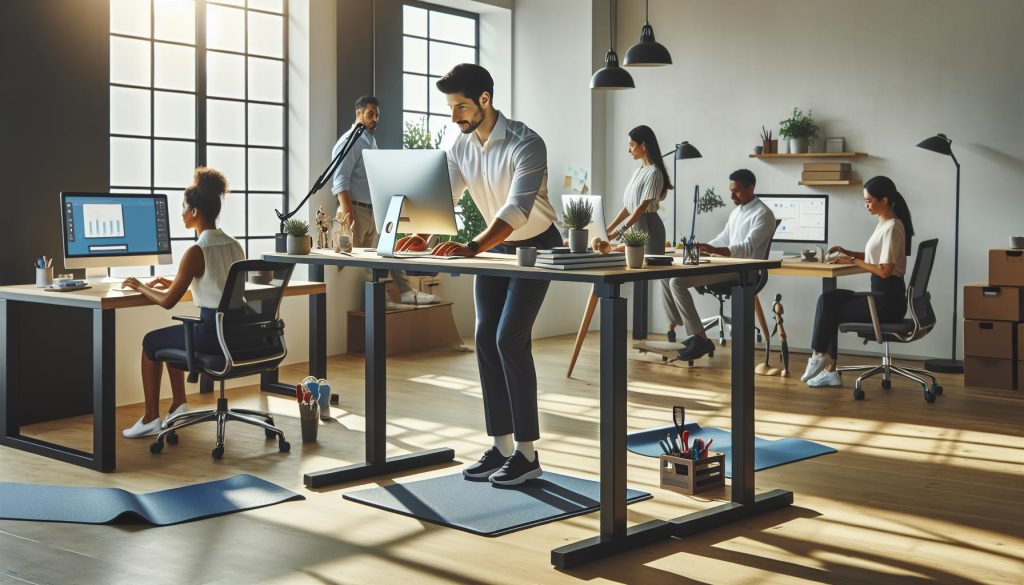
Did you know that nearly 80% of office workers experience discomfort or pain related to their workspace? As standing desks become increasingly popular, understanding how to use them safely is essential to prevent common injuries and enhance workplace comfort. This guide will help you navigate the best practices for utilizing a standing desk effectively, ensuring that you maintain good posture and avoid strain. By prioritizing your ergonomic setup and incorporating movement into your routine, you can transform your work experience into a healthier, more productive one. Let’s dive into the key strategies that will empower you to enjoy the benefits of a standing desk while safeguarding your well-being.
Understanding the Basics of Standing Desks
In today’s fast-paced work environment, standing desks have emerged as a popular alternative to traditional seated workstations, promising increased energy and improved posture. Research suggests that using a standing desk can help reduce the risk of obesity, lower blood sugar levels, and even improve mood. However, understanding the functional aspects of these desks is crucial to harnessing their full benefits without incurring injuries.
A standing desk fundamentally alters the way we interact with our workspace. Unlike conventional desks, standing desks aim to promote a more active working posture. They are designed to be adjustable, allowing users to modify the height to ensure that their screens are at eye level and their elbows are bent at about a 90-degree angle when typing. This setup minimizes the strain on the neck, back, and wrists, which is essential for preventing discomfort or long-term injuries.
When transitioning to a standing desk, it’s important to gradually adjust to this new way of working. Initially, consider alternating between sitting and standing to prevent fatigue. Many users find that standing for short intervals-between 20 to 30 minutes-before taking a seated break helps them acclimate to the standing position without overexerting themselves.
Incorporating anti-fatigue mats and supportive footwear can significantly enhance comfort during extended standing periods. These simple adjustments can help alleviate pressure on the feet and legs, promoting circulation and reducing discomfort. By paying attention to these essential elements, users can create a more sustainable and enjoyable standing desk experience, aligning their work habits with a healthier lifestyle.
Common Injuries Associated with Standing Desks

Standing desks offer a dynamic alternative to traditional workspaces, but the shift from sitting to standing can lead to specific injuries if not managed properly. Understanding these potential injuries is crucial for maximizing the benefits of a standing desk while minimizing risks. Common issues include lower back pain, joint fatigue, and circulatory problems, all of which can detract from the intended health improvements these desks promote.
Common Injuries
One of the most reported issues among standing desk users is lower back pain. This is often the result of improper desk height or poor posture while standing. When a desk is set too high or too low, it can force users into awkward positions that strain the back. Maintaining a neutral spine position is essential; users should ensure that their feet are flat on the ground and their knees are slightly bent. In addition, it’s beneficial to change your foot positioning periodically, such as alternating weight between legs, to distribute pressure and reduce the risk of injury.
Joint fatigue is another common ailment associated with prolonged standing. The feet, knees, and hips can become fatigued from continuous weight-bearing, potentially leading to varicose veins and other circulatory issues. Utilizing anti-fatigue mats can provide cushioning and encourage micro-movements, which promote circulation and alleviate discomfort. Supportive footwear is also vital; shoes with proper arch support and cushioning can significantly enhance comfort levels during long periods of standing.
Lastly, muscle strain can occur when transitioning to a standing desk. Many users underestimate the physical demands of standing and may engage muscles that are not accustomed to sustained use, leading to strains in the legs or back. To counteract this, incorporating regular breaks and alternating between sitting and standing can help the body adjust gradually. Additionally, practices like stretching or even short walks during breaks can help maintain mobility and prevent tightness.
In summary, while standing desks can provide substantial health benefits, awareness and proactive measures are critical to prevent injuries. By ergonomically setting up your workspace, maintaining proper posture, and allowing for movement breaks, you can embrace this modern work trend with confidence and safety.
Ergonomic Setup for Your Standing Desk
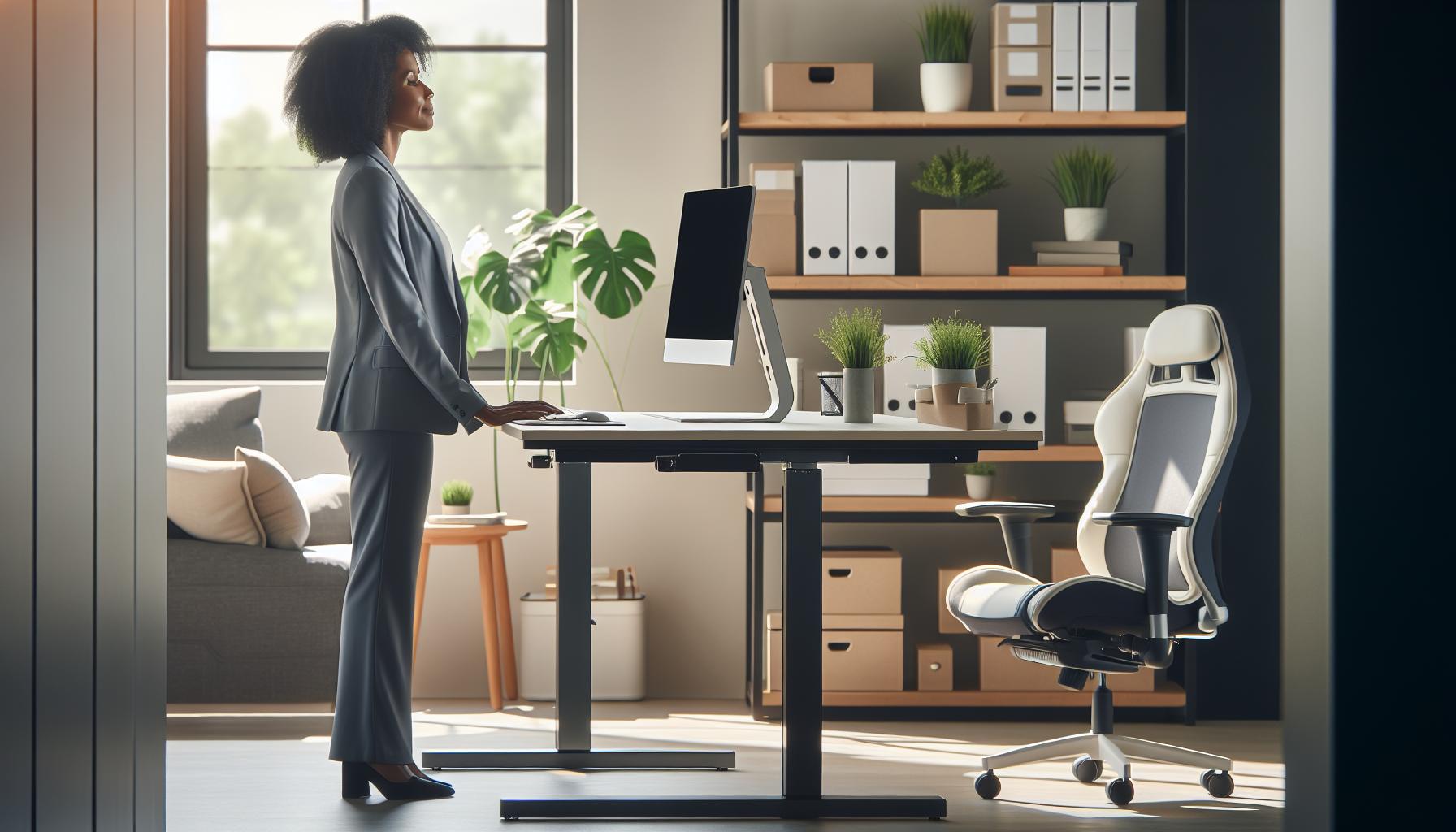
Establishing an is crucial in promoting both comfort and productivity while minimizing the risk of injuries. The right configuration can help alleviate common issues such as lower back pain and joint fatigue, allowing you to reap the benefits of a standing desk without the drawbacks. One of the foundational principles of an ergonomic workspace is to adjust your desk height so that your elbows remain at a 90-degree angle when typing. This positioning not only reduces strain on your arms but also contributes to a neutral wrist position, which is essential for preventing repetitive strain injuries.
To ensure optimal comfort, your monitor should be positioned at eye level about an arm’s length away. This prevents neck strain by encouraging you to keep your head aligned with your spine. If you’re using multiple monitors, the primary screen should be directly in front of you, while secondary displays can be angled in closer proximity to avoid excessive neck twisting. Furthermore, consider using a monitor stand or an adjustable arm for enhanced flexibility. Your keyboard and mouse should be on the same plane as your elbows, helping to maintain a relaxed posture in your upper body.
An often-overlooked aspect of an ergonomic setup is the floor surface you stand on. Anti-fatigue mats can significantly reduce discomfort associated with prolonged standing by providing cushioning and encouraging subtle movements in your feet and legs. Pairing these mats with supportive shoes designed for long-term standing can provide further relief. Alongside this, remember to incorporate accessories such as footrests that allow you to shift your weight or elevate one foot at a time, which promotes circulation and reduces fatigue.
Ultimately, an effective ergonomic setup is not static; it should encourage fluidity and movement. Periodically reassess your workspace arrangement and make adjustments as needed, positioning items within easy reach to prevent overstretching. By proactively creating a balanced standing desk environment, you pave the way for improved focus and cognitive performance while supporting your overall well-being.
Best Practices for Safe Standing Desk Use
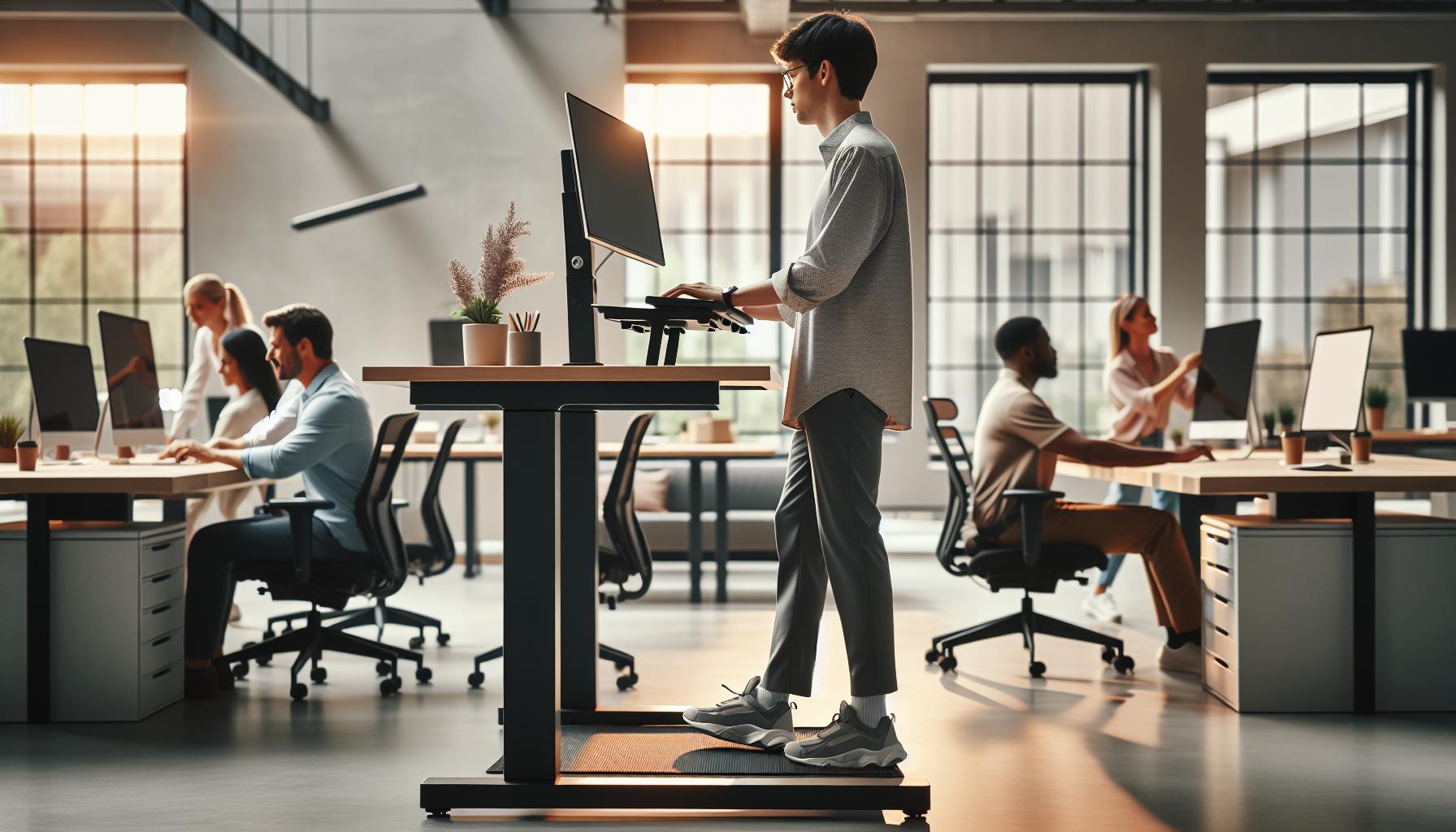
Standing desks can enhance productivity and promote a healthier lifestyle, but using them safely is crucial to avoid injuries. Adopting best practices for standing desk use not only supports physical well-being but also enhances cognitive function and workplace satisfaction. As we shift from the conventional seated workstation, following safe usage techniques can mitigate common discomforts associated with prolonged standing.
To ensure a comfortable and safe experience, it’s essential to maintain proper posture while standing. Keep your feet flat on the ground about shoulder-width apart, distributing your weight evenly. If you’re standing for extended periods, consider shifting your weight from one foot to the other or using a footrest to elevate one foot, which enhances circulation and reduces fatigue. Furthermore, adjusting the desk height is critical-your elbows should remain at a 90-degree angle while typing, and your monitor should be positioned at eye level to prevent neck strain.
Regular movement is another key component of safe standing desk use. Aim to incorporate light physical activity into your workday, such as stretching or walking for a few minutes every hour. This practice not only helps alleviate muscle tension but can also improve focus and productivity. Pairing this with the use of anti-fatigue mats can further enhance comfort by providing cushioning and support throughout the day.
Lastly, listen to your body. Pay attention to any signs of discomfort or fatigue and adjust your standing time accordingly. A good practice is to alternate between sitting and standing, ideally following the 20-20-20 rule: for every 20 minutes spent at your desk, take a 20-second break to move or look at something 20 feet away. This approach not only reduces strain but also boosts cognitive performance, creating a balanced work environment that supports both your physical health and mental clarity.
Alternating Between Sitting and Standing: How to Do It Right
Finding the right balance between sitting and standing can significantly enhance your comfort and productivity while working. Studies show that alternating between these two positions can help reduce fatigue and prevent common injuries associated with prolonged sitting or standing. To harness the benefits of both postures, it’s essential to establish a routine that works for you.
Begin by identifying key times throughout your workday to switch between sitting and standing. A good guideline is to change positions every 30 to 60 minutes. Investing in a timer or using apps designed for productivity can remind you when it’s time to switch. Incorporating the 20-20-20 rule recommended for eye strain can also be effective; for every 20 minutes of sitting or standing, take a break to stretch or refocus your eyes on something 20 feet away.
When transitioning, pay attention to your body’s signals. If you feel discomfort or fatigue in either position, it might be a sign to adjust your routine. To aid in this fluid transition, consider using an adjustable standing desk that allows for a quick change in height. This adaptability not only promotes a variety of postures but also helps maintain an ergonomic setup, allowing your elbows to remain at a 90-degree angle and your monitor at eye level during both sitting and standing.
Lastly, be proactive about how you stand. Distribute your weight evenly and avoid locking your knees to enhance circulation and keep your muscles engaged. To further boost your comfort, integrating an anti-fatigue mat can provide cushioning, reducing the strain on your legs and feet. Engaging in light exercises such as calf raises or gentle stretches every hour can promote blood flow and enhance energy levels throughout your workday. By thoughtfully alternating between sitting and standing, you can create a dynamic workspace that fosters productivity and well-being.
Incorporating Movement Breaks Throughout Your Day
Integrating regular movement breaks into your workday is essential for not only physical health but also cognitive performance. Studies reveal that taking short breaks to stretch or walk can enhance attention and reduce fatigue, effectively counteracting the effects of prolonged standing or sitting. A simple yet powerful approach is to designate specific times for movement throughout your day. This could mean setting a timer to remind you to step away from your desk every 30 to 60 minutes or aligning breaks with the natural intervals of your tasks.
During these breaks, aim to engage in activities that promote circulation and flexibility. Consider incorporating the following movements into your routine:
- Stretching: Simple stretches like neck rolls, shoulder shrugs, and upper back stretches can relieve tension.
- Walking: A quick five-minute walk not only rejuvenates your body but can also stimulate creativity and problem-solving.
- Strength Exercises: Office-friendly exercises, such as desk push-ups or chair squats, can enhance muscle engagement without the need for equipment.
Implementing a structured schedule for these breaks can transform your workspace into a healthier environment. For instance, you might align these breaks with your coffee or meal times, weaving natural intervals of movement into your daily rhythm. If you often find yourself glued to your screen, it may be helpful to incorporate the 20-20-20 rule, where every 20 minutes, you take a 20-second break to look at something 20 feet away. This reduces eye strain and serves as a reminder to stand and move.
Creating a culture of movement in your workplace further enriches this practice. Encourage coworkers to join you for short walks or stretches, fostering camaraderie and collective wellness. By viewing movement not just as an obligation but as an opportunity for rejuvenation, you can enhance both your physical well-being and overall productivity.
Tools and Accessories to Enhance Comfort
Creating a comfortable and productive environment around your standing desk can significantly mitigate the physical strains often associated with prolonged standing. Equipping your workspace with the right tools and accessories is essential for promoting ergonomics and comfort, making your daily routine more enjoyable and less physically taxing.
One indispensable accessory is an anti-fatigue mat. These mats provide cushioning that reduces pressure on your feet and legs, encouraging movement and reducing fatigue during long hours of standing. Consider a mat that offers a balance of firmness for support and softness for comfort to create a productive standing experience. Additionally, using supportive footwear can further alleviate discomfort; sneakers with arch support or orthopedic insoles can make a considerable difference in how your body feels at the end of the day.
Another important aspect of comfort is monitor positioning. An adjustable monitor stand allows you to position your screen at eye level, which can help prevent neck strain and promote good posture. Aligning your monitor correctly not only enhances visibility but also encourages you to maintain a healthy spinal alignment. Alongside your monitor, a keyboard tray that can be tilted and adjusted in height can ensure your wrists remain in a neutral position, helping to avoid repetitive strain injuries.
Lastly, a desk that allows for easy height adjustments can facilitate a more dynamic work style. Motorized sit-stand desks enable instant transitions between sitting and standing, allowing you to adapt your position based on how you feel throughout the day. This adaptability helps in maintaining circulation and reducing discomfort associated with being stationary for too long. By investing in these tools and taking the time to set up your workspace correctly, you can foster a healthier work environment that enhances both comfort and productivity.
Identifying Personal Comfort and Pain Signals
Recognizing and responding to your body’s signals is crucial for a positive experience while using a standing desk. Many people may initially overlook discomfort, assuming it’s just a part of the adjustment process. However, listening to your body can help prevent more serious issues like chronic pain or injury. It’s important to understand that feelings of fatigue, tension, or pain are warning signs, not just side effects of standing.
Pay close attention to discomfort in areas like the feet, legs, back, and shoulders. Common symptoms such as aching feet or tightness in the lower back can indicate that your setup needs adjustment. Incorporating regular movement can help significantly; shift your weight from one foot to the other or take short breaks to walk around. Making a conscious effort to alternate positions throughout your day allows better circulation and helps alleviate tensions.
In addition to physical symptoms, consider your overall feelings throughout the workday. If you find yourself feeling mentally drained or unproductive, take stock of your ergonomic setup. An uncomfortable desk height or poorly positioned monitor can lead to cognitive fatigue, ultimately impacting work performance. It may be beneficial to set reminders for stretching or changing your position to break the monotony of standing.
To effectively manage comfort signals, create a checklist to assess your standing desk setup:
- Footwear: Are you wearing supportive shoes to alleviate pressure on your feet?
- Desk Height: Is your desk at an appropriate height to maintain a relaxed posture?
- Monitor Positioning: Is your monitor at eye level to prevent neck strain?
- Movement Breaks: Are you taking regular breaks to sit or walk?
By regularly checking in on these aspects, you can create a proactive approach towards comfort, ensuring your standing desk experience is both productive and health-conscious. Prioritizing your body’s signals will not only boost your productivity but also foster long-term well-being in your workspace.
Improving Cognitive Performance While Using a Standing Desk
Standing desks not only promote physical health by encouraging movement and reducing sedentary behavior, but they also have a significant impact on cognitive performance. Research indicates that an active and ergonomically optimized workspace can enhance focus, creativity, and productivity. When your body feels good, your brain can function at its best. Integrating practices to improve cognitive performance while using a standing desk can lead to a more efficient and enjoyable work experience.
To maximize your cognitive potential, ensure your standing desk setup encourages optimal posture and comfort. Align your desk at elbow height, keep your monitor at eye level, and wear supportive footwear to alleviate discomfort. Inadequate setups can lead to physical strain, which often distracts from your mental tasks. Additionally, incorporating movement throughout your day is crucial. Short breaks to stretch or walk, even for a few minutes, can reset your focus and stimulate brain activity-a technique known as “cognitive refreshment.”
Mindfulness and Mental Clarity
Engaging in mindfulness techniques can further enhance cognitive performance while using a standing desk. Short practices, such as focused breathing or meditation, can help reduce stress and improve clarity. When distractions arise or fatigue sets in, taking a few moments to center your thoughts can reinvigorate your focus. Combining these practices with standing desk use creates a balanced approach to workplace wellness, where mental and physical states are both prioritized.
Nutrition and Hydration
Your dietary choices also play a pivotal role in cognitive agility. Opt for brain-boosting snacks like nuts, berries, and dark chocolate throughout the day, and ensure you stay hydrated. Dehydration can lead to fatigue and decreased cognitive function; therefore, keep a water bottle at your desk as a reminder to drink regularly.
By integrating these practical strategies into your work routine-such as maintaining proper ergonomics, allowing time for movement, practicing mindfulness, and focusing on nutrition-you can significantly enhance your cognitive performance while utilizing a standing desk. The result is a more productive, healthier, and fulfilling work experience.
Designing a Healthy Workspace Environment
Creating a workspace that promotes health and productivity is crucial, especially when using a standing desk. Your environment can immensely affect both your physical comfort and cognitive performance. The key to a successful setup lies in not just having a standing desk, but in designing an entire workspace that facilitates healthy habits and minimizes common injuries.
Start by ensuring your standing desk is positioned correctly. The desk height should allow your elbows to remain at a 90-degree angle while typing, with your wrists straight and not bent. This setup not only encourages good posture but also helps prevent repetitive strain injuries. Additionally, your monitor should be at eye level; this avoids neck strain caused by looking down or up. A simple adjustment, like using a monitor riser, can make a world of difference.
Flooring and Accessories
While standing desks encourage movement, standing for prolonged periods can lead to discomfort. Investing in a high-quality anti-fatigue mat can significantly reduce the strain on your feet and legs. These mats provide cushioning and support, making it easier to stand for longer periods. Pair your standing desk with supportive footwear-shoes with good arch support can mitigate fatigue and pain in your feet and lower back.
Adding ergonomic accessories such as document holders, keyboard trays, and wrist supports can also enhance your workspace. These tools help maintain an optimal ergonomic position, allowing for smoother transitions between sitting and standing.
Lighting and Air Quality
Don’t overlook the impact of lighting and air quality on your workspace. Natural light is ideal, as it helps regulate mood and energy levels. If natural light is not an option, consider using full-spectrum lighting to reduce eye strain and enhance concentration. Additionally, ensure proper ventilation; indoor air quality is vital for cognitive performance. Frequent air exchanges and the use of air purifiers can promote a healthier environment.
Designing a workspace that emphasizes ergonomic principles, incorporates supportive accessories, and maintains high-quality lighting and air quality will contribute to a healthier workflow. A well-thought-out environment not only reduces the risk of injury but also enhances cognitive function, leading to greater productivity and overall well-being. Prioritize your workspace wellness by making these adjustments, and feel the difference in both your body and mind.
Long-Term Health Benefits of Using a Standing Desk
Embracing a standing desk can lead to transformative health benefits over the long term, contributing to both physical well-being and mental acuity. One of the most significant advantages of standing desks is their potential to counteract the negative effects of prolonged sitting, which has been linked to a range of health issues, including obesity, cardiovascular diseases, and even certain types of cancer. By integrating standing periods into your daily routine, you can promote weight management and enhance metabolic health, as standing burns more calories compared to sitting.
In addition to weight management, regular standing reduces the risk of developing musculoskeletal disorders, particularly in the lower back and neck. Prolonged sitting can lead to muscle atrophy and increase the risk of tension and pain in these areas. By facilitating more active engagement of your muscles, a standing desk may mitigate discomfort and promote a healthier posture. As you transition, remember that maintaining good ergonomics is crucial to fully reaping these benefits; ensuring that your desk height allows for a neutral body alignment will help prevent strain.
Moreover, standing desks can boost cognitive performance and productivity. Research suggests that changing positions throughout the day can enhance focus, reduce fatigue, and improve mood. Alternating between sitting and standing encourages blood flow and oxygen delivery to the brain, which can enhance concentration and creativity. To maximize these cognitive benefits, consider supplementing your standing time with brief movement breaks or stretches, which can help keep energy levels high.
Incorporating a standing desk into your daily routine, when done thoughtfully, opens the door to a healthier lifestyle. This change not only supports your physical health by preventing the negative effects of inactivity but also fosters an environment conducive to higher productivity and mental clarity. Take gradual steps to integrate standing into your work life, and you may find that both your body and mind thrive as a result.
Tips for Transitioning to a Standing Desk
Embracing the transition to a standing desk can significantly enhance your workspace experience, but it’s crucial to navigate this change thoughtfully to avoid discomfort or injury. Start by gradually increasing your standing time; instead of jumping to a full day at your desk, aim for 20-30 minutes of standing for every hour of work. This slow transition allows your body to adapt, alleviating strain on your legs and back. Consider using a timer to remind yourself to alternate between sitting and standing, ensuring that you maintain a rhythm that keeps you energized without overwhelming your muscles.
Ergonomic Adjustments
One of the most critical aspects of using a standing desk is ensuring proper ergonomics. Your desk height should allow your elbows to be at a 90-degree angle, wrists straight, and the computer screen should be at eye level to prevent neck strain. A mat designed for standing work can also provide cushioning and reduce pressure on your feet and legs. Invest in supportive footwear; wearing shoes that provide ample support can make a noticeable difference in your overall comfort throughout the day.
Movement and Breaks
Incorporating movement into your day is just as important as adjusting your desk. Short movement breaks-every 30 to 60 minutes-can help stimulate circulation and prevent stiffness. Simple actions such as stretching your arms, rotating your shoulders, or even short walks around your workspace can refresh both your body and mind. Finally, stay hydrated and consider keeping a water bottle nearby; hydration can contribute significantly to overall comfort and cognitive performance, enhancing your productivity at work.
By approaching your standing desk transition with these thoughtful strategies, you’ll create a workspace that not only supports physical health but also fosters enhanced cognitive function and productivity. Remember, listening to your body is key; if you experience discomfort, reassess your setup and habits, and adjust as necessary to ensure your work environment promotes both well-being and efficiency.
Frequently asked questions
Q: What are the best ways to prevent fatigue when using a standing desk?
A: To prevent fatigue with a standing desk, alternate your position regularly, wear supportive footwear, and use an ergonomic mat. Also, incorporate light stretching or movement breaks every 30-60 minutes to promote circulation and reduce discomfort.
Q: How long should you stand at a standing desk?
A: It’s advisable to stand for 20-30 minutes followed by sitting for the same duration. Gradually increase standing time as your body adapts. Balance between positions is key to reducing strain and improving comfort over the day.
Q: What type of flooring is best for standing desks?
A: Choose cushioned flooring or an anti-fatigue mat for standing desks. These surfaces provide support and reduce pressure on your feet and legs, helping to prevent discomfort during prolonged use.
Q: Can standing desks help improve posture?
A: Yes, standing desks can improve posture by encouraging a more natural spinal alignment when set up ergonomically. Ensure your screen is at eye level and your elbows are at a 90-degree angle to maximize benefits.
Q: What should I do if I experience pain while using a standing desk?
A: If you experience pain while using a standing desk, reassess your setup for ergonomics, take regular breaks, and switch positions. If discomfort continues, consult a healthcare professional for personalized advice.
Q: Is it better to have a sit-stand desk or a traditional desk?
A: A sit-stand desk is generally better as it allows for flexibility between sitting and standing, which can enhance comfort and reduce the risk of developing musculoskeletal issues. Adjusting your position throughout the day is key.
Q: How can I ensure my standing desk is set up correctly for my height?
A: To set up your standing desk correctly, adjust the desk height so your elbows are at a 90-degree angle and your wrists are straight while typing. Monitor height should be at eye level to prevent neck strain.
Q: What are the psychological benefits of using a standing desk?
A: Using a standing desk can boost mood and energy levels, increasing productivity. The act of standing may encourage better engagement in work tasks, as well as promote movement, which is linked to improved cognitive function.
To Wrap It Up
As you embark on your journey to incorporate a standing desk into your daily routine, remember that prioritizing ergonomics and movement is key to preventing injuries. Don’t hesitate to explore our other articles on setting up an ergonomic workspace and managing workplace stress effectively. Each adjustment you make brings you closer to a healthier work life.
Now is the time to take action-evaluate your standing desk setup and implement the best practices we’ve discussed. If you have questions or want to share your experiences, comment below; we’d love to hear from you! For ongoing wellness tips, consider signing up for our newsletter for exclusive insights. Together, let’s create a workspace that enhances both productivity and well-being.