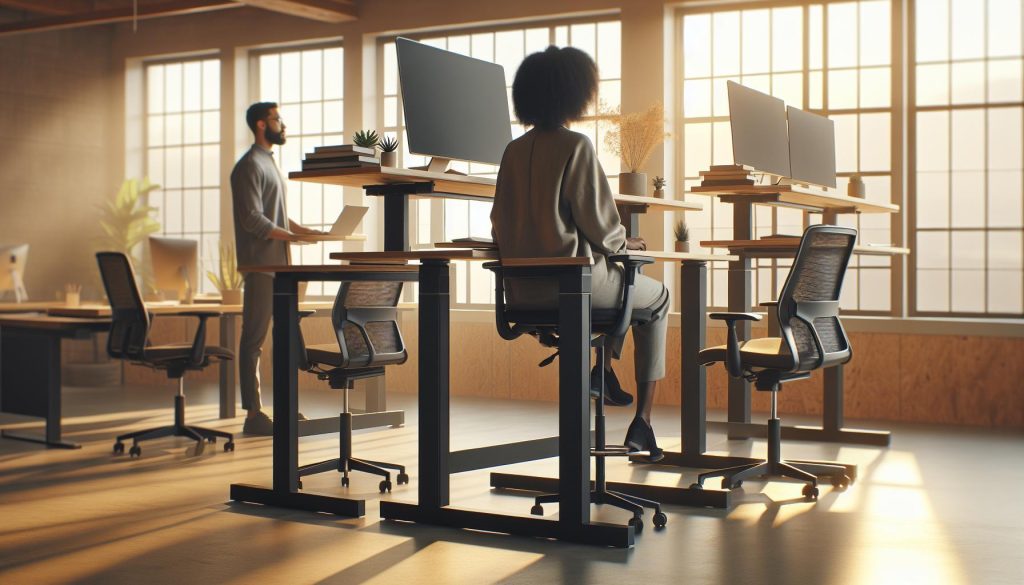
Have you ever felt the strain of sitting at your desk for hours on end? You’re not alone-many workers grapple with discomfort and reduced productivity from traditional seating. This article explores whether you can sit at a standing desk, offering insights into flexible work options that enhance comfort and health. By understanding the balance between sitting and standing, you can optimize your workspace for better cognitive performance and overall well-being. Join us as we delve into practical solutions that cater to your needs and support your workplace wellness journey.
Exploring the Benefits of Standing Desks
Standing desks have surged in popularity as awareness grows about the detrimental effects of prolonged sitting. A compelling study from the University of Leicester found that reducing sedentary time by just one hour per day could lead to a significant decrease in health risks associated with chronic diseases. This shift towards standing workspaces is not just a trend; it’s an invitation to explore a more dynamic and health-conscious approach to our daily routines.
One of the primary benefits of standing desks is their potential to enhance energy levels and productivity. Users often report feeling more alert and engaged while standing, as this position encourages better blood circulation and reduces the sluggishness that can come from extended periods of sitting. Moreover, rotating between sitting and standing throughout the day not only helps combat fatigue but also supports enhanced cognitive performance. A study published in the Journal of Occupational Health Psychology highlights that employees who alternate postures experience fewer feelings of fatigue and stress, ultimately leading to improved job satisfaction and performance.
Incorporating a standing desk effectively does not mean that one must stand all day. Instead, it’s about finding a healthy balance and giving your body the flexibility it craves. For example, transitioning to a standing desk can begin with short intervals-stand for 20 to 30 minutes every hour, gradually increasing as you become more accustomed to the new posture. This strategy aligns well with ergonomics principles, which advocate for frequent movement and varied postures to reduce strain and improve comfort.
To maximize the benefits of a standing desk, consider not only the desk height but also the overall workspace design. Ergonomic accessories like anti-fatigue mats can significantly enhance comfort by providing cushioning for your feet, while a monitor stand can ensure your screen is eye-level, reducing the risk of neck and back strain. Educating yourself about personal posture and making refinements can transform your experience, helping you create a workspace that fosters both physical wellbeing and mental clarity.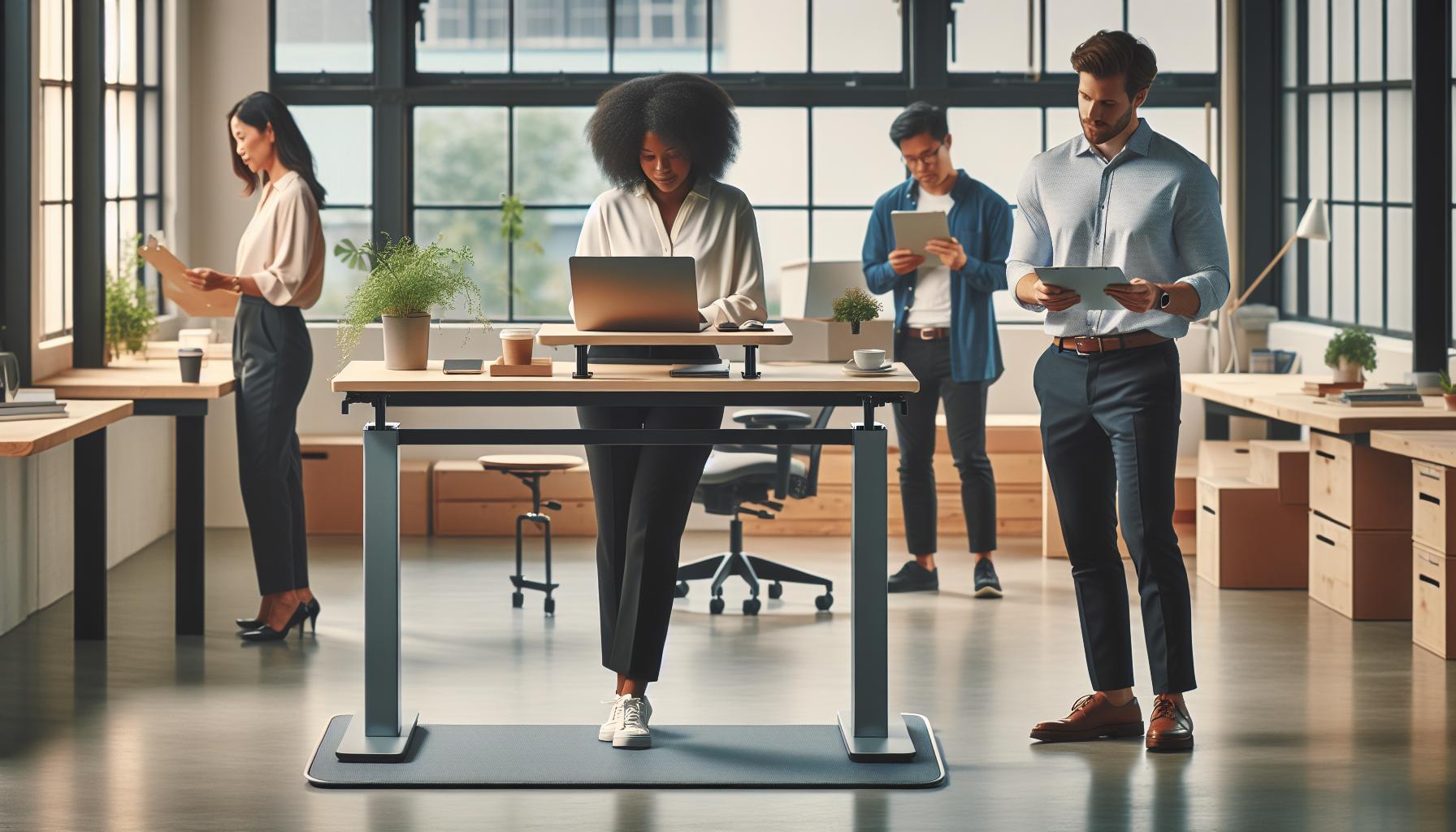
Can You Transition to a Standing Desk?
Transitioning to a standing desk can be a game-changer for your productivity and overall wellbeing. A staggering 80% of office workers experience discomfort due to prolonged sitting, prompting many to explore alternative solutions like standing desks. The idea isn’t to abandon sitting altogether but to create a flexible workspace that allows for alternating between positions in a way that benefits both physical health and cognitive function.
Begin your journey towards adopting a standing desk by gradually increasing your standing time. Start with short intervals-about 20 to 30 minutes every hour-and progressively build up as your body adjusts. One practical approach is to set a timer to remind yourself to switch positions. This not only helps break the monotony of sitting but also encourages movement, which has been shown to improve attention and cognitive performance.
Another key aspect of this transition involves understanding that ergonomics plays a crucial role in the effectiveness of a standing desk. Ensure that your desk is at the correct height, with your elbows at about a 90-degree angle when typing. Your screen should be at eye level to prevent neck strain, and using accessories like an anti-fatigue mat can provide added comfort by reducing stress on your feet and joints. Regularly check your posture throughout the day to make necessary adjustments, promoting a healthier work experience.
Lastly, consider using a sit-stand converter that allows you to seamlessly switch between sitting and standing. This flexibility can enhance your ability to stay focused and engaged, especially during long work sessions. It’s essential to listen to your body and find the right balance-after all, a successful transition is not about standing all day, but about creating a personalized workspace that fosters productivity and wellness.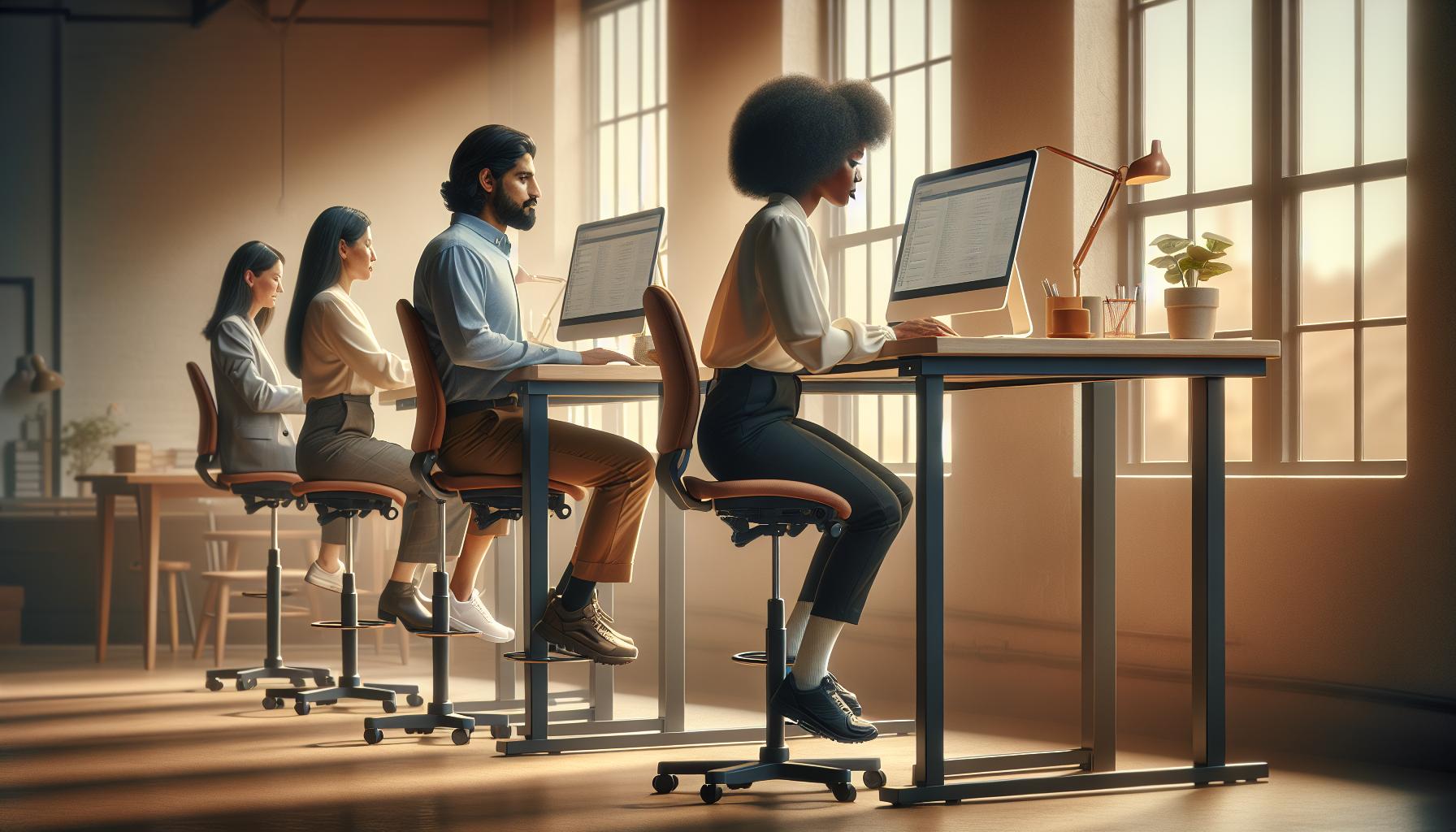
Understanding Ergonomic Flexibility Options
Adopting a standing desk is not just about choosing between sitting or standing; it’s an opportunity to rethink your entire workspace setup and embrace a more flexible approach to work. Research shows that switching positions throughout your workday can enhance attention and productivity, while also alleviating discomfort associated with prolonged sitting. With the right ergonomic adjustments, you can seamlessly transition between sitting and standing, creating a workspace that promotes both comfort and health.
For effective ergonomic flexibility, consider utilizing a sit-stand converter. This tool allows you to adjust your desk height easily, enabling interchangeable sitting and standing positions throughout the day. Aim to switch your position every 30 to 60 minutes, gradually increasing your standing time as your body adapts. This approach not only reduces fatigue but also supports better circulation and energy levels, which are crucial for maintaining mental clarity during work tasks.
Essential Ergonomic Adjustments
To fully benefit from a standing desk, make sure to prioritize ergonomics in every aspect of your setup. Here are several key factors to consider:
- Desk Height: Your desk should be at elbow height when standing, allowing for a 90-degree angle at your elbows while typing.
- Screen Position: The top of your monitor should be at eye level to prevent neck strain. Consider using a monitor stand if necessary.
- Footwear: Invest in supportive footwear or consider standing on an anti-fatigue mat to minimize pressure on your feet.
- Seating Options: Keep a comfortable chair nearby to provide a resting spot when needed. Opt for a chair that promotes good posture when sitting.
Incorporating movement into your day can also exponentially increase your wellness benefits. Simple activities, such as stretching, taking brief walks, or even incorporating desk exercises, can refresh your mind and body. Embracing these ergonomic flexibility options not only helps to mitigate the risks associated with sedentary behavior but also promotes a healthier, more engaged lifestyle in the workplace. The key is to listen to your body’s cues and adjust your environment accordingly so that both comfort and productivity are optimized.
Best Practices for Sitting at a Standing Desk
Creating a harmonious balance between sitting and standing at your desk can dramatically influence both comfort and productivity. Research indicates that prolonged periods of either position can lead to discomfort, fatigue, and decreased cognitive function. Therefore, understanding how to effectively sit at a standing desk can empower employees to switch between postures fluidly while enhancing overall workstation wellness.
To maximize the benefits of sitting at a standing desk, proper setup is crucial. Begin by ensuring your chair is ergonomically supportive, promoting good posture. This includes maintaining a natural curve in your lower back and keeping your feet flat on the floor or on a footrest. When seated, your knees should be at a 90-degree angle; this slight adjustment can have a substantial impact on comfort over time.
In addition, maintain the correct desk height when transitioning to sitting. Ideally, your elbows should be at a 90-degree angle, allowing your hands to hover comfortably above the keyboard without straining your shoulders. Implementing a keyboard tray can assist in achieving this optimal position when seated. Moreover, make certain that your monitor is at eye level-this minimizes neck strain and creates a more conducive environment for focused work, whether sitting or standing.
To ensure variety and prevent the pitfalls of prolonged sitting, consider the following strategies:
- Schedule Movement Breaks: Set a timer every hour to remind yourself to switch positions. Even brief sessions of standing or stretching can invigorate both the mind and body.
- Incorporate Micro-Movements: While seated, perform small movements, such as ankle rolls or seated leg raises, to stimulate circulation and reduce discomfort.
- Utilize Props: A small cushion or lumbar roll can enhance support while sitting, contributing to better posture and comfort.
- Practice Mindfulness: Regularly check in with your body and adjust as necessary. Are you feeling any areas of tension? Addressing these promptly can help maintain your focus and productivity.
By integrating these practices into your work routine, you not only create a more engaging work environment but also foster a healthier approach to the modern workspace. Embracing flexibility in your seating and standing habits can lead to enhanced wellness, improved cognitive function, and overall work satisfaction. As you navigate between sitting and standing, remember that your body thrives on movement and variety-essential elements for sustaining both health and productivity in your daily tasks.
Adjusting Your Workspace for Comfort
Creating a comfortable workspace is paramount, especially when transitioning between sitting and standing. A well-adjusted setup not only enhances productivity but can also improve your overall well-being. Studies show that discomfort resulting from poor ergonomics can lead to decreased focus and increased fatigue. Therefore, it is essential to consider various factors when configuring your workspace, whether seated or standing.
Begin with the desk height, which should allow your elbows to remain at a 90-degree angle or slightly obtuse when typing. When seated, your feet should rest flat on the ground, and your thighs should be parallel to the floor. In a standing position, aim for your hands to be at or just below elbow level, allowing for a neutral wrist position while typing. This optimal height can often be achieved with adjustable desks, providing flexibility to switch seamlessly between postures throughout the day.
One effective way to enhance your workspace’s comfort is through monitor placement. The top of your screen should be at or just below eye level, allowing you to maintain a neutral neck position. The distance from your eyes to the screen should be approximately an arm’s length. Using a monitor riser can help achieve this setup, thereby reducing strain on your neck and back.
Adding accessories can further promote comfort and efficiency in your workspace. Consider using an ergonomic chair that supports your lower back, or a standing mat that reduces pressure on your feet and legs during prolonged standing periods. Additionally, utilizing a footrest can allow you to shift your weight and keep your legs from becoming fatigued. Making these small adjustments can lead to significant improvements in comfort and productivity.
In summary, tailoring your workspace with ergonomic principles in mind can help you navigate the transition between sitting and standing effectively. By focusing on desk height, monitor placement, and the implementation of supportive accessories, you can create an environment that not only supports physical well-being but also promotes cognitive health and productivity. Embrace these adjustments to empower yourself in the modern workspace, where comfort and innovation can go hand in hand.
Overcoming Common Challenges with Standing Desks
Making the switch to a standing desk can bring about significant benefits, yet it isn’t without its challenges. Many individuals find that their initial excitement gives way to discomfort or fatigue after prolonged standing. Understanding these common challenges and incorporating solutions can help you create a more enjoyable and productive workspace.
One prevalent issue is discomfort in the feet, legs, or lower back. To combat this, consider investing in a high-quality anti-fatigue mat, which provides cushioning and support while you stand. This can help alleviate pressure on your joints and encourage circulation. Additionally, practicing weight distribution by shifting your stance occasionally can reduce fatigue. Stand with one foot slightly in front of the other and alternate positions throughout the day to give specific muscle groups a break.
Another challenge is maintaining focus and productivity in a standing position. Distractions in the environment can be magnified when standing, leading to decreased concentration. To enhance focus, create a dedicated workspace free from noise and interruptions. Organize your desk to minimize clutter, and consider using noise-canceling headphones or calming background music to help maintain your concentration.
Finally, it’s essential to remember that transitioning to a standing desk doesn’t mean standing all the time. Integrating movement into your work routine is crucial for overall wellness. Set reminders to alternate between sitting and standing at regular intervals-aim for a ratio like 30 minutes of standing followed by 15 minutes of sitting. Incorporate short walks during breaks to keep your body engaged and energized.
By being mindful of these challenges and taking proactive steps, you can adapt to a standing desk with ease, establishing a more flexible and health-conscious work environment that supports your physical and cognitive well-being.
Health Impacts of Alternating Sitting and Standing
Alternating between sitting and standing has profound implications for your health, particularly in a work environment where prolonged postures can lead to a variety of discomforts and health issues. Research indicates that standing for part of the day can help reduce the risks associated with sedentary behavior, such as obesity, cardiovascular disease, and musculoskeletal disorders. By embracing a dynamic approach to your workspace, you not only enhance physical well-being but also boost cognitive functions, leading to greater productivity and engagement.
Adopting a flexible routine where you shift positions throughout the day encourages better circulation and lessens the strain on your muscles and joints. Lawyers, analysts, and graphic designers are just a few professions that have seen improvements in energy levels and focus when they incorporate standing intervals. This practice can also foster neuroplasticity-the brain’s ability to adapt and reorganize itself. For instance, having the option to change your position allows your brain to remain engaged and responsive to your tasks, providing a refreshing break from the monotony of being stationary.
To maximize the health benefits of alternating between sitting and standing, consider implementing a simple schedule. A common recommendation is the 20-20-20 rule, where every 20 minutes of work is followed by a 20-second break involving either standing, stretching, or walking. Additionally, it’s beneficial to integrate movements, such as simple leg lifts or shoulder rolls, during standing breaks. This kind of activity not only alleviates muscle fatigue but also encourages mindfulness, reinforcing your focus on the task at hand.
Moreover, understanding how your body responds to these changes is critical. It’s advisable to listen to your body’s signals; signs of discomfort or fatigue might indicate it’s time to switch positions. If you notice persistent discomfort despite making adjustments, consider consulting a healthcare professional to explore personalized ergonomic solutions that work for you. By fostering a balanced approach to sitting and standing, you not only improve your overall health but create a workplace that champions wellness and productivity.
Integrating Movement for Better Productivity
Integrating movement throughout your workday can significantly enhance productivity and overall well-being. Research consistently shows that regular physical activity, even in small increments, boosts cognitive function, reduces stress, and improves focus. One effective method to incorporate movement is by structuring your day around a simple schedule, allowing you to seamlessly alternate between standing, stretching, and short walks.
One popular strategy is the Pomodoro Technique, where you work intensively for 25 minutes and then take a 5-minute break. During these breaks, stand up, walk around your workspace, or perform quick stretches. This approach not only creates a dynamic work environment but also stimulates neuroplasticity, keeping your brain agile and responsive. Implementing such routines can help prevent mental fatigue and maintain a high level of engagement throughout your tasks.
Additionally, consider integrating dynamic movements into your workspace setup. Utilize tools such as a balance ball chair, or opt for a standing desk with adjustable height, which encourages subtle movements as you work. These devices can help facilitate postural changes and increase blood flow, counteracting the negative effects of prolonged sitting. Simple exercises, such as calf raises, shoulder rolls, and even light leg stretches, can be performed discreetly, providing micro-breaks that reinvigorate both body and mind.
Lastly, cultivate a mindset that recognizes the value of movement for productivity. Instead of viewing breaks as distractions, embrace them as essential components of a productive workflow. Encourage a culture in your workplace that supports mobility, such as group walking meetings or stretch breaks. By adopting these practices, you not only improve your own health but also contribute to a workplace environment that prioritizes well-being and efficiency.
Tips for Maintaining Good Posture
Maintaining good posture at a standing desk is crucial for optimizing comfort and preventing discomfort or injury. Many people mistakenly believe that simply standing eliminates the issues associated with prolonged sitting; however, improper posture while standing can lead to a host of health problems. Studies suggest that correct ergonomics not only promote physical health but also enhance cognitive performance, making it essential to prioritize how you position your body throughout the day.
To start, ensure your standing desk is at the correct height. Your elbows should be bent at a 90-degree angle, allowing your wrists to remain straight while typing. A good rule of thumb is to keep your screen at eye level. This alignment helps reduce neck strain. Consider using a monitor stand if necessary, and position the top of the screen at or slightly below eye level to maintain a neutral neck posture.
Investing in anti-fatigue mats can significantly improve your standing experience. These mats provide cushioned support that encourages slight movements in your legs and feet, promoting blood circulation. Incorporate shifting your weight from one leg to another or occasionally using a footrest to elevate one foot, which can alleviate pressure on your lower back. Simple stretches, like calf raises or gentle twists, done during breaks can further maintain flexibility and combat stiffness.
Moreover, remember the fundamentals of good posture: keep your shoulders back and relaxed, align your ears over your shoulders, and maintain a straight back. Engaging your core muscles can provide essential support, ensuring you don’t lean forward or slouch throughout the day. Building these habits not only fosters a more comfortable work environment but also enhances your overall productivity and cognitive health. Implementing these practical steps can lead to a more effective and enjoyable experience while working at a standing desk.
Mindfulness Techniques for Workplace Wellness
In today’s fast-paced work environment, integrating mindfulness techniques can significantly enhance workplace wellness, especially when transitioning to standing desks. By fostering a greater awareness of physical sensations, thoughts, and emotions, individuals can create a more balanced and productive working atmosphere. Mindfulness not only helps relieve stress but also supports cognitive health and creativity, leading to increased focus and performance throughout the day.
To incorporate mindfulness into your daily routine at a standing desk, consider the following strategies:
Breath Awareness
Practicing deep breathing is a simple yet effective technique for calming the mind and reducing stress. Take a moment to notice your breath, inhaling deeply through your nose and exhaling through your mouth. Aim for a regular practice of 5-10 minutes, which can help alleviate tension and improve concentration. You can do this while standing, simply pausing to align your breath with your movements.
Mindful Movement
Instead of standing still for long periods, introduce gentle movement into your routine. Practices such as walking in place or shifting your weight from one leg to another can keep your body active and engaged. Combine this with stretches or mild exercises throughout the day to combat stiffness and increase blood circulation. For instance, simple calf raises or arm stretches can break the monotony of standing while enhancing your focus.
Body Scans
Engaging in a quick body scan allows you to assess how you are feeling physically and mentally. Set aside a few moments to observe each part of your body from head to toe, identifying any areas of tension. Acknowledging these sensations can help you make conscious adjustments to your posture or movement, enhancing your overall comfort at the desk.
Creating Mindful Spaces
Designing a workspace that promotes mindfulness can further enhance your experience. Consider incorporating elements such as plants, calming colors, or inspirational quotes that resonate with your goals. Having a visually pleasing environment not only boosts mood but also serves as a reminder to stay present and engaged in your work.
By integrating these mindfulness techniques into your workday, you can transform your standing desk experience into a more holistic approach to wellness. As you cultivate a practice of awareness, both your physical and cognitive health will benefit, leading to a more productive and satisfying work life.
Measuring Productivity: Standing vs. Sitting
Shifting between standing and sitting throughout your workday can have a profound impact on productivity, cognitive function, and overall well-being. Studies suggest that adopting a more flexible approach to desk time can boost focus and drive, counteracting the lethargy that often accompanies prolonged sitting. As you consider your options, it’s essential to assess how these changes might benefit not just your physical health but also your mental acuity and satisfaction at work.
When measuring productivity, it’s important to understand that standing desks can enhance engagement and performance. Individuals often report improved energy levels and greater motivation to tackle tasks when standing. Evidence indicates that after meals, standing can help normalize blood sugar levels more quickly compared to sitting-a significant factor in sustaining productive energy throughout the day [[2]]. Additionally, alternating between sitting and standing might help mitigate common issues associated with sedentary work, such as fatigue or musculoskeletal discomfort, leading to more sustained concentration and less distraction from physical discomfort.
To truly benefit from this setup, consider implementing a structured approach to switching between positions. For instance, utilizing a timer can remind you to stand every 30 minutes or so, paired with short walking breaks. This not only fosters a dynamic work environment but also aligns with best practices for ergonomic efficiency. Moreover, keeping track of tasks or goals accomplished while seated versus standing can provide personal insights into your most productive states. Documenting this information allows for tailored adjustments to your work habits, maximizing productivity while also prioritizing your health.
Ultimately, there isn’t a one-size-fits-all solution; what works best will vary based on individual preferences and tasks at hand. Listening to your body and adapting your routine will empower you to craft a work environment that supports both your physical comfort and cognitive effectiveness. Embrace the flexibility of your standing desk, and view it as a tool to enhance not only your productivity but your overall workplace wellness journey.
The Future of Flexible Workspaces
As we advance into a more dynamic work environment, the philosophy of flexibility in workspaces is becoming integral to enhancing employee well-being and performance. In today’s fast-paced world, the traditional model of either sitting or standing for prolonged periods can be limiting, but modern flexible workspaces, particularly those incorporating height-adjustable desks, are leading the charge in redefining how we approach our daily tasks. Transitioning to this model not only acknowledges the need for physical comfort but also champions mental agility, setting the stage for heightened productivity.
Flexibility goes beyond just alternating between sitting and standing; it encompasses a holistic approach to workspace design that promotes movement, comfort, and individual preferences. Consider integrating various workspace zones-quiet areas for deep focus, collaborative spaces for brainstorming, and active zones encouraging movement. Incorporating assets such as exercise balls, balance boards, or walking pads situates physical activity within the workday, seamlessly blending productivity with health. This way, the workspace itself becomes an active participant in enhancing cognitive performance, allowing for greater engagement and creativity.
Practical steps to embrace this future can begin with individual assessment and office redesign. Start by evaluating your current setup: Is your chair ergonomic? Is your screen at eye level? From there, create a list of adjustments, such as investing in standing desks and ergonomic accessories that promote healthy posture. Regular breaks, paired with brief physical activities, can recharge your mental state, enhancing focus and alleviating stress, which are critical for sustained efficiency.
As organizations recognize the value of employee health on performance, the trend toward more adaptable and responsive work environments is likely to flourish. By fostering an atmosphere where both physical and mental flexibility are prioritized, companies not only enhance worker satisfaction but also build a resilient workforce ready to tackle the challenges of tomorrow. As you evolve your workspace, remember that the ultimate goal is to create an environment where productivity and comfort coexist, empowering you to achieve your best work while maintaining your health.
Frequently Asked Questions
Q: Can I switch between sitting and standing at a standing desk?
A: Yes, you can easily switch between sitting and standing at a standing desk. Many models are adjustable, allowing you to change the height to your preferred position. This flexibility promotes comfort and can improve productivity, as discussed in our section on understanding ergonomic flexibility options.
Q: What are the benefits of alternating between sitting and standing?
A: Alternating between sitting and standing can reduce fatigue and discomfort associated with prolonged sitting. It may also enhance circulation and energy levels, supporting overall health. For more detailed insights, refer to our article section on health impacts of alternating sitting and standing.
Q: How should I set up my standing desk for comfort?
A: To set up your standing desk for comfort, ensure your screen is eye level, and your elbows are at a 90-degree angle while typing. Use an anti-fatigue mat to reduce pressure on your feet. Check the section on adjusting your workspace for comfort for additional tips.
Q: Can I use a chair with a standing desk?
A: Absolutely! Using a chair with a standing desk can provide a place to rest while maintaining the flexibility to stand when desired. Consider a height-adjustable chair to seamlessly transition throughout the day. More advice on this can be found under best practices for sitting at a standing desk.
Q: Are there specific health risks associated with using a standing desk?
A: While standing desks offer benefits, excessive standing can lead to discomfort or health issues like varicose veins. It’s vital to alternate your position and integrate movement. For a deeper understanding, refer to our section on the health impacts of alternating sitting and standing.
Q: How can I maintain good posture while using a standing desk?
A: To maintain good posture at a standing desk, align your head, shoulders, and hips. Keep your weight distributed evenly on both feet, and avoid locking your knees. See our tips for maintaining good posture for further guidance.
Q: What ergonomic accessories enhance the standing desk experience?
A: Ergonomic accessories like adjustable keyboard trays, wrist rests, and footrests can enhance your standing desk experience by promoting comfort and proper posture. Explore our understanding ergonomic flexibility options section for more suggestions.
Q: Should I use a desk converter or a fully standing desk?
A: Choosing between a desk converter and a fully standing desk depends on your needs. Desk converters are cost-effective and allow you to keep your existing setup, while fully standing desks offer dedicated height adjustability. Our section on can you transition to a standing desk provides more insights to help you decide.
To Wrap It Up
As you consider whether to sit or stand at your desk, remember that the key lies in finding the right balance for your comfort and productivity. Transitioning between positions can boost your energy levels and enhance your focus throughout the day. If you’re eager to implement these changes, be sure to check out our comprehensive guides on setting up ergonomic workspaces and effective stress management techniques.
Don’t miss out on enhancing your workplace wellness; subscribe to our newsletter for more insightful tips and resources. Have further questions? Join the conversation in the comments below, and let’s explore more about optimizing your work environment together. Your journey towards a healthier workspace and improved cognitive performance starts now-take action today!